
An AI summary is a computer-generated overview that compresses a conversation, meeting, or document into shorter text, usually showing key points and action items rather than repeating every word. That matters most when you need to follow a fast conversation in a meeting, classroom, church service, doctor's office, or other live setting without losing the thread.
Table of Contents
- What Is an AI Summary?
- How AI Summaries Evolved From Early Research
- What Makes an AI Summary Useful or Misleading
- Live Captions, Transcripts, and AI Summaries Compared
- Where AI Summaries Help Most
- How iScribe Live Transcribe Turns Conversations Into Summaries
- Common Misconceptions About AI Summaries
- How to Use AI Summaries Safely and Effectively
What Is an AI Summary?
An AI summary is a short version of a longer conversation, document, or recording. It keeps the main points, decisions, and action items, so you can review what happened without reading or hearing every word.
That makes it useful in everyday situations where people talk quickly or cover a lot at once. A student can skim lecture highlights after class. A professional can check meeting decisions instead of replaying the entire call. Someone leaving a doctor visit can review the plan later instead of trying to remember every detail.
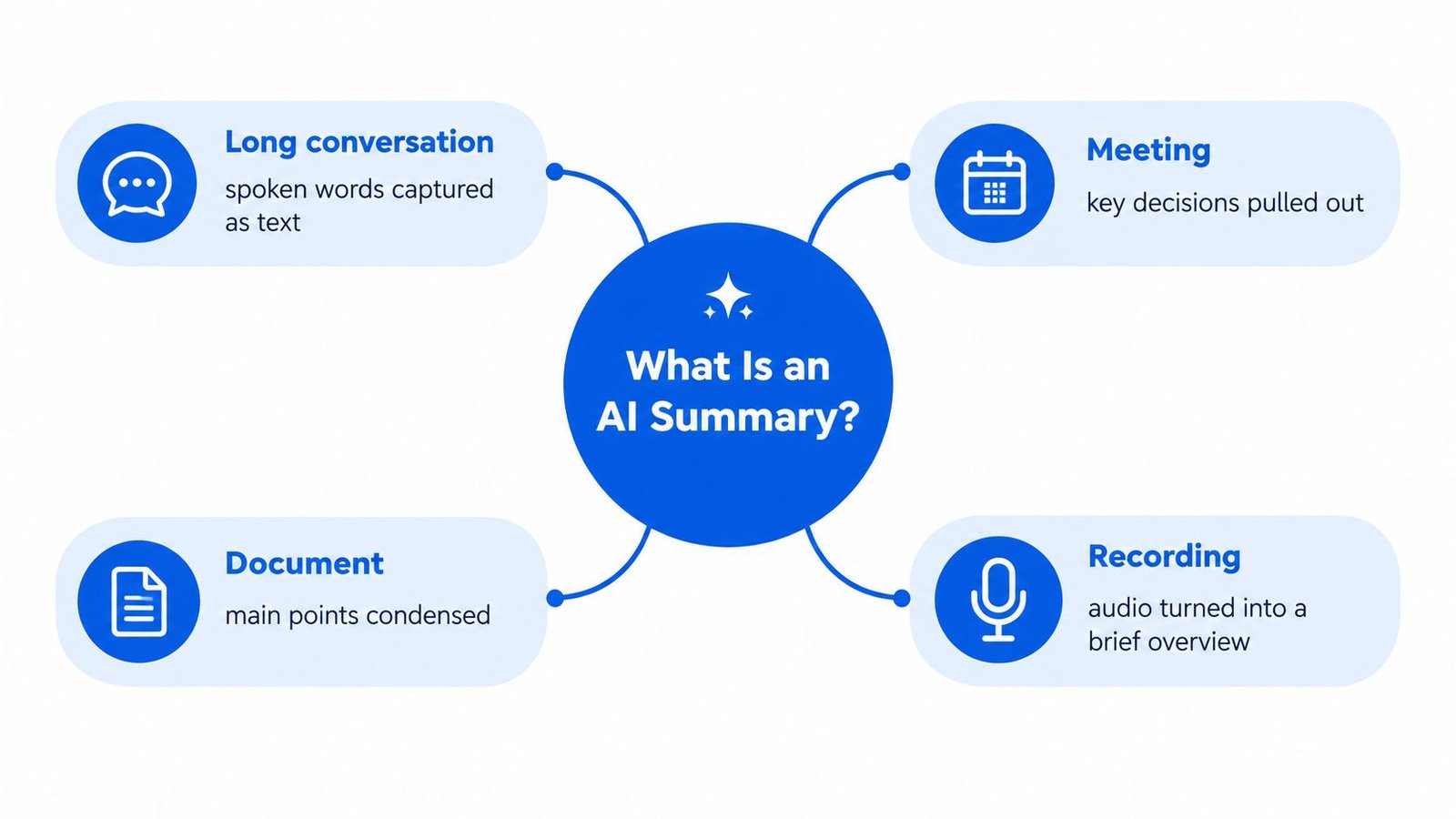
A useful plain-English explanation of what an AI summary actually is helps frame the idea well. For a related comparison of concise versus full-text output, see objective summary.
Practical rule: a summary helps you understand faster, but it's still a second layer, not the original record.
How AI Summaries Evolved From Early Research
A transcript with a few useful sentences hidden in a long conversation is exactly the kind of problem early summarization research tried to solve. The first well-known work focused on spotting important sentences through word patterns such as frequency, and Hans Peter Luhn's 1957 method is often cited as an early milestone in automatic summarization.
Early systems were mostly extractive, so they selected sentences a person had already written and stitched them together. That worked for quick overviews, but it could only reuse existing wording. It could not turn scattered points into a cleaner explanation or adapt the output for someone who needs a more readable record after a meeting or a live transcript.
From sentence picking to generated overviews
Later research shifted toward methods that could capture meaning across a longer input. A survey of summarization methods shows that by 2016, approaches such as term frequency, inverse document frequency, pattern-based methods, and latent semantic analysis were widely discussed, and by 2017, latent semantic analysis combined with non-negative matrix factorization had outperformed pattern-based methods in some multi-document comparisons.
By 2019, machine-learning approaches had become dominant for extractive summarization of single documents, which marked a clear step forward in that narrower task. That matters today because modern generative summaries can rewrite a transcript into new key points and action items instead of only selecting sentences that already exist.
For a broader background on speech-to-text foundations, read a primer on how speech-to-text recognition works. The shift from selection to rewriting is what makes AI summaries useful for accessibility workflows, where spoken words first become a transcript and then become a shorter interpretation that still needs verification.
What Makes an AI Summary Useful or Misleading
A useful AI summary works like a careful reading of a long conversation. It selects the parts that matter, compresses them, and rewrites them in new sentences. That is different from copying lines from a transcript.
The main quality test is faithfulness, whether each claim in the summary is supported by the source and does not contradict it. The RANLP 2025 paper on faithfulness in summary evaluation treats that as the key standard. A summary can read smoothly and still be wrong. It can change a number, reverse cause and effect, or place an event at the wrong time.
Generation and verification are different jobs
A safer workflow keeps those tasks separate. First, the system generates the summary. Then it checks the claims against the source. That review can include transcript normalization, speaker and topic segmentation, hierarchical summarization for long inputs, claim-level entailment checking, and human review for high-impact outputs, as discussed in the ACL 2024 paper on claim verification in summarization.
Coverage, readability, and factual consistency all matter. A summary that is easy to read but unsupported is not useful for decisions.
A good internal standard is straightforward. Every bullet should answer who said it, what happened, when it happened, and what evidence supports it. If a claim cannot be traced back to the source, it should be flagged, not polished into confidence. For Deaf and Hard of Hearing users, students, and professionals, that verification step matters because a summary is a selective interpretation tool, not a full record.
Live Captions, Transcripts, and AI Summaries Compared
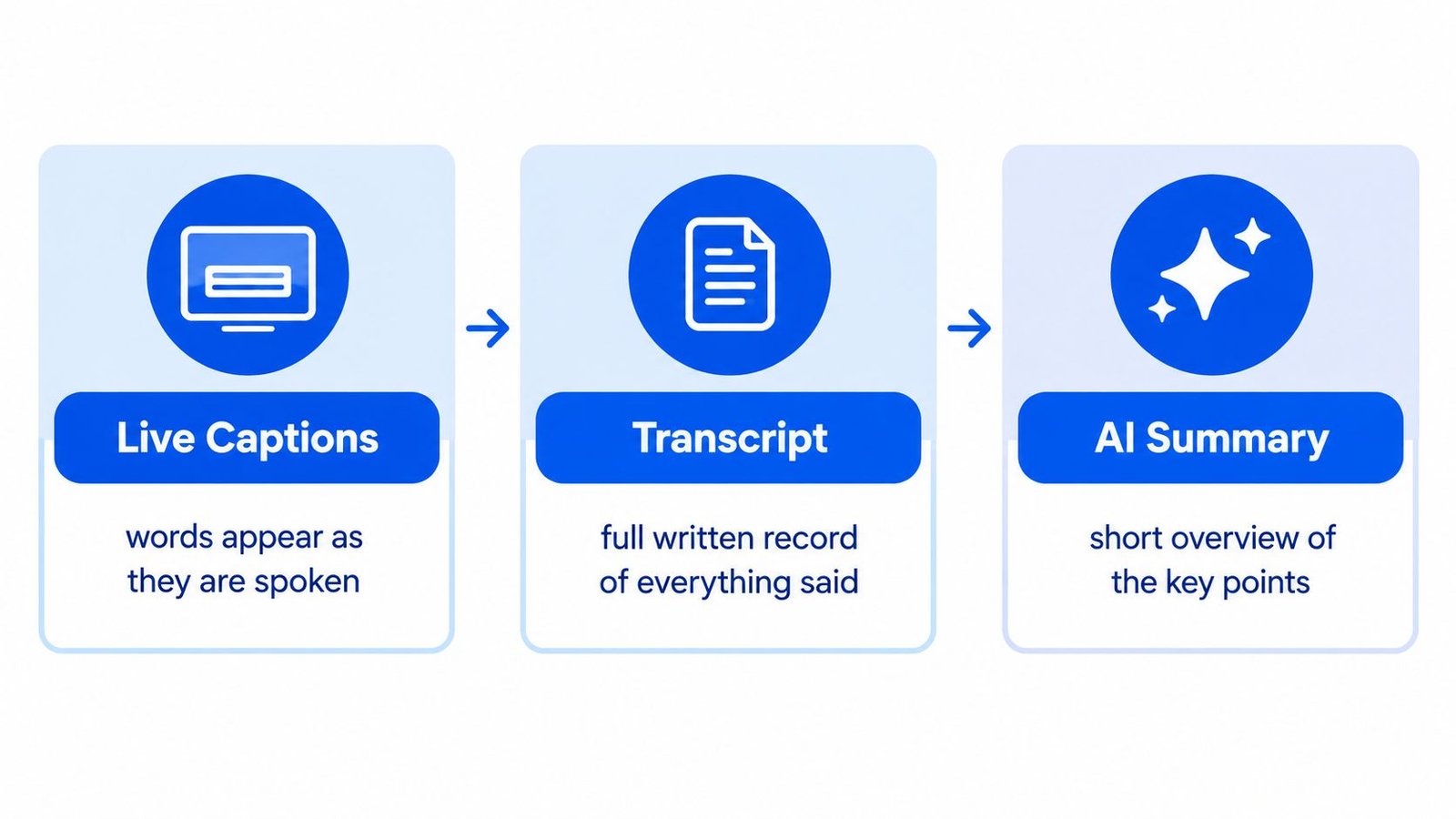
Live captions, transcripts, and summaries are three different layers. People often blur them together, but they solve different problems.
Live Transcribe iSrcribe says what's being said as it happens. That live layer helps people keep up in real time. A saved transcript preserves the full record for later checking. An AI summary turns that record into a shorter overview with the main points.
| Layer | What it does | Best use |
|---|---|---|
| Live captions | Words appear as they're spoken | Following a conversation in real time |
| Transcript | Full written record of everything said | Verifying wording, names, numbers, and dates |
| AI summary | Short overview of key points | Reviewing decisions, action items, and priorities |
The difference matters because each layer supports a different kind of trust. Captions help you participate. Transcripts help you verify. Summaries help you review. For a fuller look at the live layer, see real-time transcription software.
Where AI Summaries Help Most
For Deaf and Hard of Hearing users, summaries can reduce the strain of fast multi-person speech. They can turn a messy conversation into something easier to scan after the fact, especially when captions miss a phrase or the discussion moves too quickly.
In education, summaries help students focus on the lecture's structure. A student can listen, read captions, and then use the summary to sort what mattered most. That's especially useful when a class covers examples, side comments, and the main lesson in the same hour.
Different settings, different needs
In meetings, summaries help teams get back to decisions and action items without rereading every line. In interviews, they help researchers or journalists separate key answers from filler. In appointments, they help people review instructions after leaving the room.
A guide to lecture summaries from ClassLecture.ai can be useful if you're trying to understand how students often use condensed notes after live listening. The broader point is that summaries work best as a review tool, not a substitute for real-time access.
A summary can improve speed and comprehension, but it doesn't automatically make the conversation equally accessible for everyone.
That's why the best workflow keeps live captions, the transcript, and the summary available together. Each one covers a different part of the experience.
How iScribe Live Transcribe Turns Conversations Into Summaries
iScribe is an iPhone and iPad app developed by Harshva Technologies Private Limited. It converts speech into text in real time, so words appear as they're spoken, which makes it useful for conversations, classes, meetings, doctor visits, interviews, and everyday talk. It also supports audio transcription in more than 100 languages and variants, plus adjustable text sizes and high-contrast themes.
The workflow is straightforward. Capture the live speech, save the transcript, then use the AI summary to pull out the main points and action items. That sequence is helpful because it keeps the original text available for checking while giving you a shorter version for quick review.
The app listing says the free plan allows three sessions per day across Live Transcribe, Record, and Upload, while the Pro plan includes unlimited sessions and iCloud backup for recordings (iScribe on the App Store). That session-based structure matters if you use captions across several classes, meetings, or appointments in a day.
For a closer look at the product's function set, see the top features of iScribe audio transcription. The main trust habit is still the same, read the summary as a guide, then check the transcript when the details matter.
Common Misconceptions About AI Summaries
A common mistake is treating a summary like a neutral transcript. It isn't. A summary chooses what to keep, what to shorten, and what to leave out, so it always reflects some interpretation.
That matters because omission can happen even when the summary sounds accurate. In recent radiology summary research, 5% of evaluated summaries omitted relevant medical information, 12% overemphasized insignificant findings, and 18% underemphasized significant findings, even though no fabricated findings were identified (radiology summary study). The lesson is simple. A summary can be clean, readable, and still miss something important.
Accessibility needs are not solved by summaries alone
Another misconception is that summaries automatically make a conversation equally accessible. A mixed-method study of Deaf and Hard of Hearing users found benefits, but also persistent problems such as limited ASL support, weak understanding of Deaf culture, difficulties with English prompts, and a need for Deaf-specific instructional materials (DHH user study).
That means summaries should be treated as an orientation layer. They help people find the main thread, but they don't replace real-time captions or the underlying transcript. If the source is imperfect, the summary can carry those imperfections forward.
If the source leaves out nuance, the summary can't restore it.
How to Use AI Summaries Safely and Effectively
Keep the original transcript alongside the summary. That gives you a way to verify names, dates, numbers, and responsibilities before you act on anything important. It also helps when a summary compresses a debate, because the transcript shows the exact wording and speaker attribution.
Use the summary as a review layer, not a final record. For practical work, link each key point or action item back to supporting transcript spans, preserve modal language like may and must, and require confirmation before exporting deadlines or compliance-sensitive conclusions. If something sounds important, check the source before you rely on it.
A simple acceptance checklist
- Keep the transcript: Store the full record so you can verify wording later.
- Label the summary: Separate key points, decisions, uncertainties, and action items.
- Check high-stakes items: Confirm responsibilities, dates, and numbers before sharing.
- Review unsupported claims: Flag anything that can't be traced to the source.
- Use human judgment: Automatic factuality tools can help prioritize review, but they don't replace it for consequential content.
The safest habit is to treat the summary as a shortcut to understanding, not a substitute for evidence. When the conversation matters, the transcript still has to be there.
If you want a live transcription workflow that keeps the original record visible while also giving you summaries for review, take a look at iScribe Live Transcribe. It turns spoken conversation into real-time text, saved transcripts, and concise overviews, so you can follow what's being said and verify it later.