Live Transcribe for iPhone - Speech to Text App iScribe
iScribe live transcribe for all your listening needs. Live transcribe app for iPhone to help you capture and read real-time transcriptions.
App Store
Scan the QR Code
for Download
Turn any conversation into clear text, instantly
Built for the d/Deaf and Hard of Hearing individuals use with your everyday conversations, whether you're at home, or social events
Transcribe even offline, during travels, in remote areas, or in places with limited connectivity.
Beyond Expectations
iScribe Live Transcribe app exceeded my expectations.
The accuracy, user-friendly interface, and offline functionality make it stand out.
It has simplified my interactions, and the customizable fonts are a thoughtful touch
Gabriel Zimmermann
→Must app needed for me to transcribe Find suitable for me, need more features
Philip dev
→See what's being said in real time
Catch every word and reduce misunderstandings at public places, work, or meetings
Designed for d/Deaf and Hard-of-Hearing person
Get automated notes for in-person & Summaries
Transcribes and summarises the discussions, lectures, and everyday voice conversations in real time.
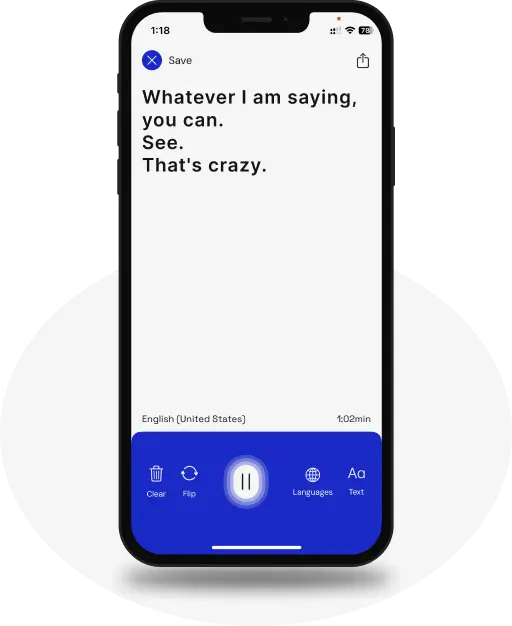
See What’s Being Said
Text appears on your iPhone and iPad as words are spoken.
See What’s Being Said
Text appears on your iPhone and iPad as words are spoken.
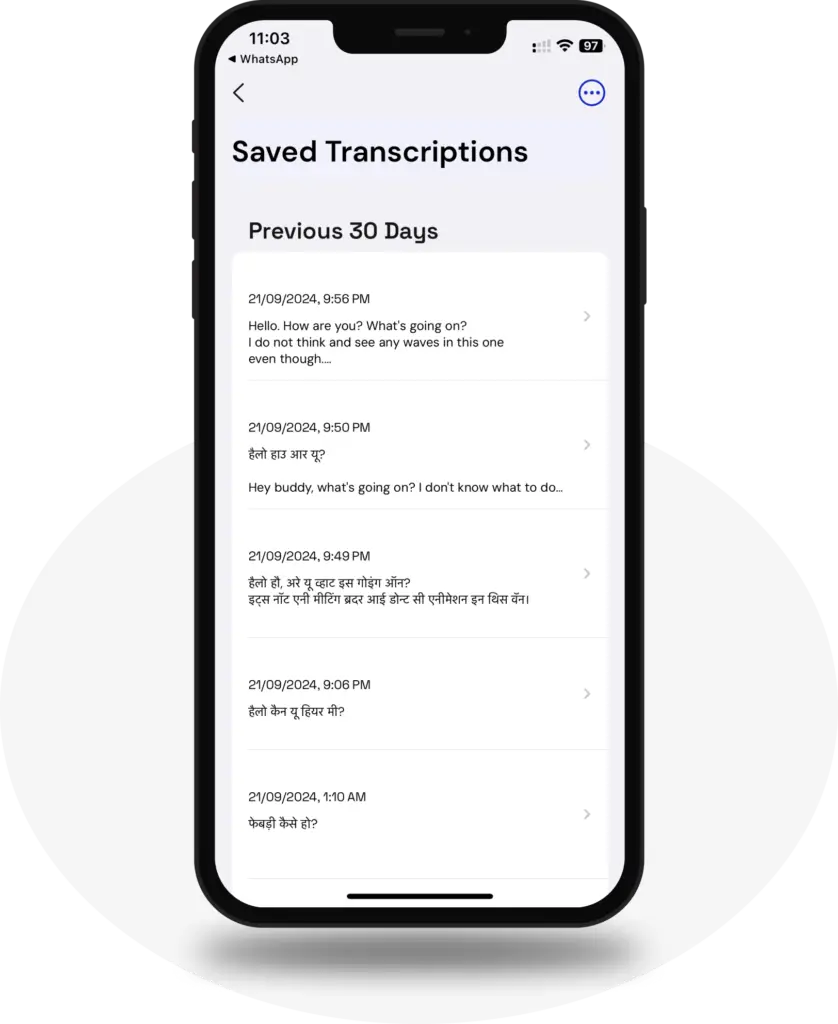
Save your transcripts with Live Transcribe
Save transcript for future refrence
Save your transcripts with Live Transcribe
Save transcript for future refrence
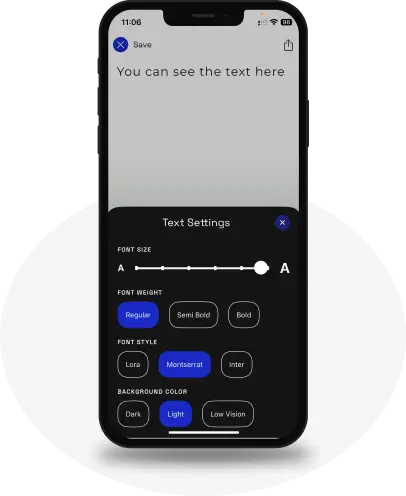
Customize transcription settings
Customizable for your readability settings with font, text size selections, and more.
Trusted by many with countless five-star reviews.
Countless People Are Benefiting from the iScribe: Live Transcribe app Every Day.
Blog
FAQs
The iScribe app uses real-time speech recognition to transcribe conversations as they happen in live. You can see what’s being said. Just open the app iScribe, tap to start, and spoken words appear instantly on your iPhone or iPad screen, word by word, in real time. Perfect for following conversations as they unfold.
Download and Install: Visit the App Store on your iOS device and search for “Audio transcription: iScribe.” Install the app onto your device, or click the link here. Download Now
Launch the App: Tap on the iScribe icon to open the app.
Grant Permissions: When prompted, grant the necessary permissions for the app to access your device’s microphone and speech recognition features.
Start Transcribing: Once the app is open and permissions are granted, tap the “Start Transcribing” button to begin the transcription process. iScribe will immediately start converting spoken words into written text in real-time and get a summary and insight of your conversation.
Yes, iScribe offers both free and paid options for iPhone users. The free version provides 3 transcriptions per day with essential features, while the premium version offers unlimited transcriptions with enhanced capabilities like AI summaries, key insight, and advanced text customization through a subscription with a 7 -day free trial.
Yes. iScribe is specifically designed as an accessibility tool for the Deaf and Hard of Hearing community. It provides live captions during face-to-face conversations, meetings, social events, and everyday interactions, giving you independence and full participation in any conversation.
No. iScribe requires an internet connection for live transcription to work. The app transcribes speech in real time using cloud-based speech recognition, so you’ll need Wi-Fi or cellular data during use.
Both. iScribe specializes in live, real-time transcription for in-person conversations. You can also upload pre-recorded video and audio files to transcribe, with AI-generated summaries, key points, and action items. This is perfect for meetings, lectures, or interviews you need to review later.