 Skip to content


Speech to Text for the Deaf & Hard of Hearing: Best iPhone Apps
Looking for a speech-to-text app for d/deaf or hard-of-hearing users?
You don’t need to buy an expensive transcription device — your iPhone already has everything required.
I tested the top free and paid apps that instantly convert live speech into clear text, so you can follow conversations, lectures, and meetings without missing a word.
Below: the picks that delivered the best real-world accuracy and reliability for daily communication in 2026.
- By karishma Rautela
- Review by: Mahipal Dosad
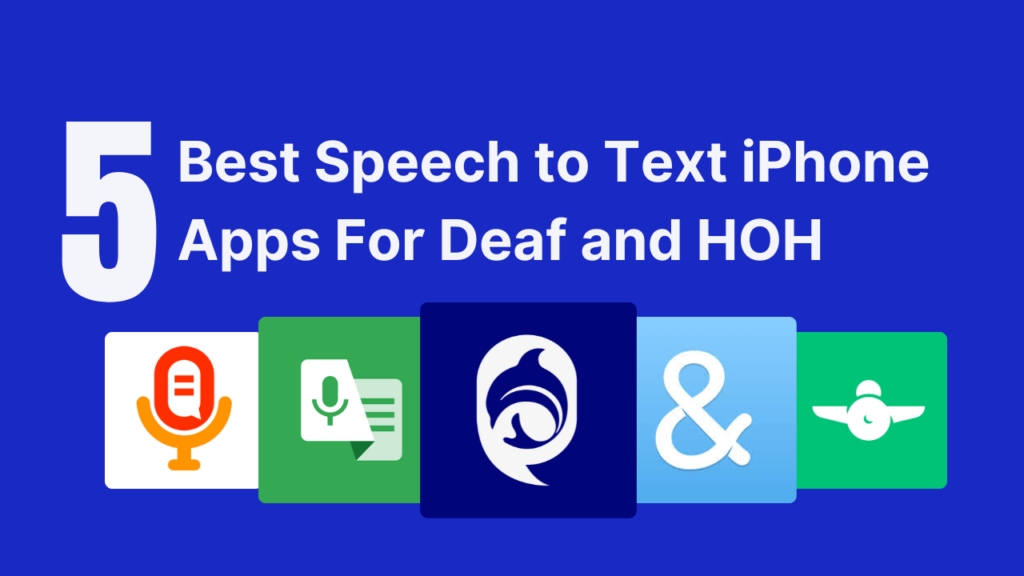
This guide reviews five speech-to-text apps based on accuracy, speed, multi-speaker handling, and real-world usability. Each app is evaluated specifically for deaf and hard-of-hearing users – not for general dictation or podcast transcription.
Do you need a special device for speech-to-text if you're deaf or hard of hearing?
No — modern iPhones do this with apps. A dedicated transcription device can cost $200–$600 and only does one thing.
A speech-to-text app on the iPhone you already own costs nothing (or a few dollars), fits in your pocket, updates with new features automatically, and uses the same speech-recognition technology professional captioners rely on. For most deaf and hard-of-hearing users, the right app replaces the need for a device entirely.
A deaf user from the Reddit r/deaf community shared an experience during a legal meeting where a live transcription app failed. The app produced incorrect words, lagged behind the speakers, and lost sentences mid-conversation. Because the transcription was inaccurate, the user struggled to follow the discussion and respond clearly. The lawyers misinterpreted the delays and confusion as dishonesty.
This example highlights a critical point:
For deaf and hard-of-hearing individuals, speech-to-text accuracy directly affects communication, credibility, and autonomy.
Evaluation Criteria Used in This Guide
Each speech-to-text app in this list is reviewed using the following criteria:
- Real-time accuracy during fast or complex conversations
- Latency and lag (delay between speech and text)
- Multi-speaker handling and speaker clarity
- Cognitive load (how easy the text is to read and follow)
- Platform availability and pricing transparency
1. iScribe
Best for: High-accuracy real-time transcription in important conversations and note taking
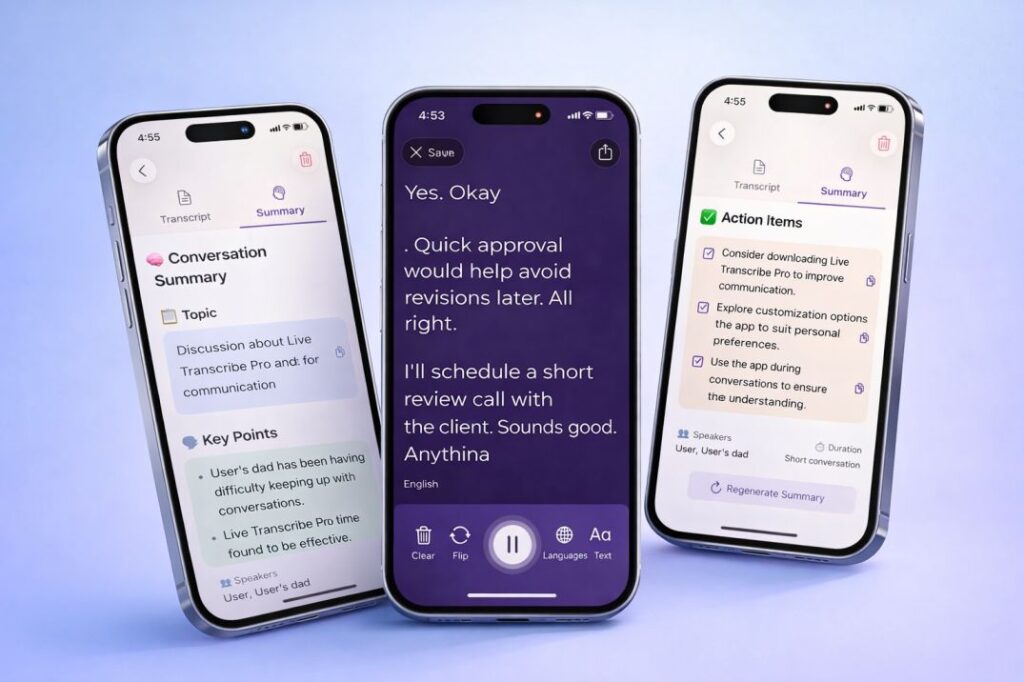
One of the best speech-to-text apps out there, iScribe is an advanced version of the popular speech-to-text tool specially designed for individuals who require real-time transcription. Its professional-grade features cater to a range of needs, from business meetings to personal note-taking. The app excels in accuracy and has a user-friendly interface, making it a favourite among those who need reliable transcription services. It supports multiple languages and allows for easy sharing and editing of transcriptions.
iScribe is a powerful app for speech-to-text conversion. Supports over 100+ languages. The app has real-time transcription and captioning for the deaf and hard of hearing. With the paid version, you will get high-quality, instant speech-to-text and dictation and readable transcriptions.
Looking for a deeper look at what makes iScribe stand out? Read our full breakdown of the top 5 features of iScribe audio transcription and why it is considered the best live transcribe app for iPhone.
Best free speech-to-text app for hearing-impaired iPhone users: iScribe offers a full 7-day free trial with no feature restrictions, making it the strongest free option for iPhone users with hearing loss. You get real-time captions, AI summaries, and 100+ language support before paying a single dollar.
Key Features
- Audio to text transcribe: Record any conversation and get an accurate text instantly
- Video to text transcribe: Upload videos and get full transcriptions
- AI summarizer: Get key insights, action items, and summaries from long conversations – powered by our AI summarizer
- Customizable text: Adjust font size, colour, and display settings for easier reading
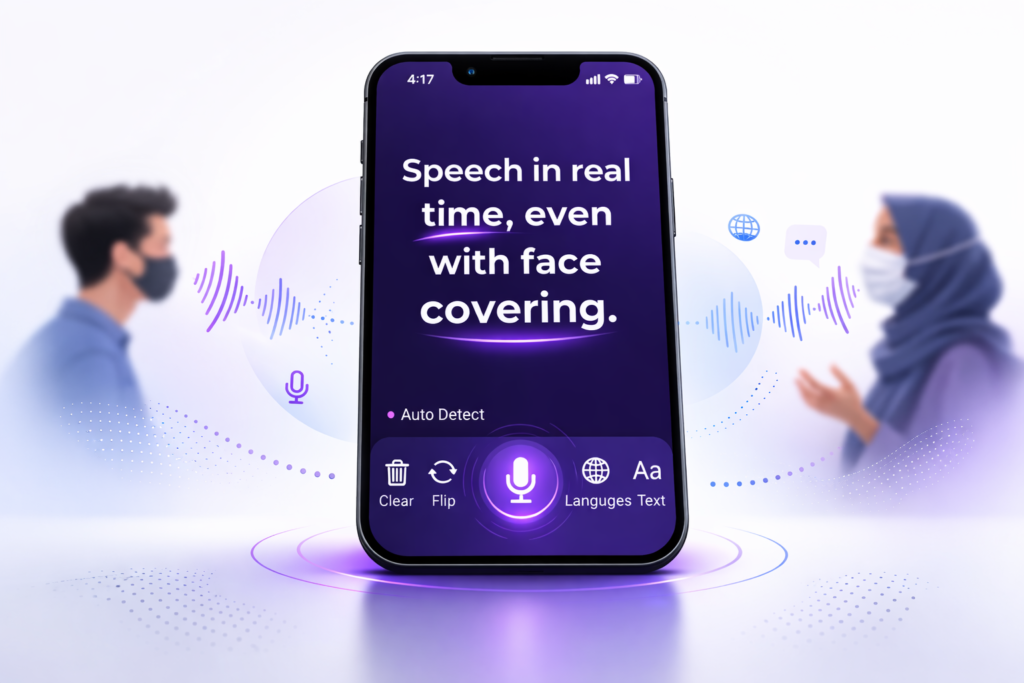
- Flip text: Show your phone to someone so they can read what you’re typing in real-time
- Save and share easily: Export transcriptions as PDFs or text files
Pricing
- 7-day free trial (full access)
- Weekly plan: $7.99
- Yearly plan: $49.99 (normally $69.99, save 28%)
Pros
- Highest accuracy among all apps
- AI features help you understand and remember conversations
- Excellent customer support from a team that understands the deaf community’s needs
Cons
- Only a 7-day free trial
- Currently only available for iOS users
Use iScribe if transcription accuracy is essential and errors could have serious consequences.
This app really gets the job done. It could hear and get the transcription. Helpful on many occasions. I would definitely recommend it to all.
Turn speech to Text Instantly
99% Accurate - Super Fast - Easy to Use
Customer Real Review (4.5 Rating)
2. Ava

Best for: Group conversations and meetings
Ava is a speech-to-text app for hard-of-hearing people that shows live captions for everything being said around you, like subtitles for real life. It works great for group conversations like meetings, doctor visits, events, and classes, though it also handles one-on-one chats well.
For a broader overview, see our guide to the best iPhone apps for hearing loss.
You can use Ava on your iPhone or Android to get instant voice-to-text for hearing-impaired transcription. The app is available for free, but the free version has significant limitations. For group conversations, everyone participating needs to install the app.
Considering switching from Ava? See how iScribe compares in our full Ava alternative guide – including a side-by-side feature breakdown.
Key Features
- Multi-speaker support: Track who’s saying what in group conversations
- Cross-platform: Works on both iPhone and Android
- Conversation archive: Save and review past conversations
- Scribe feature: Professional captioners can join for 90% accuracy (paid feature)
- Colour-coded speakers: Each person gets a different colour for easy reading
Pricing
- Ava Community: $14.99/month
- Yearly plan: $119.99/year
Pros
- Supports 16 different languages
- Both Android and iOS users can participate in the same conversation
- Professional human captioners available for important events (paid)
- Good for classroom and meeting environments
- Clean, easy-to-read interface
Cons
- Other participants need to download the app for group chats
- More expensive than other options
- Accuracy varies significantly between AI and human captioning modes
- Can struggle with overlapping speech
Ava is a solid app for deaf to communicate in group settings, but the requirement for everyone to install it can be a barrier.
3. Google Live Transcribe (android only)
Best for: Free speech-to-text on Android
Google Live Transcribe is a free speech to text app that turns spoken words into written text on your screen. It helps people who are deaf or hard of hearing communicate in real-time. The app works on Android phones and uses Google’s speech recognition technology to change speech to text almost instantly.
Important for iPhone users: Google Live Transcribe is Android-only. If you use an iPhone and need the same live captioning experience, iScribe is the closest equivalent – built natively for iOS with higher accuracy, AI summaries, and the iPhone live caption experience deaf users actually need. Read more about AI audio transcription for iPhone to understand your options.
Key Features
- Real-time captions: See what people are saying as they say it
- 90+ languages supported: Communicate with people around the world
- Type-back keyboard: Respond to others by typing, and they’ll see your text
- Conversation history: Review what was said for up to 3 days
Pricing
Free (completely free, no hidden costs or premium tiers)
Pros
- Completely free with no limitations
- Works well in noisy environments like restaurants or busy streets
- Supports many languages and can switch between them automatically
Cons
- Only available on Android (iOS users need different options)
- Requires an internet connection to work
- Transcriptions are only saved for 3 days
- Accuracy can drop with strong accents or technical vocabulary
- Privacy concerns about Google storing transcription data
Google Live Transcribe is an excellent free speech to text app for hearing impaired users, especially for casual conversations. However, for the high-pressure legal meeting scenario, the accuracy limitations and internet requirement could be dealbreakers.
4. RogerVoice

Best for: Transcribing phone calls
Apps like WhatsApp and FaceTime have changed how deaf and hard-of-hearing people communicate with each other. But regular phone calls are still important for doctor appointments, work calls, and customer service.
RogerVoice is a speech to text app that can turn phone conversations into written text in real-time. When someone talks to you on the phone, you can see their words on your screen. You can respond by speaking or typing.
Key Features
- Live phone transcription: See what the other person is saying during calls
- Text-to-speech response: Type your replies, and the app speaks them
- International calling: Make calls to over 100 countries
- 80+ languages supported: Communicate globally
- Call history: Save and review past phone conversations
Pricing
- Top-up credit: $10.99 for additional minutes
- Premium: $29.99/month for unlimited calls
Pros
- Available on both Android and iOS devices
- Makes regular phone calls accessible to deaf people
- Supports many languages for international communication
- Good accuracy for phone audio quality
Cons
- Both people need the app installed for the best results
- The monthly cost adds up if you make frequent calls
- Transcription quality depends on the phone connection
- Not ideal for emergency calls where speed matters
RogerVoice solves a specific problem that other apps for deaf people don’t address well. However, it wouldn’t help in an in-person meeting like the lawyer scenario we discussed earlier.
5. Speechnotes
Best for: Writing down what someone says as they say it and automatically saving it
Speechnotes is one of the most popular speech to text apps on the market, known for its ability to record for extended periods without stopping. This voice to text app can turn your spoken words into written text smoothly and reliably. You can download it for Android and iOS from their respective app stores.
Key Features
- Automatic punctuation: The app recognizes natural speech patterns and adds commas and periods
- Offline mode: Premium users can transcribe without internet (Android only)
- Voice commands: Say “comma,” “period,” “new line” for formatting
- Export options: Save as text files or share directly to other apps
Pricing
$1.99/month for premium features
Pros
- Simple, clean interface that’s easy to understand
- Good for long dictation to text sessions like writing emails or documents
- Reliable performance for single-speaker transcription
- Works well for speech to text notes and personal recording
Cons
- The Android version requires a premium subscription for offline transcription
- Not designed for multi-speaker conversations
- Accuracy is good but not great with accents or technical terms
- Limited features for deaf-specific needs, like speaker identification
Speechnotes excels as a dictation app for personal use, but it’s not the right choice for the high-pressure, multi-speaker situations that deaf and hard-of-hearing people often face.
Turn voice to text instantly
99% Accurate - Super Fast - Easy to Use
Speech to Text Devices for Deaf and Hard of Hearing (2026)
Many people search specifically for speech to text devices for hearing impaired users – not just apps on a phone, but dedicated hardware or phone-based setups that work as portable transcription tools.
The good news is that in 2026, your smartphone is the most powerful and affordable speech to text device for deaf users available. Here’s how different device options compare:
Smartphone with a transcription app (Recommended) Your iPhone or Android phone paired with an app like iScribe or Google Live Transcribe acts as a fully capable portable speech to text device for deaf users. It fits in your pocket, works instantly, and costs far less than dedicated hardware. iScribe on iPhone gives you real-time captions, AI summaries, and 100+ language support – all on a device you already own.
Dedicated captioning devices (e.g., Bravo, CapTel phones) These are physical devices designed specifically for deaf and hard-of-hearing communication. They work well for phone calls but are limited to that one use case. They are also significantly more expensive than a smartphone app and less flexible in real-world situations like meetings or doctor visits.
Tablets as transcription displays Some users prefer holding up a tablet so the other person can see the transcribed text more easily. Any tablet running iScribe or Ava works well for this – the larger screen makes reading easier in face-to-face conversations.
Talk to text devices for deaf – what actually works best: After comparing all options, a smartphone running a high-accuracy app consistently outperforms dedicated hardware for most real-world situations. The best talk to text device for deaf users in 2026 is simply an iPhone running iScribe – because it handles meetings, one-on-one conversations, phone calls, and recorded audio all in one place.
Best Free Speech to Text App for Hearing Impaired on iPhone
Finding a genuinely free option for iPhone is one of the most common questions from the deaf and hard-of-hearing community. Here’s an honest breakdown:
App | iPhone Support | Free Option | What’s Free |
iScribe | ✅ | ✅ | 7-day full trial with free AI Summarisation |
Ava | ✅ | ✅ | Limited minutes/month |
Google Live Transcribe | ❌ Android only | ✅ | Fully free (Android) |
RogerVoice | ✅ | ❌ | Pay per minute |
Speechnotes | ✅ | ✅ | Basic features |
The honest answer: There is no completely unlimited free speech to text app for hearing impaired iPhone users. Apple’s built-in accessibility features (like Live Captions, available on iPhone 15 and later) provide basic captions for free, but they lack accuracy for important situations and don’t save transcripts.
For a free trial with the highest accuracy, iScribe’s 7-day trial gives you the full professional experience before you pay anything. That’s enough time to test it in real meetings, doctor visits, or classes to see if it works for your specific needs.
Apps for Deaf Communication - What to Look For
Choosing the right app for deaf communication depends on what situations you face most often. Here’s a practical guide based on real-world use:
For one-on-one conversations – iScribe’s Flip Text feature lets you hold your phone up so the other person can read the transcription directly on your screen. No setup required, no app needed on their end. This is one of the most practical tools for everyday communication for deaf people.
For group meetings – Ava handles multiple speakers with colour-coded identification. iScribe also works well for smaller groups. For larger professional meetings, iScribe’s AI summarizer helps you catch anything you missed.
For phone calls, RogerVoice is the only app in this list specifically built for phone call transcription. It converts the caller’s voice to text on your screen in real time.
For classrooms and lectures, iScribe and Google Live Transcribe (Android) both work well for lecture transcription.
Students looking specifically for speech-to-text for deaf students can see our dedicated guide.
For medical appointments – This is where accuracy matters most. iScribe’s higher accuracy rate makes it the safest choice when the stakes are high. Missing a word from a doctor can have real consequences.
For Android users, Google Live Transcribe is the best free option. Ava works on both platforms. Speechnotes is available on Android too, but lacks deaf-specific features.
Also, check our guide to the best universities and schools for deaf students to find institutions with strong accessibility support.
How to Communicate with a Deaf Person Using Technology
If you’re hearing and want to communicate better with a deaf or hard-of-hearing person, technology makes this much easier than it used to be. We have a full dedicated guide on how to communicate with a deaf person – but here are the most practical technology-based approaches:
Use a transcription app together. The simplest method is to open iScribe or a similar app, speak into the phone, and let the deaf person read the transcription on the screen. No signing skills needed. No special equipment. Just speak clearly and the app does the work. For tips on speaking clearly, our guide on lip reading also helps hearing people understand what makes their speech easier to follow.
Type your message and use text-to-speech Some apps, including RogerVoice, allow a hearing person to type a response that is then spoken aloud – or shown as text to the deaf person. This creates a two-way conversation without needing a sign language interpreter. If you want to learn more about signing, our American Sign Language complete guide is a great starting point.
Use the Flip Text feature iScribe’s Flip Text feature is designed exactly for this situation. You hold the phone between you and the deaf person. They read what’s being said on the screen in large, clear text. It works instantly – no setup, no account needed from their side.
Video calls with captions Many video call platforms now include auto-captions. For more reliable accuracy during important video calls, iScribe can run in the background and transcribe audio from the call simultaneously. Learn more about the full CART (Communication Access Realtime Translation) model to understand professional captioning standards.
Key tip: Always speak at a normal pace – not slower. Slower speech actually confuses AI transcription more than a natural speaking rhythm does.
Why This Happens (And Why It Matters)
For deaf and hard-of-hearing people, a reliable dictation to text tool isn’t just a cool feature. It’s how you survive in a hearing world.
It’s how you:
- Participate in important meetings
- Follow what doctors are saying
- Understand your professors
- Talk to lawyers
- Have basic conversations
When auto speech to text fails, you don’t just miss a few words. You miss everything. You lose control of the situation. And worst of all, people think you’re confused or not telling the truth.
Understanding the broader experience of deaf culture helps explain why communication independence isn’t just a preference – it’s a fundamental right. For those living with
What Deaf and Hard-of-Hearing Users Actually Need in a Speech-to-Text App
A reliable speech-to-text app should provide:
- Consistent accuracy under pressure
- Minimal delay between speech and text
- Clear separation of multiple speakers
- Reduced cognitive effort, not increased confusion
When speech-to-text fails, users do not just miss words – they lose the ability to participate equally in conversations. For a broader look at all the apps available for people with hearing loss, our dedicated guide covers seven options evaluated specifically for the deaf and hard-of-hearing community.
Final Recommendation
For deaf and hard-of-hearing individuals who rely on speech-to-text in medical, legal, or professional situations, iScribe offers the most reliable performance based on accuracy, speed, and usability.
The 7-day free trial allows users to test the app in real-world scenarios before committing.
Is there a speech-to-text phone app for deaf people?
Yes, iScribe (Live Transcribe iOS) turns a speech-to-text phone for deaf people. It provides real-time transcription of conversations with exceptional accuracy. Download iScribe and start your 3-day free trial today.
Is there a voice to text translator for the deaf?
Yes, iScribe is the best voice to text translator for deaf individuals. It transcribes spoken words into text instantly across 100+ languages with AI-powered accuracy. Try the 3-day free trial.
What is TTS for deaf people?
TTS (Text-to-Speech) converts text to audio and is mainly for visually impaired people. Deaf people use STT (Speech-to-Text) instead. iScribe uses advanced STT technology to convert spoken words into readable text in real-time. Get your 3-day free trial.
How to speak to a hearing impaired person?
Face them directly, speak clearly at normal pace, ensure good lighting, and reduce background noise. The easiest solution is using iScribe, which transcribes your speech in real-time so they can read everything you say. Download iScribe for a 3-day free trial.
Is there a voice to text for deaf people on iPhone?
Yes, iScribe is the best voice to text app for deaf people on iPhone. It offers accurate real-time transcription, AI summaries, and works across 100+ languages.
Is there an iPhone app for hearing impaired?
Yes, iScribe is the top iPhone app for hearing impaired users. It provides real-time speech-to-text transcription, AI-powered summaries, searchable conversation history, and works perfectly on iOS devices. Download Live Transcribe iOS iScribe and try the 3-day free trial.
What is the best speech to text app for hearing impaired users in 2026?
iScribe is the top-rated option for iPhone users – it combines the highest accuracy, real-time captions, AI summaries, and a 7-day free trial. For Android users who want a completely free option, Google Live Transcribe is the best starting point. See the full comparison in our best live caption apps for deaf guide.
Is there a free speech to text app for hearing impaired iPhone users?
iScribe offers a full 7-day free trial with no feature restrictions. Ava also has a limited free tier. There is no permanently unlimited free option for iPhone, but iScribe’s trial gives you enough time to fully evaluate it in real situations.
Is Google Live Transcribe available on iPhone?
No. Google Live Transcribe is Android-only. iPhone users looking for the same live captioning experience should use iScribe, which offers comparable – and often better – accuracy with additional AI features via the iPhone live caption app.

Share this post