 Skip to content


Best Speech to Text & Live Caption Apps for iPhone
Have you ever sat through a two-hour meeting, frantically typing notes, only to realize you missed half of what was discussed? Or tried to study from hours of lecture recordings, wishing you could just search for specific topics instead of listening to everything again?
That’s the problem speech-to-text apps solve. They’re like having a professional transcriptionist in your pocket-listening to every word and writing it down automatically, so you don’t have to.
These apps have transformed how Americans work, study, and communicate. Whether you’re a college student trying to keep up with fast-talking professors, a business professional managing multiple meetings daily, or someone who is deaf or hard of hearing and needs real-time captions, there’s a speech-to-text solution designed for your needs.
In this comprehensive guide, we’ll walk you through everything you need to know about choosing and using speech-to-text apps on your iPhone. No technical jargon-just straightforward information to help you make the right choice.
Key takeaways:
- Speech-to-text apps convert spoken language into text using AI technology.
- Many apps support real-time captions, voice memo transcription, and meeting notes.
- iPhone users can convert recordings from Apple Voice Memos into written transcripts.
These tools improve accessibility, productivity, and note-taking.
Table of Contents
What is a Speech to Text Apps?
A speech to text app converts spoken audio into written text using speech recognition technology. These apps process either live speech or recorded audio files and produce transcripts automatically.
Many modern apps also include AI-powered features such as summaries, keyword highlights, and language detection. Speech-to-text apps are commonly used for:
- Recording meetings
- Converting voice memos to text
- Transcribing lectures
- Generating captions for conversations
Key points:
- Converts spoken language into text
- Works with live speech or recordings
- Generates transcripts automatically
- Often includes AI summaries and insights
How Speech Recognition Technology Works
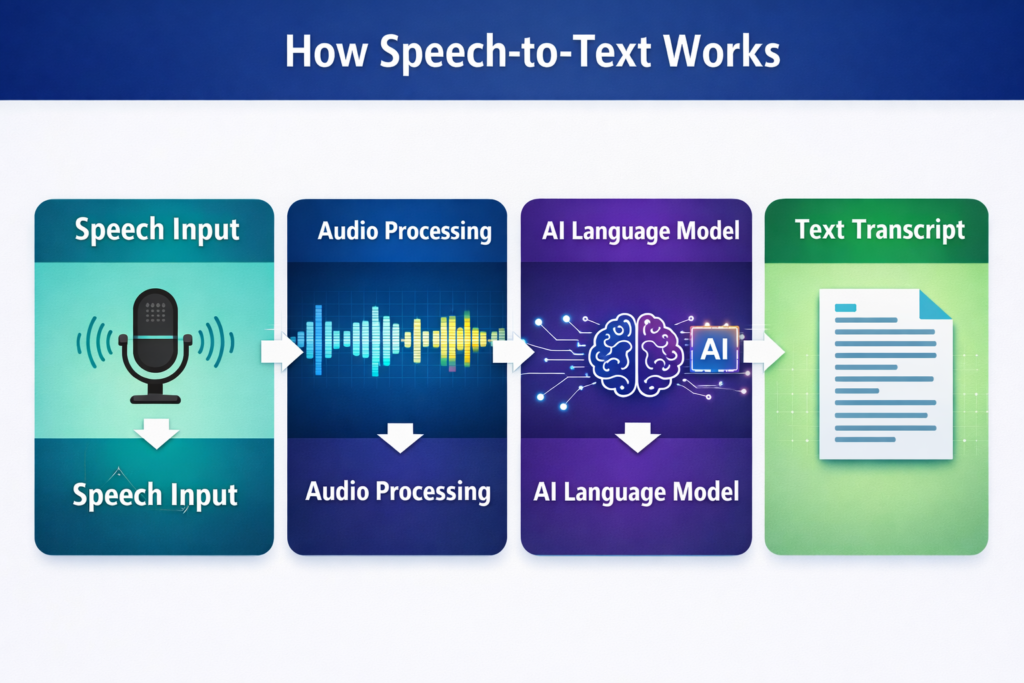
Speech recognition systems analyze audio signals and match them with trained language models to identify words. Artificial intelligence then converts those words into readable text. This process happens quickly through advanced machine learning systems.
Key points:
- AI analyzes speech patterns in audio
- Machine learning predicts the correct words
- Language models improve accuracy
- Cloud processing helps handle large audio data
Statistic:
Modern speech recognition systems can reach high accuracy in clear environments.
Why Speech to Text Matters for Accessibility
Speech-to-text technology helps people access spoken communication through text. This is especially important for deaf and hard-of-hearing users. A live caption app for iPhone can display conversations as text in real time.
Key benefits:
- Real-time captions during conversations
- Easier participation in meetings
- Improved access to education
- Written records of spoken discussions
Statistic:
According to the World Health Organization, more than 430 million people worldwide live with disabling hearing loss.
How AI Transcription Apps Work
AI transcription apps analyze recorded audio and convert it into text using natural language processing and speech recognition models. These apps can also analyze transcripts to extract key information. Common features include:
- Real-time transcription
- Voice memo transcription
- AI summaries and insights
- Speaker identification
- Transcript sharing
Examples of AI transcription tools include iScribe, Otter AI, Ava etc.
Who Needs Speech to Text Apps?
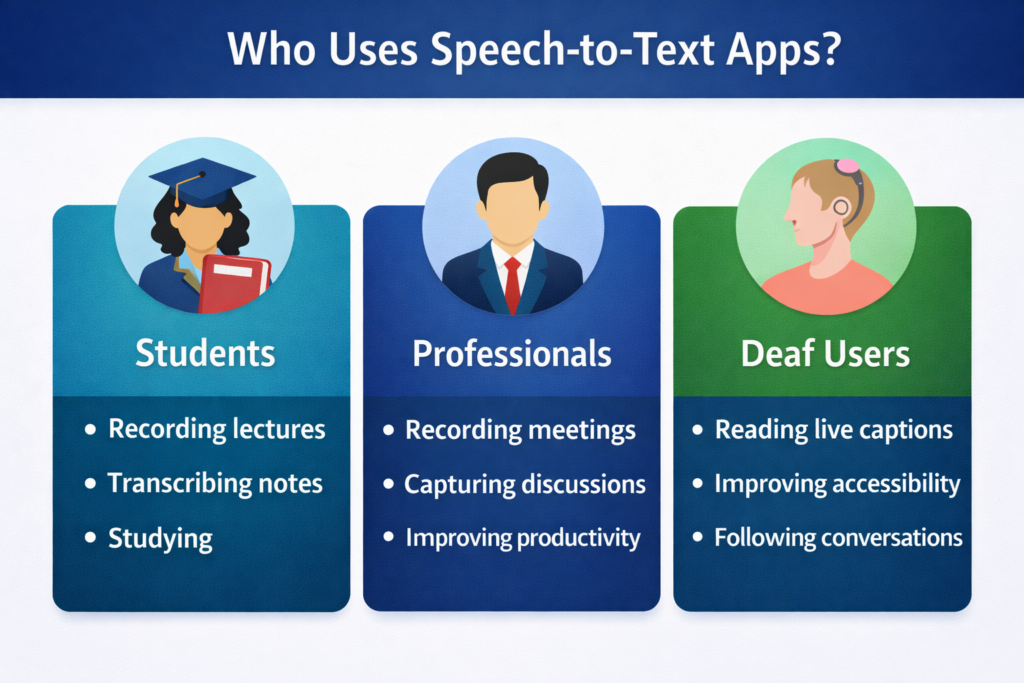
Speech-to-text technology is useful for many types of users who need to capture spoken information. These apps help improve communication, documentation, and accessibility.
Common users include:
- Deaf and hard-of-hearing individuals
- Students recording lectures
- Professionals capturing meetings
Deaf and Hard-of-Hearing Users
Speech-to-text apps provide an important accessibility solution for deaf users. Instead of relying on hearing, users can read captions and transcripts. This makes conversations easier to follow in both personal and professional situations.
Benefits include:
- Reading conversations during meetings
- Following lectures in classrooms
- Understanding group discussions
- Reviewing transcripts later
Accessibility tools often used by deaf users include Ava, Otter, and iScribe.
Students Recording Lectures
Students often record lectures using the Apple Voice Memos app or other recording tools. Transcription apps can convert these recordings into written lecture notes.
Benefits for students include:
- Searchable lecture transcripts
- AI generated summaries
- Faster revision before exams
- Organized study materials
These apps often function as AI note-taking assistants for students.
Professionals Recording Meetings
Professionals frequently use transcription apps to document meetings and discussions. A real time transcription app can convert spoken dialogue into written meeting notes automatically.
Advantages include:
- Automatic meeting transcripts
- Easier sharing of meeting notes
- Searchable records of discussions
- Improved collaboration between teams
Meeting platforms like Zoom, Google Meet, and Microsoft Teams also integrate transcription tools.
Accuracy Tips for Speech Recognition
Speech recognition technology has improved significantly with artificial intelligence and machine learning. However, transcription accuracy can still depend on the quality of the audio and the speaking environment.
Following a few simple practices can help improve transcription results.
Speak Clearly
Clear pronunciation helps speech recognition systems identify words correctly. Speaking too quickly or mumbling can reduce transcription accuracy.
Reduce Background Noise
Noisy environments make it harder for transcription systems to identify speech. Recording in a quiet location helps produce clearer transcripts.
Use a Good Microphone
Better microphones capture cleaner audio signals. This improves speech recognition accuracy and reduces transcription errors.
Avoid Multiple People Speaking at Once
Overlapping conversations make transcription more difficult. When possible, speakers should talk one at a time during meetings or interviews.
Use High-Quality Audio Recordings
If uploading recorded audio, ensure the recording is clear and not distorted. High-quality recordings allow AI systems to process speech more effectively.
When these best practices are followed, modern speech recognition systems can achieve very high transcription accuracy in clear environments.
iPhone Built-In Speech to Text Features
The iPhone already includes built-in speech-to-text capabilities through its voice dictation system. This feature allows users to convert spoken words into text directly while typing on the keyboard.
When dictation is activated, the iPhone listens to spoken language and instantly converts it into written text in apps such as Messages, Notes, Email, and Safari.
Common built-in speech-to-text features on iPhone include:
Voice Dictation
Users can tap the microphone icon on the keyboard and speak to convert speech into text while typing messages or notes.
Voice Control
Voice Control allows users to operate the iPhone and dictate commands hands-free. It is particularly useful for accessibility.
Siri Voice Input
Siri can interpret spoken requests and convert them into actions such as sending messages, setting reminders, or searching for information.
Live Captions (Accessibility)
Newer iOS versions also include accessibility features that display captions for audio during calls, media playback, and certain apps.
While these built-in tools are helpful for quick dictation, they usually do not provide advanced features such as speaker identification, transcript storage, or AI summaries. For these capabilities, users often rely on dedicated transcription apps.
Speech to Text vs Voice Dictation
Many people confuse speech-to-text apps with voice dictation, but they serve slightly different purposes. Both technologies convert spoken language into written text, yet their features and use cases differ.
Speech-to-text apps are designed for long recordings and conversations, while voice dictation is intended for short text input such as messages or notes.
Speech to Text Apps
Speech-to-text applications are built for recording and transcribing audio content. These apps can process conversations, meetings, lectures, and interviews.
Common features include:
Real-time transcription
Audio and video file uploads
Speaker identification
AI summaries and keyword highlights
Transcript sharing and storage
These apps are commonly used by students, professionals, and deaf users who need accurate transcripts of spoken conversations.
Voice Dictation
Voice dictation is a basic feature available on smartphones and computers. It allows users to speak instead of typing text manually.
Typical uses include:
Writing messages
Creating quick notes
Filling search fields
Sending emails
Voice dictation usually does not store recordings or provide transcript analysis.
In simple terms:
Speech-to-text apps = recording and transcribing conversations
Voice dictation = speaking instead of typing
What Features Should You Look For in a Transcription App?
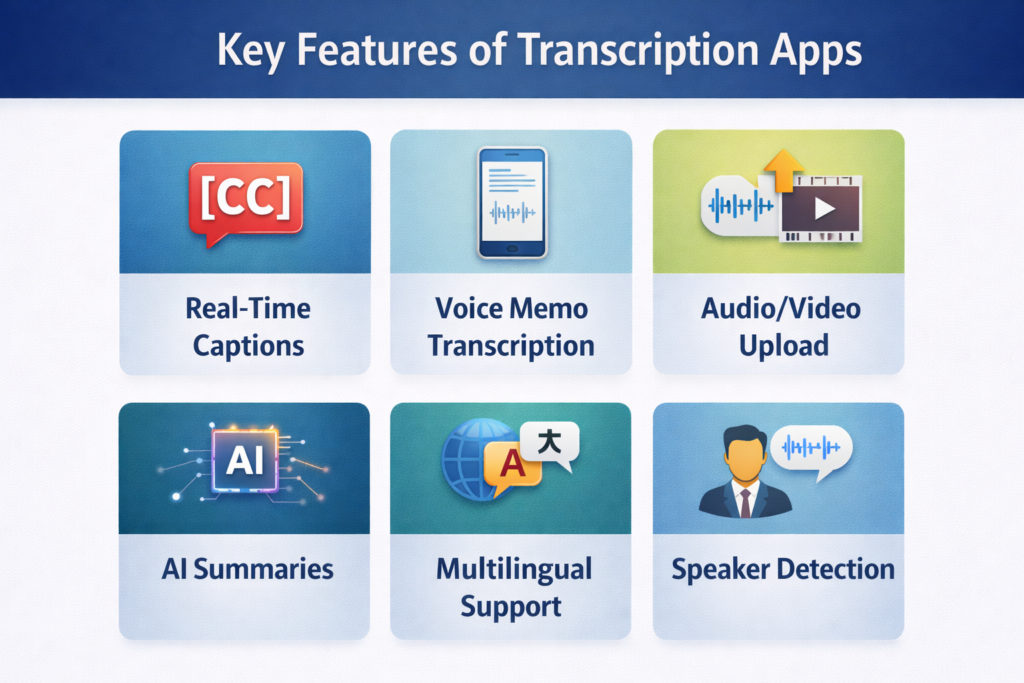
Choosing the right audio to text iPhone app depends on the features it offers. Modern transcription tools include several advanced capabilities beyond basic dictation.
Important features include:
- Real-time transcription
- Voice memo transcription
- Audio and video uploads
- AI summaries and insights
- Multilingual transcription
Real Time Transcription
Real-time transcription converts speech into text instantly while someone is speaking. This feature is essential for live conversations and meetings.
Key benefits:
- Instant captions during discussions
- Improved accessibility for deaf users
- Faster documentation of conversations
Voice Memo Transcription
Many iPhone users record audio using Apple Voice Memos. Transcription apps allow users to upload recordings and convert them into text automatically.
Benefits include:
- Converting voice recordings into text
- Saving time compared to manual typing
- Creating searchable transcripts
Audio and Video Upload
Some transcription apps allow users to upload audio or video files for transcription. This feature is useful for processing recorded content.
Examples include:
- Lecture recordings
- Interviews
- Presentations
- Podcasts
AI Summaries and Insights
AI transcription tools can analyze transcripts and generate summaries. This helps users understand long recordings more quickly.
Benefits include:
- Quick overview of meetings
- Automatic lecture summaries
- Faster review of recordings
Multilingual Transcription
Some transcription apps support multiple languages and can convert speech into text in different languages. This feature is helpful for people who communicate with others who speak different languages.
Examples include:
- International business meetings
- Online classes with students from different countries
- Travel conversations with locals
- Customer support with global customers
Flip text
Some transcription apps have a flip text feature that allows users to quickly flip or reverse the text for easier reading from the other side. This feature is useful when showing the text to someone sitting in front of you.
Examples include:
- Showing transcribed text to a person across the table
- Displaying text on a iphone or iPad for others to read
- Using flipped text during face-to-face conversations
- Helping deaf or hard-of-hearing userscommunicate easily
Best Speech to Text Apps for iPhone
Several apps provide strong transcription capabilities for iPhone users. Each app focuses on different use cases such as accessibility, meetings, or lecture transcription.
App | Real Time Transcription | Voice Memo Transcription | AI Summaries | Language Support | Best For |
iScribe | Yes | Yes | Yes | 100+ | Accessibility and productivity |
Ava | Yes | Limited | No | Multiple | Deaf users |
Otter | Yes | Yes | Yes | English focused | Meetings |
Live Transcribe | Yes | Limited | No | Multiple | Live captions |
Notta | Yes | Yes | Yes | Multiple | Meeting transcription |
Key insights:
- iScribe combines transcription with AI summaries
- Ava focuses on accessibility captions
- Otter AI is popular for meeting transcription
- Live Transcribe specializes in real-time captions
How Can You Convert Voice Memos to Text on iPhone?
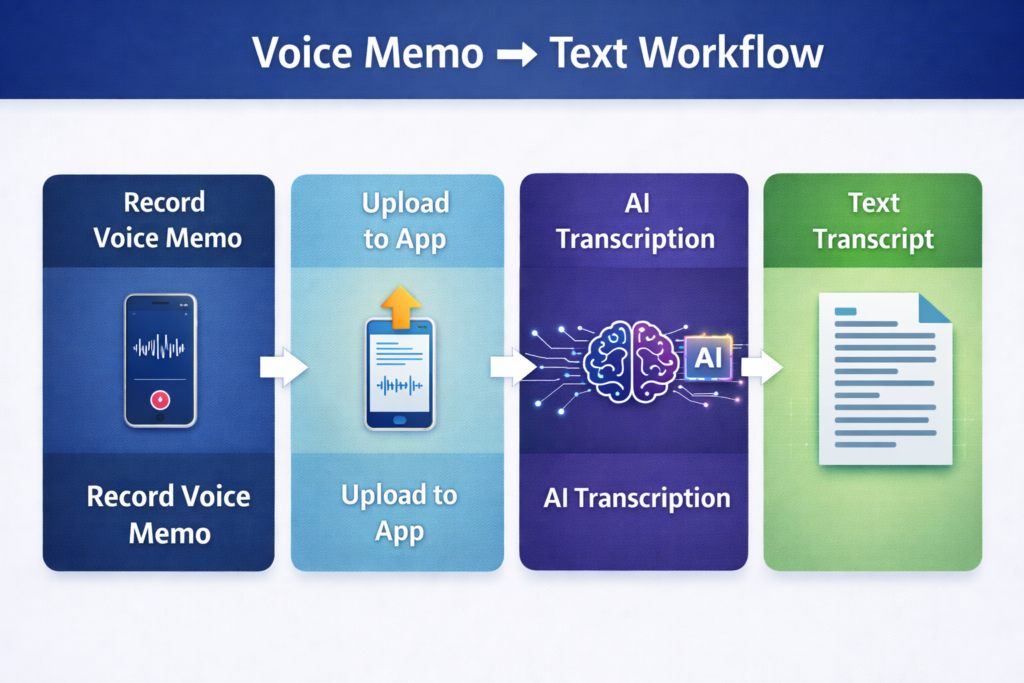
Many users record conversations using the Apple Voice Memos app. These recordings can be converted into written transcripts using transcription apps.
Steps to convert voice memos to text:
- Record audio using Voice Memos
- Open a transcription app such as iScribe
- Upload the recording
- The app converts audio into text
- Save or share the transcript
Benefits include:
- Easier review of recordings
- Searchable notes
- Faster documentation of conversations
How Speech to Text Helps Deaf Users in Daily Communication
Speech-to-text apps help deaf users understand conversations through text instead of sound. These tools improve accessibility in many real-life situations.
Examples include:
- Reading captions during meetings
- Following classroom discussions
- Understanding group conversations
- Reviewing transcripts later
Accessibility technology helps create more inclusive communication environments.
How Students Use Speech to Text Apps for Learning
Students use transcription apps to convert lectures into written notes and summaries. Instead of replaying recordings multiple times, students can read transcripts quickly.
Benefits include:
- Lecture transcripts
- AI generated summaries
- Searchable study notes
- Faster exam preparation
How Professionals Use Speech to Text Apps for Meetings
Professionals often rely on transcription apps to capture meeting discussions. These apps create written records that can be reviewed later.
Advantages include:
- Accurate meeting documentation
- Easier sharing of notes
- Searchable transcripts
Improved collaboration
Privacy and Security in Transcription Apps
When using speech-to-text apps, users often upload recordings of conversations, meetings, or lectures. Because these recordings may contain sensitive information, privacy and security are important considerations.
Most modern transcription apps use several security measures to protect user data.
Encrypted Data Transmission
Many apps encrypt audio files while they are uploaded and processed. Encryption ensures that data cannot easily be intercepted during transmission.
Secure Cloud Storage
Transcripts and recordings are often stored in secure cloud servers. These servers use security protocols that protect files from unauthorized access.
User Permission Controls
Some transcription apps allow users to control who can access transcripts. Users may choose to keep transcripts private or share them with team members.
Data Protection Policies
Responsible transcription platforms follow strict data protection policies that explain how user data is stored, processed, and protected.
Before choosing a transcription app, users should review its privacy policy and data handling practices. This helps ensure that sensitive recordings are managed securely and responsibly.
Frequently Asked Questions
What is a speech to text app for iPhone?
A speech to text app for iPhone converts spoken words into written text using speech recognition technology. These apps listen to audio from conversations or recordings and generate a readable transcript. Many apps also provide captions, summaries, and searchable notes.
Can an iPhone convert voice memos to text?
Yes, iPhone users can convert voice memos into text by uploading recordings from the Apple Voice Memos app into a transcription tool. The app processes the audio and generates a transcript automatically. This helps users review recordings without listening again.
What is a live caption app for iPhone?
A live caption app for iPhone displays speech as text while someone is speaking. This feature helps users follow conversations in real time during meetings, lectures, or group discussions. It is especially useful for deaf and hard-of-hearing users.
Are speech to text apps useful for deaf users?
Yes, speech-to-text apps provide an important accessibility solution for deaf and hard-of-hearing users. They convert spoken conversations into readable captions or transcripts. This allows users to understand meetings, classes, and conversations more easily.
Can speech to text apps help students take lecture notes?
Yes, many students use transcription apps to convert lecture recordings into written notes. Instead of replaying audio multiple times, students can read transcripts and search for key topics. Some apps also generate AI summaries to help students review lessons faster.
Are speech to text apps accurate?
Modern speech recognition systems are very accurate when audio quality is clear and background noise is minimal. Many apps use artificial intelligence and machine learning to improve accuracy over time. However, accuracy may vary depending on accents, audio quality, and language.
Can speech to text apps transcribe meetings?
Yes, many professionals use transcription apps to record meetings and generate written transcripts. These transcripts help teams review discussions, share notes, and track decisions. Some apps also create summaries and highlight important points from the meeting.
Do transcription apps support multiple languages?
Many transcription apps support multiple languages and can detect the spoken language automatically. This is helpful in international meetings or multilingual classrooms. Some apps support more than 100 languages for speech-to-text conversion.
What features should a good transcription app include?
A good transcription app should include features such as real-time transcription, voice memo transcription, AI summaries, and multilingual support. These features help users convert speech into organized and readable text. Advanced apps may also allow audio and video uploads.
Which speech to text apps are popular for iPhone users?
Several apps provide speech-to-text features for iPhone users, including iScribe, Ava, Otter AI, Live Transcribe, and Notta. Each app focuses on different use cases such as accessibility, meeting transcription, or lecture note generation. The best choice depends on the user’s needs.