
Don't choose a captioning app by its language count or feature list. iScribe has documented real-time captions for iPhone and iPad, yet the evidence still leaves accuracy against a separately identified Live Transcribe app untested. Voice Dictation: iScribe for iPhone puts speech on screen for face-to-face conversations, appointments, meetings, social events, and everyday interactions for d/Deaf and hard-of-hearing users. The decisive checks are narrower: Vietnamese and mixed-language accuracy, dropped connections, and who can read cloud transcripts.
Table of Contents
- Which App Gives Better Live Captions at a Glance
- How Noise and Crowds Change Caption Accuracy
- Vietnamese and Mixed-Language Accuracy to Test
- Offline Use and What Happens When Connection Drops
- Privacy and Account Choices Before You Speak
- What Each Plan Costs and Which Tier Fits
- Which App Fits Your Setting
- Run a Side-by-Side Test Before You Pay
Which App Gives Better Live Captions at a Glance
The evidence in this comparison is asymmetric. The iScribe App Store listing documents the product down to its developer, Harshva Technologies Private Limited, its feature set, and accessibility details such as larger text and contrast that does not depend on color alone. iScribe has transcribed over 1 million conversations and holds a 4.7 rating, yet it still requires an internet connection for live transcription because recognition runs in the cloud. No equivalent public record pins down a specific Live Transcribe app.
One naming detail matters before the table. iScribe is the continuation of Live Transcribe Pro, and an annual offer under the Live Transcribe name appears on an iScribe purchase page. Shared names and purchase labels cannot prove two separate products exist, so confirm the second app's identity before treating this as a head-to-head.
Live caption feature comparison
The iScribe column reflects documented capabilities. The third column turns each row into a check you can run on whichever Live Transcribe app you install.
| Criterion | iScribe Live Speech to Text | Live Transcribe: verify on your device |
|---|---|---|
| Live word-by-word captions | Text appears as speech is spoken | Speak and watch whether words appear in real time |
| Works without internet | No; live transcription uses cloud-based recognition | Disable Wi-Fi and data, then start a session |
| Language coverage | Over 100 languages | Switch languages mid-conversation |
| English-Vietnamese translation | Quality for this pair is unconfirmed; test before relying on it | Run a mixed-language exchange and check both sides |
| Saved transcripts and summaries | Transcripts save, share, and convert to notes; uploaded audio and video files return AI summaries, key points, and action items | Save a session, export it, look for a summary option |
| Free tier | Free to start, with 3 transcriptions per day | Count how many sessions precede a paywall |
| Account needed to try | No account required | Note whether sign-up appears on first run |
| Paid access | Premium subscription with a 7-day free trial and unlimited transcriptions | Record the price shown at checkout |
What the third column measures
The right column is a field test, because the public evidence covers iScribe and stays silent on the other app. It also marks the limits of a glance. A language total says nothing about Vietnamese accuracy, a live label says nothing about behavior when the connection drops, and a feature list says nothing about where your audio is processed. Those are the checks the rest of this comparison runs.
If you are weighing captions against ordinary dictation, what live captioning means describes the continuous follow-along use case.
Selection rule: Pick the app that survives your own room test. Feature lists carry the least weight in that decision.
How Noise and Crowds Change Caption Accuracy
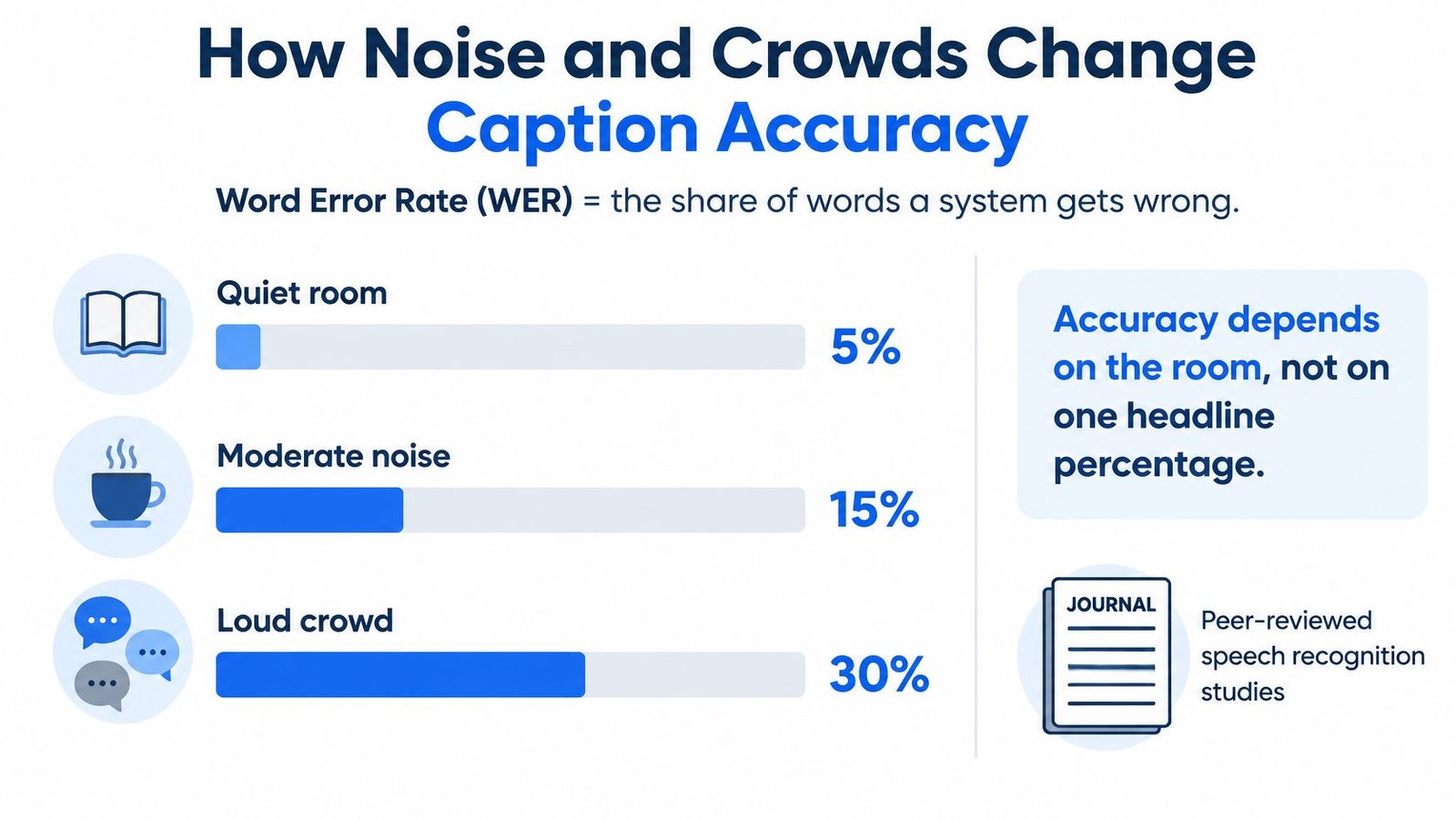
A system that produces clean captions in a quiet room can still fail where accessibility gets tested. Word error rate, or WER, measures word-recognition errors relative to a reference transcript, and a signal-to-noise ratio describes speech loudness against background sound. At 0 dB, the two are equally loud.
That's why quiet-room demonstrations don't settle accessibility performance. A café or classroom with overlapping speakers is the stress test that predicts whether captions hold up in daily use.
Reported word error rates by condition
The following are recognition-system results, not a head-to-head app benchmark. They show how steeply accuracy falls as listening conditions worsen.
| Condition | Reported word error rate | Source |
|---|---|---|
| Modern systems, quiet conditions | Below 3% | Peer-reviewed speech-recognition study |
| Modern systems, 0 dB signal-to-noise ratio | 32.5% | Peer-reviewed speech-recognition study |
| Whisper, clean audio | 2.6% | Clinical noisy-speech evaluation |
| Whisper, one overlapping-speech condition | 44.1% | Clinical noisy-speech evaluation |
| Whisper, second difficult condition | 75.6% | Clinical noisy-speech evaluation |
Sources: peer-reviewed speech-recognition study and clinical noisy-speech evaluation.
Read the Whisper rows as a best-case engine result rather than an app score. When a strong general-purpose model degrades sharply the moment a second speaker competes for the microphone, any app relying on comparable recognition technology faces the same physics. Your own noisy-room test therefore carries more weight than any published figure.
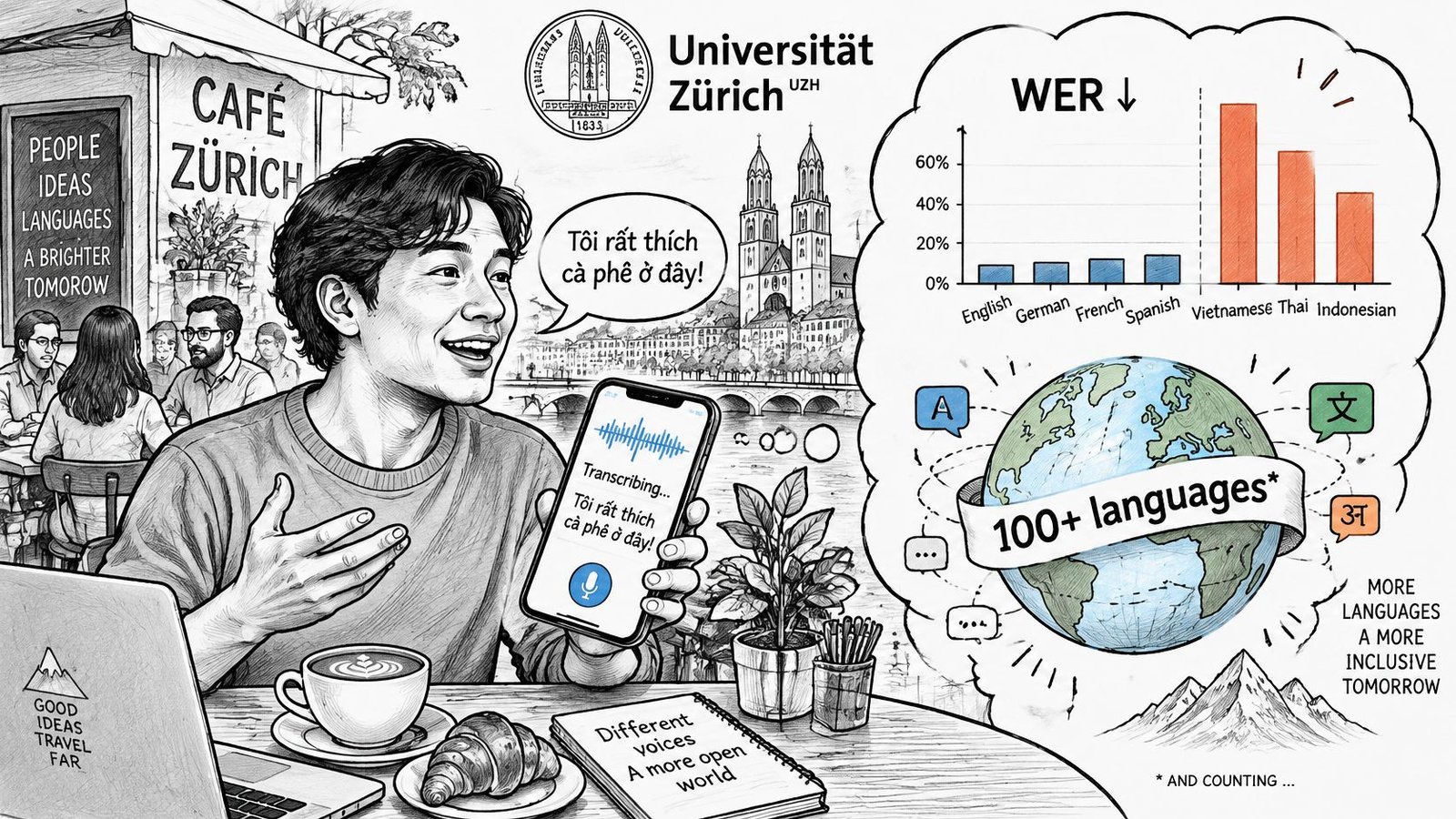
The illustration below conveys the general noise problem. Its graphic percentages are illustrative, not measured results for these apps; use the sourced table for reported findings.
Score communication, not just words
Overlapping voices compete for the microphone. Accents, voice differences, distance, and imperfect microphones add further difficulty, so a clean transcript from a nearby speaker doesn't predict a group discussion.
Display latency, the delay between speech and visible text, matters as much as the error count. A correction that arrives after the conversation moves on may be technically useful but practically too late.
iScribe's readability controls include font selection and text-size adjustments. Test those alongside contrast and screen placement so you can catch errors without losing track of the speaker.
- Separate consequential errors: Mark names, numbers, negations, and action items individually.
- Record usability: Note wrong words, noticeable delay, and whether the meaning survived.
- Match the room: For classroom use, apply the room-placement considerations in this lecture transcription guide.
Two apps with identical quiet-room scores can diverge sharply on exactly these measures.
Vietnamese and Mixed-Language Accuracy to Test
What does a large language count prove? Breadth, not equal accessibility across languages, regional accents, or mixed-language conversations.
A University of Zurich summary describes strong Whisper large-v3 performance in several noisy English tests while emphasizing substantial remaining challenges in almost all other languages. That finding doesn't establish Vietnamese performance for either app. It does establish why English success shouldn't substitute for a Vietnamese test.
Separate the language tasks
Transcription writes down the language being spoken. Translation expresses that content in another language. A summary may then shorten either version, introducing another opportunity to omit or change meaning.
Test these tasks separately:
- Transcription versus summary language: Confirm the spoken language, transcript language, and summary language independently.
- Live speech versus uploaded speech: Compare live English with a Vietnamese recording, then compare Vietnamese live capture with the same recording uploaded.
- Code-switching: Test a conversation that switches between English and Vietnamese within a sentence, including names, addresses, and technical terms.
Our app supports uploaded audio and video transcription, but file-based success doesn't prove live-caption success. A recording can be processed after the conversation; live captions must arrive while someone is still participating.
Make tone marks part of the test
Vietnamese tone marks and other diacritics aren't decorative. For example, ma means ghost, má can mean mother or cheek, mà means but, mã means code, and mạ means rice seedling. Dropping a mark can change the intended word.
As a practical test, record ten sentences of each language type in a quiet room. Include regional pronunciation and meaningful tone contrasts, then repeat in noise and compare each summary with its transcript.
The listing mentions translation, but it doesn't establish dependable English-to-Vietnamese translation quality. Confirm the available language direction and have a fluent Vietnamese reader assess the result.
If the Vietnamese-speaking person who needs the captions can't follow them, don't rely on the app for medical or legal communication.
Use the final protocol's scoring categories for these language checks rather than judging whether the text merely looks plausible.
Offline Use and What Happens When Connection Drops
In a hospital corridor or basement meeting room, a weak connection can turn a working caption screen into a stalled one. Our live transcription requires internet access because speech recognition happens in the cloud, meaning on remote servers rather than entirely on your device.
Plan around that requirement in rural churches, subways, and other unreliable-signal locations. Airplane mode is also a useful controlled test, provided you verify whether Wi-Fi remains enabled.
Test the interruption, not just the connection
Start a non-sensitive practice conversation and deliberately interrupt connectivity. Watch what the app shows, then restore the connection without stopping the speaker.
- Caption pause: Check whether the app clearly signals that transcription has stopped.
- Recovery: Observe whether new captions resume automatically or require another tap.
- Missing speech: Compare what was said during the interruption with the recovered transcript.
- Catch-up behavior: Check whether delayed text is identifiable or appears indistinguishable from current speech.
A frozen screen can look like a pause in conversation. That makes a visible connection warning an accessibility consideration, not merely a technical convenience.
Don't assume an uploaded recording follows the same process as live capture. Uploading preserves an opportunity for later review, but it can't restore participation during a conversation you couldn't follow.
Keep a non-app fallback
Tell the other person beforehand that your captions require a connection. Keep paper and pen available, and ask the speaker to repeat essential facts when the display stops.
Record audio only where permitted and with the participants' consent. If appropriate, upload that recording when service returns, recognizing that later transcription isn't a replacement for immediate communication access.
Live Transcribe's offline behavior isn't established by the available evidence. Check the exact app's listing and test the installed version rather than borrowing a capability from another similarly named product.
Before an appointment: Test the room's signal, verify each app's offline status, and keep a non-app backup within reach.
Privacy and Account Choices Before You Speak
Cloud-based recognition means speech leaves your phone for conversion into text. iScribe uses cloud-based speech recognition for live transcription, so every spoken sentence travels to a server before it returns as words on screen. That matters when a doctor discusses a diagnosis, colleagues discuss confidential work, or someone shares personal information in a private setting.
Account requirements and audio routing are separate questions. iScribe is free to start and does not require an account to try, and its live transcription still runs on cloud servers. The privacy policy and in-app settings are where you confirm retention, deletion, and what happens to copies after you remove a transcript from view.
Privacy checks before first use
| Privacy question | What to check | Where to check |
|---|---|---|
| Does audio leave the phone? | iScribe's live recognition sends speech to a server; verify handling and retention | App Store privacy section and privacy policy |
| Is an account required? | Confirm trial access on first-run screens and whether paid features require sign-in | First-run screens and subscription settings |
| Where are transcripts stored? | Confirm device-only storage, synchronization, and deletion behavior | Transcript and storage settings |
| How are uploaded files handled? | Check how uploaded audio and video files are processed and retained after transcription | Privacy policy and file management settings |
| Who sees a shared transcript? | Inspect recipients, channel access, and forwarding possibilities | Share sheet and chosen channel |
| What does Live Transcribe do? | Independently verify processing, storage, account, and sharing practices | Its own listing and privacy policy |
iScribe's no-account start lowers the barrier to a first conversation. Confirm what your installed version permits before beginning a sensitive one.
iScribe lets users save transcripts, share them, or turn them into notes. Each of those functions creates copies, and copies need their own access and deletion decisions.
Make the privacy decision before recording
Read the privacy policy linked from the app's listing and inspect the in-app settings. Look for clear answers about audio retention, transcript retention, deletion, service providers, and any use of content beyond delivering transcription.
For a plain-language explanation of the processing model, use the cloud recognition explainer. For deciding what information to submit to connected services, Tech Today's practical AI privacy tips for consumers add useful context.
Ask participants for permission before transcribing, and follow the organization's rules. For medical or legal conversations, retain only what you need and share through channels you trust.
Choose a privacy workflow alongside the app: decide who records, who receives the transcript, and who deletes unnecessary copies.
What Each Plan Costs and Which Tier Fits
The pricing decision is simpler than a store listing makes it look: iScribe runs on two tiers, and the question is whether the free allowance covers how you talk.
The free version provides 3 transcriptions per day with essential features, and the app is free to start with no account required to try it. Premium is sold as a subscription with a 7-day free trial, and it includes unlimited transcriptions with AI summaries, key insights, and advanced text customization.
Listed prices and plan features
| Plan | What it includes | What to check |
|---|---|---|
| Free version | 3 transcriptions per day with essential features | Whether three sessions cover your longest daily conversation |
| Premium trial | 7 days of the paid tier at no charge | Renewal terms and when billing begins |
| Premium subscription | Unlimited transcriptions, AI summaries, key insights, advanced text customization | Weekly versus annual billing at checkout |
Storefront, currency, tax, and promotions can change the amount shown, so the price displayed on your device at checkout is the one that controls the decision.
Match the plan to actual use
To compare weekly and annual billing, convert both to the same unit: divide the annual charge by twelve for a monthly-equivalent figure. That number is a budgeting equivalent, not a monthly billing offer.
- Occasional use: Three free transcriptions a day may cover appointments and short conversations. Test the longest one first.
- Daily access: Unlimited transcription removes the daily cap, so weigh the subscription against the cost of hitting the limit mid-conversation.
- Summary-dependent work: AI summaries, key points, and action items, including transcripts from uploaded audio or video files, sit in the paid tier. Confirm your tier includes them before relying on them.
Price matters less than survivability. A subscription is wasted if captions fail when the connection drops, and iScribe's live transcription depends on cloud-based recognition. Run the free allowance through your noisiest, fastest, most mixed-language conversations before paying.
If you're also evaluating short-form dictation, our iPhone dictation app guide helps distinguish that task from continuous captions.
Which App Fits Your Setting
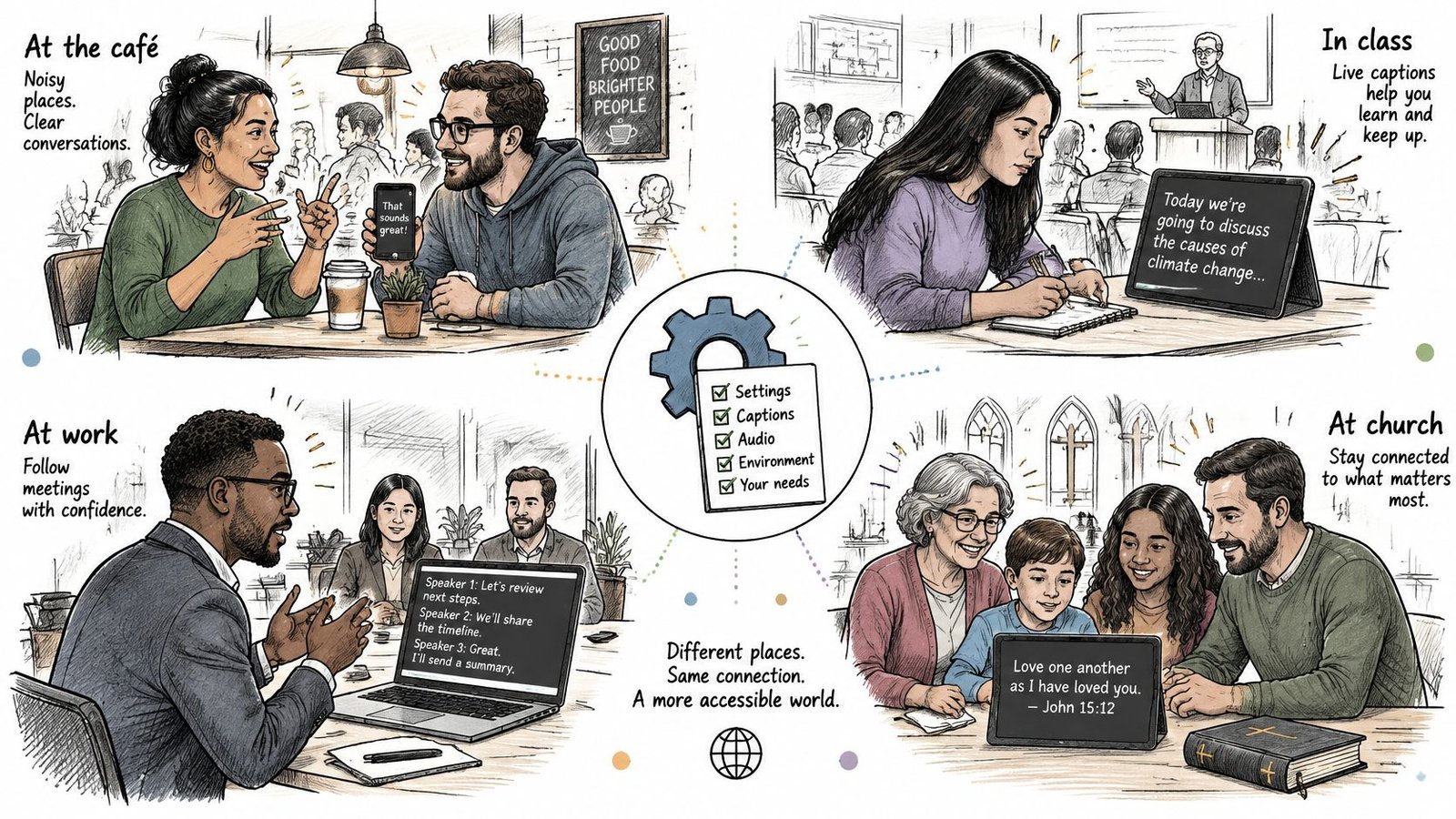
Deaf and hard-of-hearing adults at family dinners, students in lectures, professionals in meetings, families at Bible study, and patients at appointments need different kinds of reliability. Match the app to the communication task and weigh evidence from your own environment above any general claim that an app handles conversations.
iScribe is designed as an accessibility tool for the d/Deaf and Hard of Hearing community, covering face-to-face conversations, appointments, meetings, and social events. Harshva Technologies Private Limited develops the app, and its practical value depends on whether you can follow the actual people in your actual setting.
Classes, appointments, and meetings
For a lecture or class, prioritize readable text with little noticeable delay. Saved transcripts and summaries can support review, but test from your normal seat rather than beside the lecturer during setup. Distance changes what the microphone hears.
For a medical appointment, arrange a written backup for medication names, dosage, follow-up dates, and instructions. Ask the clinician to verify those details directly; captions alone shouldn't determine what you take or how you take it.
For a workplace meeting, prioritize correct names, numbers, ownership, and deadlines. A polished summary isn't useful if it assigns the right task to the wrong person.
Worship, family, and social settings
- Church or Bible study: Test the speaker's usual pace and the sound system. Check unfamiliar names and references rather than assuming fluent-looking text is correct.
- Vietnamese-speaking families: Use the language checks before depending on captions for an important discussion.
- Cafés and social events: Apply the overlapping-speech stress test, and ask participants to take turns when the transcript becomes difficult to follow.
Font choice and adjustable text size can improve readability, but they can't repair incorrectly recognized speech. Broad language coverage doesn't establish reliable code-switching either. The iScribe App Store listing describes the intended use; a store description is a statement of purpose, not an accuracy guarantee.
For fast talkers and group discussions, evaluate whether you can still respond at the right moment. Participation is the outcome to measure. A transcript saved for later has real value, but a caption that arrives after the conversational turn has passed contributes little to a live exchange.
Run a Side-by-Side Test Before You Pay
A feature checklist cannot predict which app will keep meaning intact in your room. Run the same script through both apps before any trial converts to a subscription.
- Install both identified apps and grant requested microphone and speech-recognition permissions; check that the developer names match.
- Start an available free session using the same iPhone, speaker, and distance; keep iScribe tests inside the free tier's 3 transcriptions per day or the 7-day premium trial window.
- Read ten quiet-room sentences containing names, numbers, and negations; check against a written reference.
- Repeat in a café or classroom with multiple speakers; check omissions, cross-talk, and speaker attribution.
- Try mixed English-Vietnamese speech and an uploaded file; check whether each app preserves the intended language and meaning rather than producing fluent-sounding substitutions.
- Drop and restore the connection once; iScribe uses cloud-based speech recognition, so note whether captions stall, recover cleanly, or lose a sentence.
- Score wrong words, noticeable delay, lost meaning, and any account prompt; compare summaries and action items with the transcript for ownership, deadlines, and negations.
To start iScribe, open the app, grant the permissions, and tap Start Transcribing. No account is required to try it, while live transcription needs an active internet connection.
Prefer task results to popularity
An App Store review page is the place to confirm iScribe's 4.7 rating; treat that figure as adoption context, not proof of fewer errors in noise. A high rating can coexist with failed names, weak code-switching, or a summary that moves a task to the wrong person.
A mixed-methods caption-user study summarized by PaperPeel reports that 92.1% used live captions, yet only 22.7% were satisfied and 51.9% were somewhat or very frustrated. Adoption does not establish that captions meet users' needs.
Pay when the same script shows the app keeps ownership, dates, and negations straight in the place you use it; if both fail there, waiting is cheaper than a plan.
iScribe offers live captions, saved transcripts, and AI-generated summaries for following conversations and reviewing them afterward. Visit iScribe Live Transcribe to explore the app, then test its language handling, connection recovery, and readability before choosing a paid plan.