

iScribe by Harshva Technologies is the top English to Persian voice translator for iOS, offering superior accuracy, offline support, and accessibility features. For iPhone and iPad users, it provides real-time captions that help Deaf and hard-of-hearing people follow conversations, sermons, meetings, cafes, Bible studies, classrooms, and doctor's appointments without guessing at missed words.
If you're trying to communicate across English and Persian in a busy room, the right app must do more than produce a translation. It needs to capture speech clearly, handle pauses and accents, present readable text, and remain useful when connectivity is unreliable. Persian is a major language for this use case, with roughly 109.3 million total speakers worldwide, including about 73.6 million first-language speakers and 35.7 million additional speakers across Iran, Afghanistan, Tajikistan, and diaspora communities, as documented in the Persian language overview.
For accessibility users, live captions may be just as important as spoken translation. The University of Washington explains that live captions support meetings, classes, and events, while the W3C defines them as captions for live audio that help Deaf and hard-of-hearing people follow real-time presentations through its guidance on live captions.
Table of Contents
- Understanding English to Persian Voice Translation Tools
- Steps to Use an English to Persian Voice Translator on iOS
- iScribe by Harshva Technologies Review
- General Multilingual Translation App Review
- Cross-Platform Translation App Review
- Tips for Choosing and Maximizing Your Translator
- Conclusion and Final Recommendations
Understanding English to Persian Voice Translation Tools
In a crowded clinic, classroom, or café, a translator must do more than speak Persian aloud. It needs to capture English clearly, show readable text, handle pauses, and remain useful when the connection drops. For Deaf and Hard-of-Hearing users on iPhone or iPad, captions and transcript access can matter as much as the translated voice.
An English to Persian voice translator combines four functions: automatic speech recognition, machine translation, speech output, and visual access. ASR converts spoken English into text. Machine translation turns that text into Persian. Text-to-speech reads the result aloud, while captions provide a visual route through the conversation.
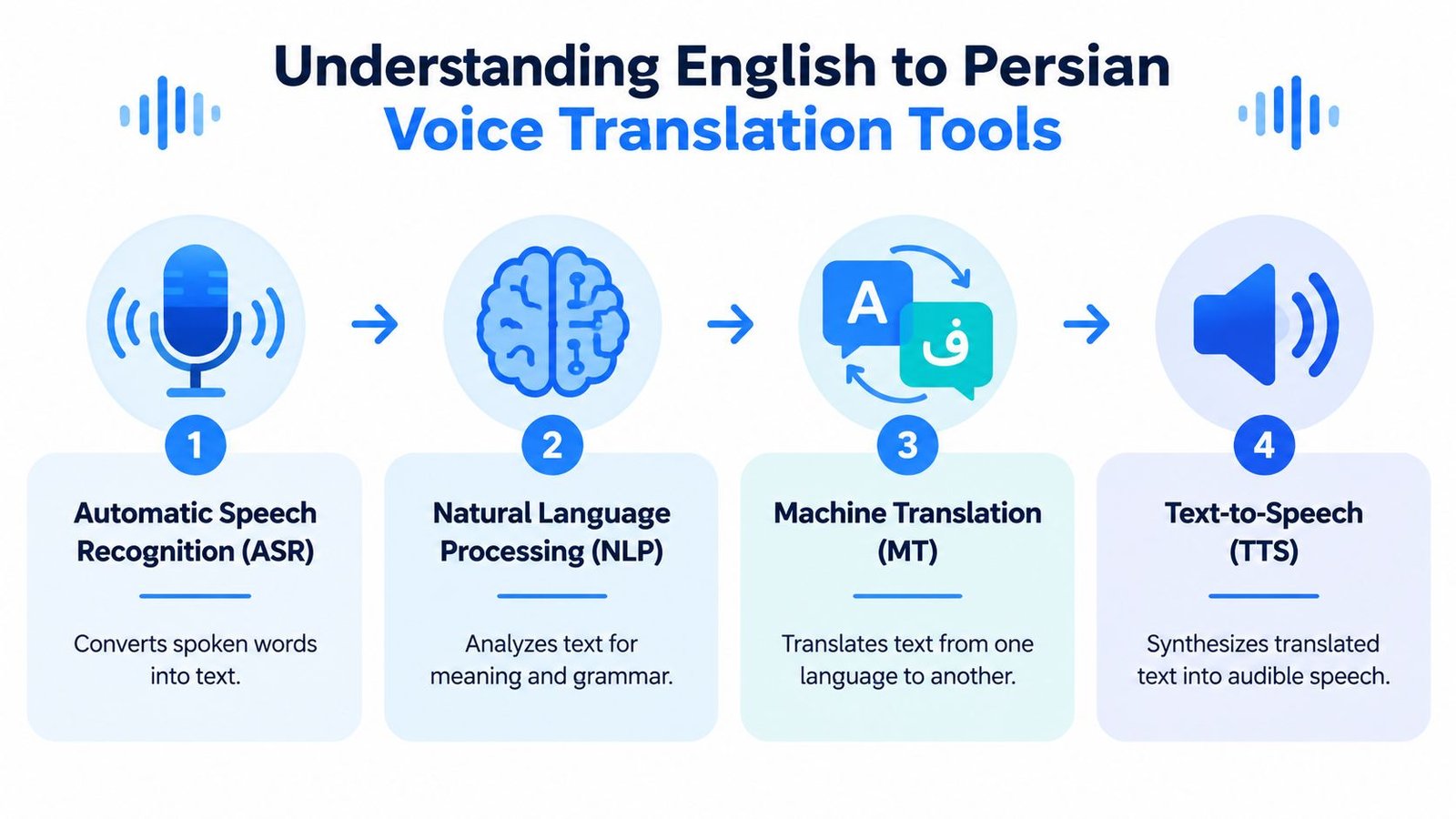
Transcript quality controls the rest of the workflow. A misheard name, number, medical term, or place name gives the translation engine incorrect input, which can produce fluent but inaccurate Persian. Test speech across Iranian Persian, commonly called Farsi, Dari, and Tajik. These varieties are related, but a general Persian setting does not guarantee natural phrasing or dependable accent recognition.
Offline support requires careful checking. A downloaded language resource may handle limited translation without internet access, while live transcription, saved records, summaries, and advanced processing may still require cloud services. Before a healthcare, legal, or asylum-related conversation, review how the app handles audio, retention, and offline fallback.
| App category | Accuracy | Offline support | Platform | Accessibility |
|---|---|---|---|---|
| iOS accessibility transcription app | Strong when captions, readable text, and saved transcripts matter | Confirm which functions work offline | iPhone and iPad | Built around live captions and readability |
| General multilingual translation app | Persian results vary with speech and setting | Downloaded-language use may be limited | iOS and other platforms | Useful for short spoken exchanges |
| Cross-platform translation app | Practical for everyday phrases and short turns | Check whether speech recognition works offline | Mobile platforms | Depends on app and device controls |
The underlying technology developed from research demonstrations toward consumer access. Readers examining the history of Persian translation technology can place current tools in that longer development. For caption-focused workflows, compare real-time transcription software. Teams producing spoken media can also consult Professional English to German dubbing for a separate audio-localization reference.
Steps to Use an English to Persian Voice Translator on iOS
Before the conversation starts, place the iPhone or iPad where its microphone has a clear path to the speaker. Reduce background noise and decide whether you need spoken Persian, on-screen English captions, a saved transcript, or all three. This choice matters especially for Deaf and Hard-of-Hearing users, who may depend on readable captions rather than audio output.
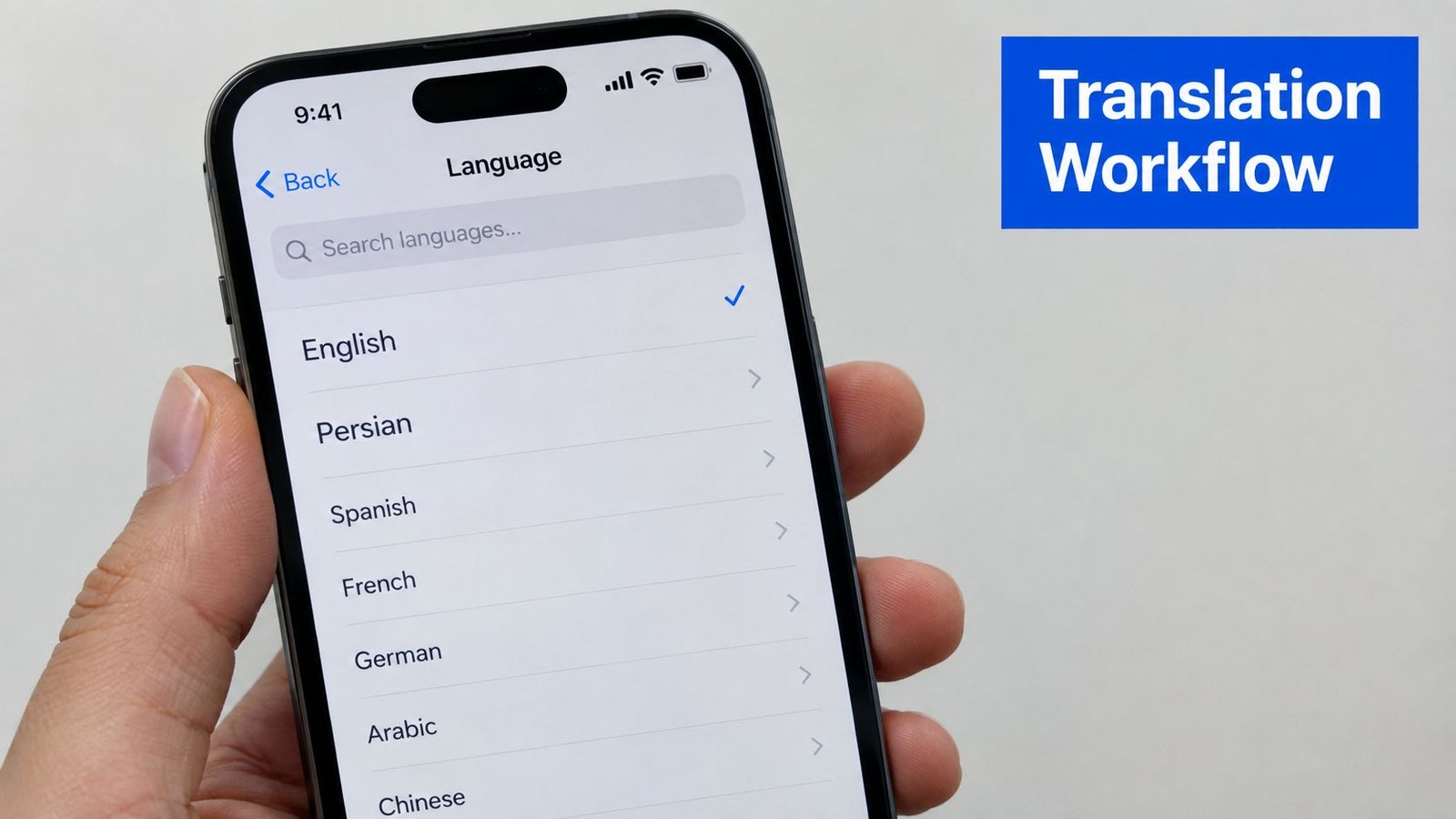
Allow microphone access. iOS requests permission the first time the app records speech. Without that permission, the translator cannot capture the conversation.
Set the language direction. Select English for spoken input and Persian for translated output. Auto-detection can suit casual exchanges, while manual selection reduces avoidable errors during important discussions.
Speak in complete, short turns. Pause between sentences so the system can identify where one turn ends. Overlapping or extended speech is harder to segment, and endpointing affects how quickly captions and translation appear.
Check the Persian variant. Ask whether the app distinguishes Iranian Persian, Dari, or Tajik. If it does not, test a familiar greeting, address, or family phrase with the intended listener before relying on the result. Dialect differences can change whether a phrase sounds natural or is understood correctly.
Review the text, not only the voice. Captions reveal names, numbers, and awkward wording that spoken output may conceal. Increase text size and select a high-contrast display if captions must remain readable from across a table or room.
Save only what you need. Transcripts can support meeting notes or later review, but sensitive conversations require careful handling. Check whether the app stores audio and text, then delete records that no longer have a clear purpose. If internet access may fail, test the app in advance and confirm which speech recognition, translation, and caption features remain available offline.
For a practical explanation of converting speech into text, follow this guide to use voice to text. It can help clarify the difference between capturing speech as text and translating that text into Persian.
Practical rule: Use short turns, visible captions, and a quick correction routine. Confirm important names, numbers, and dialect-specific phrases with the listener instead of accepting an unclear translation without review.
iScribe by Harshva Technologies Review
A Deaf or hard-of-hearing user in a meeting, classroom, cafe, medical visit, or family conversation may need readable speech on an iPhone or iPad before needing spoken translation. iScribe is built around that priority, offering live captions first and translation support second. The App Store lists HARSHVA TECHNOLOGIES PRIVATE LIMITED as the publisher, as shown on the iScribe App Store page.
The accessibility value comes from keeping speech visible during the conversation. Saved transcripts let users review a missed phrase, while adjustable text presentation can improve readability for different visual needs. This workflow also supports lectures, appointments, and meetings where a user needs a record rather than a one-time voice response.
Accuracy still depends on the speaker, microphone, room, accent, and Persian variety. Independent testing shows meaningful variation among commercial Persian speech-recognition systems. One 2026 benchmark reported 19.3% WER, or word error rate, with 8.75% CER, or character error rate, for a leading result in its test, while another multilingual result reached 19.92% WER, according to the Persian ASR benchmark. A separate comparison reported Persian transcription WER results of 1.25% for one system and 2.84% for another. These figures describe specific tests, not guaranteed performance in every conversation or dialect.
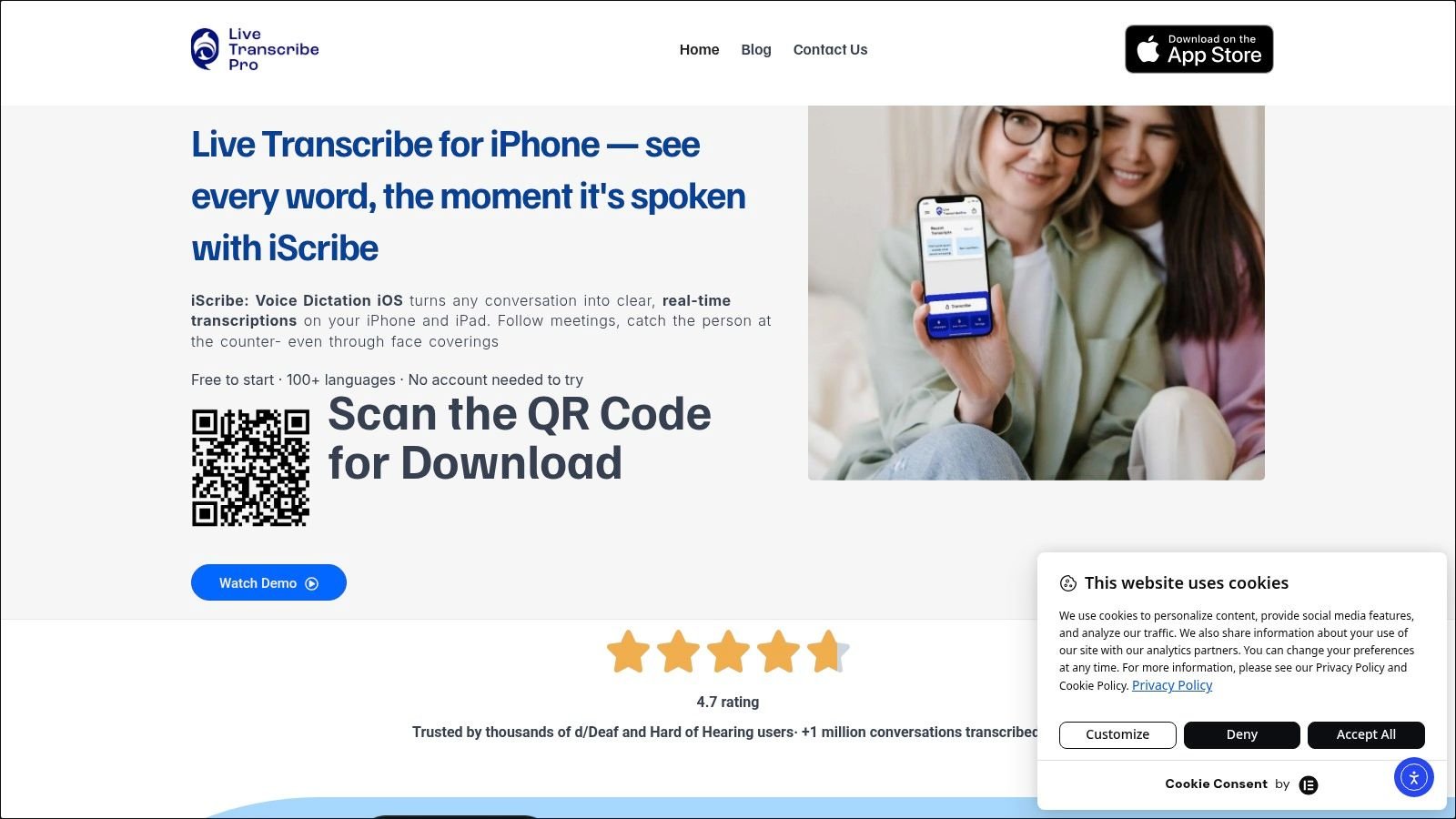
The useful workflow is easy to verify: watch the live text, save the transcript, and use AI-generated summaries to revisit a lecture or identify meeting actions. Reviewing get any video transcript example also shows why readable, editable text can matter more than immediate spoken output.
The App Store listing shows a 3-Day Trial at USD 4.99, Live Transcribe Yearly at USD 49.99, and iScribe Pro Yearly at USD 69.99, detailed in the iScribe purchase information. Offline support deserves a direct test because cloud speech recognition may require internet access. Check the exact caption, transcription, and translation workflow before relying on it in a low-connectivity setting. See the iScribe audio transcription features guide for more on its accessibility workflow.
General Multilingual Translation App Review
A general multilingual translation app suits quick exchanges where the aim is to understand a request, direction, greeting, or short response. Automatic language detection and broad language coverage reduce setup time. Check the displayed text whenever an error could change the meaning.
Persian speech recognition varies across commercial systems. Earlier benchmark findings also show that accuracy depends on the speaker, microphone, environment, and system version. Treat any reported result as a test condition, not a promise for every conversation or dialect.
Quiet rooms, short turns, and familiar vocabulary usually give the app better working conditions. Crowded cafés create harder cases through overlapping voices, clipped sentence endings, reverberation, and switching between English and Persian. Automatic detection can become less reliable when a speaker uses a regional accent or changes languages mid-sentence.
Downloaded language resources may help after connectivity drops, but test the exact offline workflow before relying on it. Speech input, live translated audio, conversation mode, and saved history may not all remain available without an internet connection. iOS users should also confirm whether the app keeps the text large, high-contrast, and easy to follow during a live exchange.
For Deaf and hard-of-hearing users, readable text is the primary access feature. Check whether captions update consistently, remain visible long enough to review, and distinguish speaker turns where possible. A spoken translation adds little if the app does not provide a stable text record.
Long conversations expose a further limitation. A quick translation app may lack transcript editing, reliable history, or a structured summary for later review. Use it for immediate understanding, then record and verify instructions, names, numbers, and sensitive decisions in a workflow that supports text review.
Cross-Platform Translation App Review
In a group conversation, participants may join from different devices and need the same English-to-Persian exchange in front of them. A cross-platform translation app can support that setup by giving people a shared way to manage short, clear turns. It remains an aid for immediate understanding, not a substitute for a qualified interpreter.
Timing determines whether the exchange feels usable. Speech translation must detect that a speaker has finished before producing a complete result. Waiting too long slows the conversation, while responding too early can produce fragments without enough context. A speech translation usability study reports usability scores between 3 and 4 out of 5, suggesting practical value with noticeable friction.
For iOS users, accessibility needs to be judged during the conversation, not only from the feature list. Displayed Persian text should remain readable, and a Deaf or Hard-of-Hearing participant should be able to follow the exchange without depending on audio. A useful workflow lets someone point to a phrase, request a repeat, or check the written wording before acting on it.
This correction loop matters in healthcare, legal aid, immigration, and family discussions. A fluent sentence can still contain a wrong name, instruction, or meaning. Cross-platform access helps only when every participant can review the same text.
Offline support also requires separate testing. Downloaded language resources may handle basic conversion, but they do not prove that speech recognition, dialect-specific phrasing, transcript export, or longer exchanges will work without internet access. Test the full workflow in airplane mode before relying on it, especially for Iranian Persian, Dari, or Tajik speakers.
Privacy should receive the same scrutiny. Check stated retention, audio deletion, and training policies before recording sensitive conversations. Store only necessary transcripts, and arrange human review when an error could affect safety, consent, legal rights, or medical decisions.
Tips for Choosing and Maximizing Your Translator
Choose the app around the user's risk, not its language count. A traveler asking for directions needs speed. A Deaf person following a medical appointment needs stable captions, readable text, and a transcript they can review. A family conversation may need natural phrasing across a specific Persian variety.
Use this selection checklist:
- Test recognition: Say names, numbers, addresses, and domain terms before trusting the workflow.
- Check dialect fit: Ask whether the app distinguishes Iranian Persian, Dari, and Tajik, then test phrases with a native listener.
- Verify offline behavior: Turn off connectivity and test capture, translation, output, and saving separately.
- Configure readability: Increase text size, choose strong contrast, and place the device where captions are easy to follow.
- Protect records: Save only necessary transcripts and delete sensitive material after review.
Noise affects every speech system. Move closer to the speaker, reduce competing voices, and use a microphone position that favors the person talking. For more practical cleanup advice, review how to remove background noise from audio.
Don't treat a fluent Persian sentence as proof of accuracy. Repeat critical details, ask the listener to confirm names and numbers, and use a qualified human interpreter for decisions involving safety, consent, law, or medical treatment.
Conclusion and Final Recommendations
The best English to Persian voice translator depends on what failure would cost you. For iOS users who need live captions, saved transcripts, readable text, and an accessibility-centered workflow, iScribe by Harshva Technologies is the strongest overall choice. It fits face-to-face conversations, meetings, lectures, cafes, sermons, Bible studies, and appointments where Deaf and hard-of-hearing users need direct access to spoken content.
A general multilingual translation app is better suited to quick exchanges. It can help with travel, basic questions, and short conversational turns, but Persian speech recognition varies across systems, accents, microphones, and environments. Downloaded language resources may help with limited offline use, yet you should verify the exact functions you need before leaving reliable connectivity.
A cross-platform option makes sense when participants use different devices or need a shared conversation experience. Its success depends on short turns, clear endpointing, visible correction, and realistic expectations about dialect coverage. No app should be treated as a substitute for a qualified human interpreter in medical, legal, asylum, or other high-consequence situations.
The most important distinction is between translation convenience and communication access. A spoken translation can help a hearing traveler understand a reply, but live captions can let a Deaf participant follow the entire exchange, inspect wording, and revisit important details. That difference makes accessibility features central to the buying decision, not an optional extra.
Before choosing, run a private test with the intended Persian-speaking audience. Try normal speech, background noise, names, numbers, and the dialect that matters to your conversation. Then select the tool that gives users the clearest path to understanding, correction, and control.
iScribe Live Transcribe offers live on-screen captions, saved transcripts, and AI-generated summaries on iPhone and iPad, making it useful for English to Persian conversations where accessibility and reviewability matter. Visit iScribe Live Transcribe to explore the workflow and choose a clearer way to follow spoken conversations.