
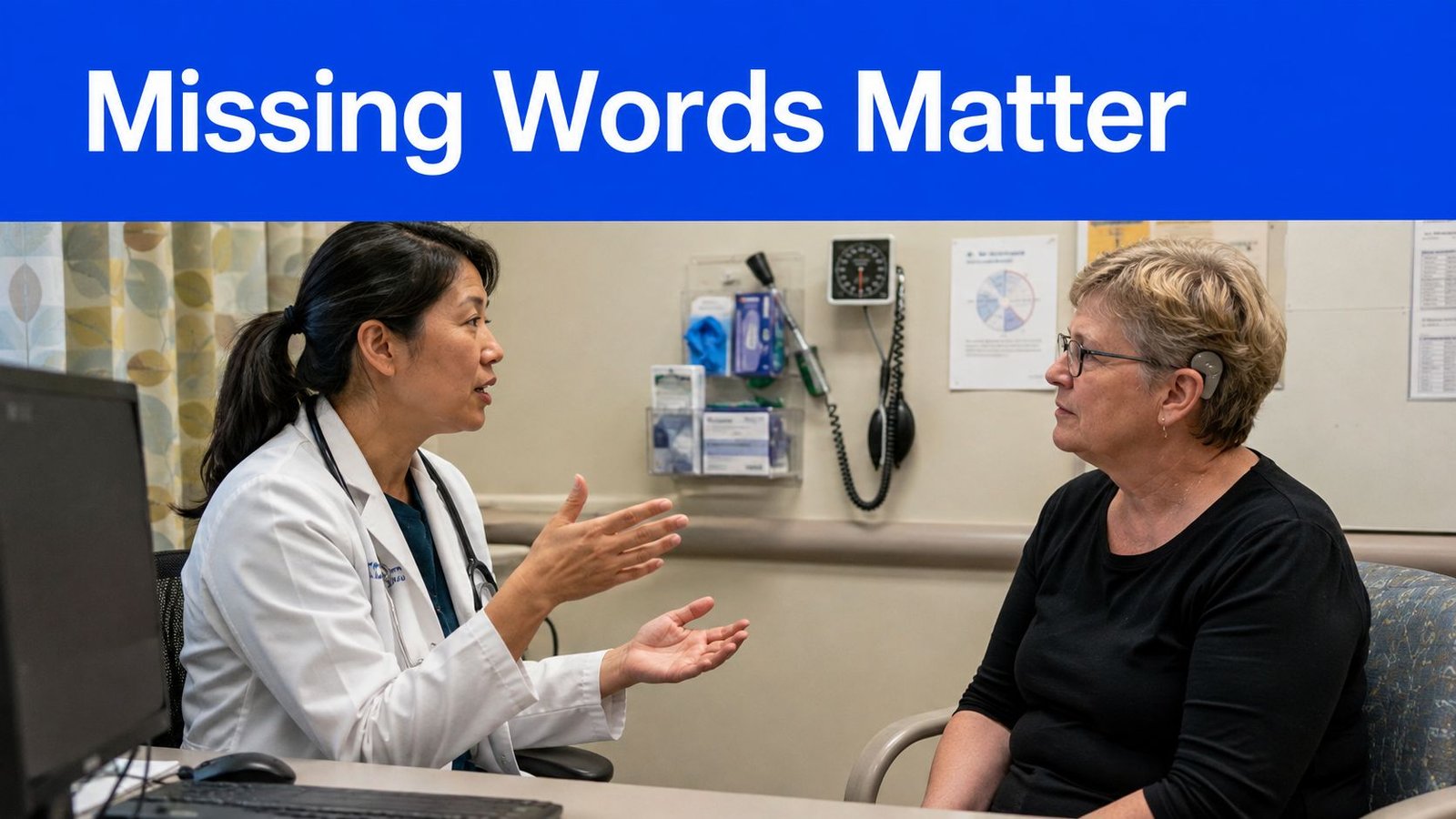
You're in a doctor's office, trying to follow a medication change while the clinician speaks quickly and a machine hums nearby. Missing one word in a dosage instruction, drug name, or consent explanation can leave you unsure about what happens next. Voice Dictation: iScribe by Harshva Technologies Private Limited provides real-time captions on iPhone and iPad, so Deaf and hard-of-hearing people can follow spoken conversations, sermons, Bible studies, meetings, classes, cafes, and doctor visits without guessing at missed words.
Live captions can also help a companion follow the same discussion, support note-taking in a classroom or meeting, or make a church service easier to follow. For medical visits, though, the important question isn't whether captions appear. It's whether the words that matter most appear accurately enough to support safe decisions.
Table of Contents
- Why Live Transcription Matters in Medical Visits
- Acoustic Challenges That Affect Transcription Accuracy
- Setting Up iScribe for Your Next Appointment
- When Live Captions Are Enough and When They Are Not
- Multilingual Support and Accessibility Features
- Building a Complete Communication Strategy
Why Live Transcription Matters in Medical Visits
A patient may understand most of an appointment and still miss the sentence that carries the greatest consequence. “Take it with food” can sound like “take it before food.” A drug name can resemble another word. A consent explanation can lose its meaning if a short qualification disappears in background noise.
That's why Live Transcribe for Doctor's Appointments should be treated as a communication support layer, not a decorative accessibility feature. iScribe displays speech as it's spoken on an iPhone or iPad, allowing the patient to read along instead of depending only on lip reading, partial hearing, or memory after the visit.
The care-delay problem
The need is substantial. A U.S. study of older adults represented 32.7 million people, and 29.1% reported hearing loss (study of hearing loss and delayed healthcare). Among more than 12.4 million older adults who delayed needed or planned medical care, 19.6% of those with self-reported hearing loss said they delayed hearing healthcare, while 24.5% of hearing-aid or device users reported the same (study findings on delayed care).
Those figures don't prove that captions alone solve delayed care. They do show why communication access belongs in appointment planning. During the COVID-19 period, hearing-related appointments were among the services most likely to be deferred, and roughly 629,911 older adults with hearing devices were affected in audiological services, with waiting, cancellation, and fear of attending among the main reasons (research on disrupted audiological services).
Practical rule: Use captions to stay involved in the conversation, then ask the clinician to repeat and confirm any medication, dosage, date, or consent detail that affects your care.
Clinicians also have a role. Clear facing, good lighting, plain language, written reinforcement, and deliberate pauses help every patient, not only people who use captions. A concise resource on communication tips for clinicians can help providers make appointments easier to follow.
For patients who want a broader explanation of the technology, real-time closed captioning describes how spoken language can become readable text during a conversation.
Acoustic Challenges That Affect Transcription Accuracy
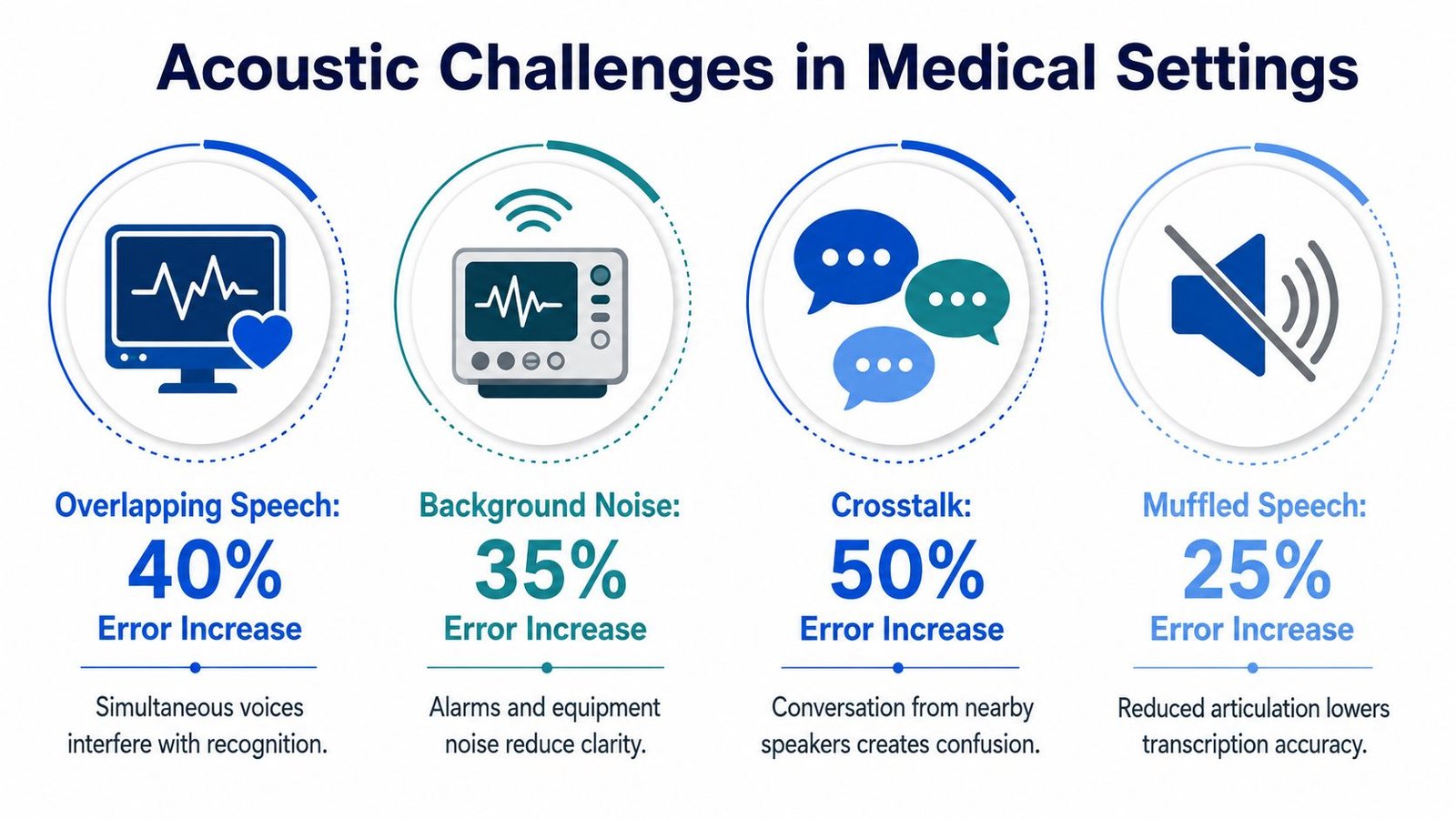
A clinic can look quiet while still being difficult for speech recognition. Heating and ventilation systems create a constant low sound, equipment may beep, several people may speak at once, and a clinician may turn away while talking. The phone microphone then receives a blended audio signal instead of one clean voice.
Speech-to-text, or automatic speech recognition, means software converts spoken audio into written words. It doesn't understand every clinical intention perfectly. It estimates the most likely text from the sound it receives, so distance, overlap, pronunciation, masking, and room reflections all affect the result.
Why medical errors are different
General comprehension and clinical accuracy aren't the same. A system may preserve the broad topic of a visit while misrendering a drug name, body part, dosage, allergy, or instruction. That distinction matters because a transcript can look fluent and still require verification.
A 2025 benchmark of six German-capable speech-to-text systems tested 1,980 noisy emergency-dialogue samples. Performance fell most sharply at the lowest tested signal-to-noise ratio, minus 2 dB, and crowded indoor noise degraded accuracy more than conversational background speech (2025 benchmark of noisy emergency dialogue transcription). The study also found that clinically salient errors increased under dense environmental noise. In plain language, the system may capture the conversation's general meaning while getting a medically important term wrong.
What improves the signal
A 2023 evaluation of digital-scribe speech recognition systems found word error rates between 8.8% and 10.5% in a quiet interview studio, while identifying poor microphone quality, high background noise, and non-native speakers as important real-world degraders (evaluation of digital-scribe speech recognition). A word error rate measures the proportion of words that differ from the reference transcript. Quiet-room results shouldn't be treated as a promise for a busy exam room.
Place the phone where it has a clear path to the main speaker, avoid covering the microphone, and ask people not to speak over one another when a critical instruction is being given. If you're evaluating wider audio workflows, you can browse audio management options, but the basic principle remains simple: improve the sound before expecting better text.
For more preparation, learn how to remove background noise from audio. Noise reduction can help recorded material, but it can't reliably reconstruct a word that the microphone never captured clearly.
Setting Up iScribe for Your Next Appointment
Preparation makes a larger difference than chasing a headline accuracy score. Test the app before the appointment, use the same type of room when possible, and decide how you'll verify high-risk details before the clinician starts speaking.
A practical setup
Place the device deliberately. Keep the iPhone or iPad near the conversation with a clear line of sight to the clinician. Don't put it inside a bag or under papers. A nearby microphone generally receives more direct speech and less room noise.
Check the connection. iScribe uses cloud-based speech recognition for real-time transcription, so it needs an active internet connection. Check cellular or Wi-Fi service before entering the exam room. If coverage is unreliable, arrange a written backup, a companion who can take notes, or another communication accommodation.
Adjust the display. Choose a readable font and text size before the visit. Larger text can reduce visual effort, while a dark interface or sufficient contrast may make extended reading more comfortable in changing clinic lighting.
Start early. Begin a short test before the appointment and watch whether words appear consistently. Speak a few ordinary phrases, then check whether the display keeps up. The test isn't proof of clinical accuracy, but it can expose a weak connection, blocked microphone, or unreadable layout.
Tell the provider. Briefly explain that the device is displaying live captions to support communication. Ask the clinician to face the device when speaking, pause before important instructions, and confirm names or numbers that appear uncertain.

Practice in realistic conditions
The free tier includes three transcriptions per day, according to the product information provided for this article. Use practice sessions in a cafe, waiting room, or another moderately busy environment rather than testing only in a silent bedroom. You can also make transcripts from YouTube links when you want to practice reviewing spoken material, although a recording won't reproduce every condition in a live appointment.
Keep a simple verification routine. When the clinician states a medication, dosage, appointment date, or warning sign, repeat it back and ask for confirmation. Save the transcript if the app and your privacy choices allow it, but don't assume a saved transcript is an official medical record.
A focused guide to the top features of iScribe audio transcription can help you decide which display and transcript functions fit your routine.
When Live Captions Are Enough and When They Are Not
Live captions are often useful for routine conversation. They can help a patient follow symptoms, ask questions, understand a general explanation, and review what was discussed afterward. They become less sufficient when the appointment depends on exact language, complex terminology, nuanced risk explanation, or legally meaningful consent.
A 2026 mixed-methods pilot in simulated outpatient encounters found that 86% of Deaf and Hard of Hearing participants found live captions nondistracting, and 90% found them easy to follow and trustworthy. Yet the system's word error rate ranged from 12.7% to 22.8% across scenarios (2026 pilot on live captions in outpatient encounters). Those findings can coexist. Users may find captions valuable and readable while the transcript still contains errors that matter in clinical decisions.
A risk-based decision
| Use live captions as primary support | Add human medical communication support |
|---|---|
| Routine appointment discussion | Informed consent |
| General questions and symptom descriptions | Complex diagnosis explanations |
| Reviewing a familiar medication reminder | Surgical or invasive treatment discussions |
| Low-risk follow-up conversation | Detailed dosage, contraindication, or risk instructions |
This isn't a rigid clinical rule. A routine visit can become high stakes quickly, and a seemingly simple medication discussion may involve unfamiliar names or multiple changes. The safest response is to slow down, ask for written instructions, and confirm every consequential detail.
The pilot also found that participants preferred captions over lip reading in masked settings (pilot findings on caption preferences). That makes captions particularly useful when visual speech cues are limited. It still doesn't make automated text a universal substitute for a qualified interpreter.
Clinical safety depends on the consequence of an error, not only on how comfortable the captions feel.
If you need to think through the communication layer around a visit, learn what CART is. CART, or Communication Access Realtime Translation, is a professional real-time text service that can be appropriate when accuracy, context, and accountability require human support.
Multilingual Support and Accessibility Features
Medical communication becomes more complicated when the patient, caregiver, and provider use different languages, regional vocabulary, or specialized terminology. iScribe's product information describes coverage of 100+ languages and variants, which can support multilingual conversations and post-visit review. Coverage alone doesn't guarantee that every drug name, accent, dialect, or clinical phrase will appear correctly, so users should still verify critical details with the provider or interpreter.
The workflow matters as much as language availability. A family member may use captions to follow a discussion, save the transcript, and revisit action items after leaving the clinic. A patient may use the live display for immediate access, then use an AI-generated summary to identify questions for a follow-up call. Summaries are convenient organizing aids, not replacements for the clinician's written instructions.
Readability is part of access
Apple's App Store listing identifies iScribe as “Voice Dictation: iScribe” by Harshva Technologies Private Limited and says it provides live speech-to-text captions for meetings, lectures, and GP appointments. The listing also names accessibility features including Larger Text, Dark Interface, Differentiate Without Colour Alone, and Sufficient Contrast.
These controls solve different problems:
- Larger Text helps readers who need more generous character sizing.
- Dark Interface can make a bright screen less tiring in some environments.
- Differentiate Without Colour Alone avoids relying only on color to communicate meaning.
- Sufficient Contrast supports clearer reading under difficult lighting conditions.
Set these preferences before the appointment, not while the provider is explaining treatment. Keep the screen at a comfortable angle, and make sure a caregiver can read it without blocking the patient's view.
Language and accessibility settings should support a broader communication plan. If the provider uses an interpreter, captions may help with turn-taking and review, but they shouldn't compete with the interpreter or create confusion about which communication channel carries the official explanation.
Building a Complete Communication Strategy
A dependable appointment plan uses several layers. Live transcription supports immediate access. Written materials preserve instructions. Human interpretation adds context when the discussion carries high clinical or legal risk. Visual aids, such as diagrams and charts, can make anatomy, procedures, and timelines easier to understand.
Privacy belongs in the setup conversation. Ask where audio is processed, whether transcripts are saved, who can access them, and whether the clinic permits a personal device to capture the discussion. Don't record other patients or hallway conversations, and follow the clinic's consent and privacy procedures.
The regulatory direction also matters. U.S. accessibility history includes the Telecommunications for the Disabled Act in 1982, FCC expansion of relay services in March 2000 to include Speech-to-Speech services, and the FCC's December 16, 2016 move from TTY toward real-time text, which sends text as it's created over supported wireless networks (National Academies overview of telecommunications access). In a U.S. telehealth review, only 40% of the top 20 hospitals used platforms that routinely offered automatic captioning (telehealth accessibility review). The ADA National Network identifies January 12, 2027 as the date by which telehealth platforms are required to have computer-generated captions in the policy context it discusses (guidance on captions and face masks).
Use iScribe as one part of that strategy. Ask for written medication instructions, request clarification when text looks uncertain, and seek professional interpretation for consent or complex treatment decisions. That approach preserves the value of instant captions without pretending automated speech recognition has eliminated clinical communication risk.
iScribe Live Transcribe offers live, word-by-word captions on iPhone and iPad, along with saved transcripts, readability controls, multilingual support, and AI-generated summaries. If you want a practical captioning layer for doctor visits, meetings, classes, sermons, or everyday conversations, visit iScribe Live Transcribe and choose the setup that fits your communication needs.