

Voice Dictation: iScribe for iPad by Harshva Technologies Private Limited provides real-time captions on iPhone and iPad so d/Deaf and hard-of-hearing people can follow spoken conversations, sermons, and Bible studies without guessing at missed words. If you want the clearest practical answer first, use live captions. They are the fastest, lowest-friction way to make spoken words readable in real time.
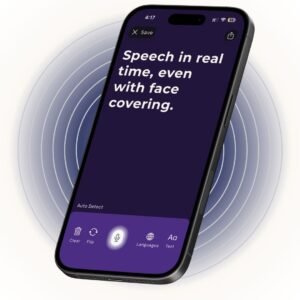
For church use, that means people can follow the sermon, announcements, prayers, and small conversations before and after the service while staying present with the congregation.
Table of Contents
- The Sunday Morning Problem Most People Do Not Talk About
- Speech to Text on iPad and iPhone
- Three Accessibility Use Cases Worth Knowing
- Setting Up Live Captions Before You Sit Down
- Live Captions Versus Other Church Accommodations
- Why One Accommodation Is Rarely Enough
- A Practical Path Forward for Your Congregation
The Sunday Morning Problem Most People Do Not Talk About
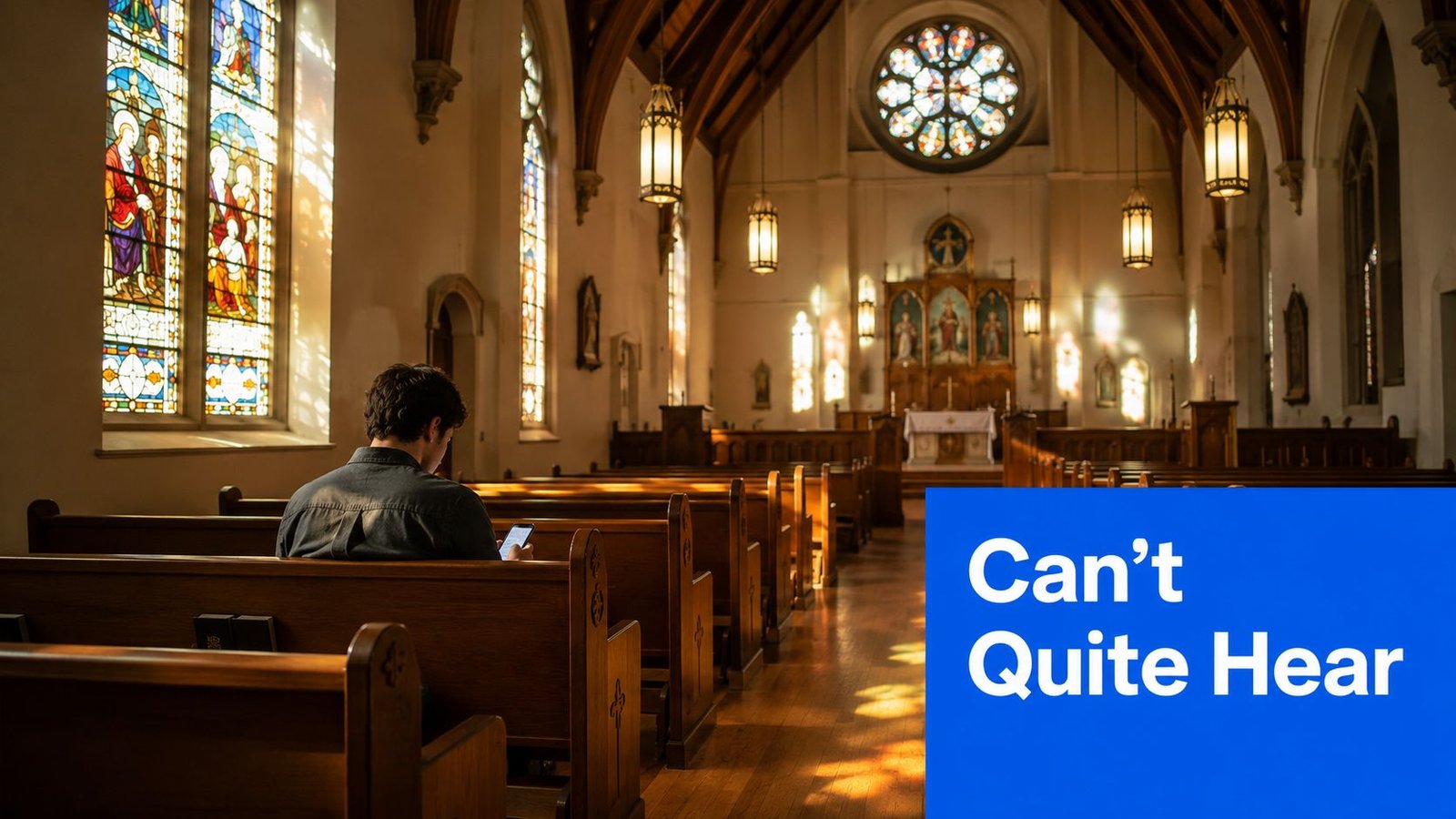
I sat in the third pew one Sunday and watched a man lean forward, then back, then forward again, trying to catch the sermon through a room that loved to bounce sound off hard walls. He wasn’t distracted. He was fighting the room.
That’s the part people skip. Church Services & Bible Studies are not always hard because people are uninterested; they’re hard because the sanctuary, the mic, and the seating can work against them. If you also need to manage church finances, the smartest move is to treat accessibility the same way you treat stewardship, as a practical part of serving the whole congregation. Managing church finances matters. So does making the spoken word usable in the room where it is heard.
A sanctuary can look reverent and still sound terrible. High ceilings, hard floors, glass, and reflective surfaces push speech around the room, and that extra reverberation makes it harder to catch names, scripture references, and short announcements, especially for anyone already dealing with hearing difficulty.
This is a room problem, not a character flaw
That’s the first thing churches need to admit. A person straining to follow the message is not failing at faith, and they’re not being picky. The room is making speech harder to use.
A plain fix is better than a fancy theory. Live captions on an iPad or iPhone give that person another path into the service, and they do it without asking the rest of the room to stop worshiping. If your church is also trying to keep track of budget work, volunteer shifts, and ministry costs, it helps to use tools that remove friction instead of adding it. Good stewardship is not only about what gets paid for, but it’s also about what gets used.
If the room is fighting the voice, don’t blame the listener first. Fix the path from microphone to ear.
The point is simple. You do not need to buy a new building, install a full hearing system, or hand the entire job to a note taker. You need a practical way to get the spoken word into usable text in real time. This guide sticks to that job and stays honest about where captions help, where they don’t, and how they fit alongside the other supports churches already use.
For a deeper look at the captioning angle itself, the basics of real-time closed captioning are worth understanding before anyone treats this like a gadget issue.
Speech to Text on iPad and iPhone
On Sunday morning, the room decides a lot. A clear voice can still get buried under fan noise, a bad speaker angle, or a pastor who walks off mic. That is why speech-to-text on iPad and iPhone matters. It gives people a second way to catch the message without asking the sanctuary to stop.
The built-in iOS Live Captions feature is the easiest place to start. It sits inside the Apple ecosystem, so setup is light, and the barrier to trying it is low. For a member who only needs live text during the sermon and announcements, it can do the job.
Built-in captions stop short once you want more than live reading. They are limited if you need transcript export, cleaner review after the service, or more control over how text appears on screen. In Bible study, that matters fast. People want to quote a passage, review a discussion, or save notes after class. A dedicated app is better for that because it is built to save and review the transcript, not just display it.
Choose the tool based on the follow-up you need, not just the moment you’re in.
Network quality also changes the result. Cloud-based live captions need a stable internet connection for real-time transcription, and church Wi-Fi often weakens when the room fills up. A setup that looks fine in rehearsal can fall apart during the sermon if the signal drops. Volunteers should test that before they rely on it.
If you want the mechanics in plain language, the guide on how to voice-to-text explains the capture process without jargon.
What to test before Sunday
Check microphone permissions first. Then set font size and screen brightness so the text stays readable in sanctuary light. Last, confirm the connection stays steady in the room where people will sit.
Three Accessibility Use Cases Worth Knowing
Live captions pull real weight in three places, and each one asks for something slightly different. A church that knows the difference stops treating captions like a gimmick and starts using them where they help.
During the sermon
The sermon is where people notice the value first. Captions help when the pastor turns his head, steps away from the mic, or moves fast through a dense passage. They also help people catch scripture references and keep up when sanctuary acoustics blur a name or phrase.
That matters in real churches, not just on paper. Pew Research Center found that about four in ten adults attend religious services at least weekly, and the long-run study summarized by Church Executive shows attendance patterns vary sharply by region, with Sub-Saharan Africa averaging 82% monthly attendance, Europe 43%, Latin America 58%, and East Asia/Pacific 27% across 66 countries (Church Executive summary of Pew and long-run study). This is a broad church need.
During Bible study discussion
Bible study gets messy fast. People talk over each other. A leader asks a question. Someone adds a side comment. Another person follows written words faster than spoken ones. Captions help turn that noise into something people can track.
They also help non-native English speakers stay with the conversation. A study circle in a church classroom is not a courtroom, so nobody expects perfect grammar or perfect order. The text still gives people a way to stay engaged instead of guessing at the flow.
Bible study participation already sits at the center of church life. Lifeway Research reported in 2024 that the average church has seven ongoing adult Bible study groups with 69 weekly participants (Lifeway Research). The same report says 44% of worship attendees at the average church typically participate in small groups. Churches should treat accessible discussion as normal.
Accessibility drives participation. A checkbox does not.
After the service
The transcript turns live captions into something people can use again. You can reread the sermon, search for a specific phrase, or share a quote with someone who missed church. That helps shut-in members, Bible study leaders, and anyone who wants to revisit the message without relying on memory.
Official captioning guidance for live events says that if real-time human captions are not available, hosts should use automated real-time captioning and provide a corrected transcript as soon after the event as possible (University of Iowa live events captioning guidance). Church use lines up with that advice. Save the text, review it, and use it again.
For congregations thinking beyond one Sunday, live captions also fit the wider set of assistive technology for deaf and hard of hearing needs described at assistive technology for deaf and hard of hearing, especially in rooms that need more than one accommodation.
Setting Up Live Captions Before You Sit Down
Set it up the night before. Open the iPad, turn on captions, and run a sermon video through the mic so permission issues show up before the first hymn. Pick a font size you can read at arm’s length. Squinting at your lap is a bad Sunday habit.
Before the service
Keep the setup boring. Boring works. A church device should be ready before the first prayer, not debugged during the welcome.
If you use a caption app, check two things at home. First, the text style should stay readable in daylight and in low light. Second, the transcript-saving feature should work the way you expect. If you only find the file path after the benediction, you have already lost the point. For help choosing a setup that fits your room and your budget, see live caption apps for deaf churchgoers.
During the service
Place the iPad where it can hear clearly, usually on a pew ledge or another stable spot close to the room’s audio. Do not bury it under a coat or leave it flat on your lap, where fabric and movement can interfere with the mic. Then follow the captions as the sermon, prayers, and announcements happen.
Sanctuary acoustics matter here. A hard room with reverb will confuse the text more than a quiet room with a clean sound source. If the room is dim, Dark mode helps. If a reader has low vision, High Contrast makes the screen easier to scan.
After the service
Save the transcript right away. Rename it with the date and scripture passage so next week does not start from zero. Then drop it in a folder you will use.
The win is not just hearing better in the moment. It is having something you can return to on Monday.
There are two problems worth saying out loud. Sanctuary reverb can scramble names of people and places, and switching to Airplane mode mid-service can cut the transcript off in the middle of a sentence. That is not drama; that is physics and device behavior.
Good setup means the technology disappears into the service. Bad setup means everybody notices it.
For churches that want a single app that can also save transcripts and generate summaries, iScribe Voice dictation is built for that kind of follow-along use on iPhone and iPad, with live transcription, transcript saving, and AI-generated summaries. Test it in the room before you trust it on Sunday morning.
Quick comparison
| Accommodation | Cost | Setup | Best For |
|---|---|---|---|
| Hearing loop | Higher upfront room investment | Installed once, then used in the room | People with compatible hearing aids who want direct audio |
| FM system | Moderate room setup | Needs receiver hand-off and batteries | Visitors and regulars who can manage a device |
| ASL interpreter | Ongoing service cost | Needs scheduling and coordination | Deaf attendees who use signed language |
| Printed sermon notes | Low | Easy to distribute | People who want advance structure and a paper trail |
| Live captions on iPad | Often low if the device is already there | One-time settings and a stable audio source | Mixed groups, late-deafened adults, ESL families, and people who follow text better than speech |
The table tells the truth. Some tools serve the room. Some serve a person. Some do both.
What each option actually does
A hearing loop sends clean audio directly to hearing aids with a telecoil, but it only helps people who already have the right device. An FM system can move audio well across a room, but it still depends on receivers and batteries. If a guest walks in unprepared, the system does nothing for them.
An ASL interpreter is the right call for many Deaf attendees who use signed language. Printed notes help people who want structure and a record, but they can't catch the spontaneous parts of worship. Live captions sit in the middle. They're flexible, portable, and useful for more than one hearing profile.
That's why I like captions as a starting point, not as a finish line. They can sit beside the other supports instead of trying to replace them.
If the accommodation only works for one kind of attendee, it's a partial answer, not a final one.
Why One Accommodation Is Rarely Enough
Church people love simple fixes. I get it. One tool sounds easier than three. But sanctuary life is not simple, and the audio path is never clean all the way through.
Hard walls, HVAC hum, a pastor who turns away from the mic during the children's message, and a worship band that fills the room at the end all create different kinds of listening problems. Caption software hears the whole mix, and when the mix gets ugly, the text can get ugly too. That is not a reason to quit. It's a reason to layer support.
Layer the help, don't worship the tool
Three combinations work well in real churches.
- Captions plus a seat closer to the front: Better audio in means better text out. Sitting closer can cut down on room noise and help the device hear speech more cleanly.
- Captions plus a hearing loop: One tool gives the user direct audio, the other gives visual backup when the room gets messy.
- Captions plus shared sermon notes: The live text catches the moment, the notes make post-service review easier.
Each layer helps a different kind of listener. Families with toddlers, latecomers slipping into the opening prayer, and visitors who don't know the liturgy all benefit when the room is easier to follow.
Bible study shows the same pattern. A class I heard about caught a Hebrew name nobody in the room could spell. The caption transcript gave the group a way to check the spelling later, and the written follow-up kept the discussion moving instead of stalling on one hard word.
Churches should stop asking, “Which one fix solves everything?” That question wastes time. Ask instead, “Which layers let more people participate without extra drama?” That's the better church question.
A Practical Path Forward for Your Congregation
Accessibility is a participation issue, not a checklist. If only one person can follow the sermon, you haven't solved the room. You've just helped one person work around it.
Start small this week
Bring one iPad to worship and run captions during the sermon. Ask two or three people, not just the person using it, whether the text helped them stay with the message. Then watch the room, not just the screen.
Next, make one acoustic change. Softening a back wall, reducing a reflective surface, or moving a speaker away from a bad spot can help more than a dozen opinions. The goal is not a perfect sanctuary. The goal is a room where speech lands more cleanly.
Use captions in the rest of church life
In Bible study, pair a printed outline with the live transcript so visual and auditory learners both have something solid to follow. For hybrid groups, keep captions on for remote members who are joining through a screen. For newcomers, captions cut down the stress of trying to decode names, references, and rapid conversation on the fly.
The simplest stack is the one I'd recommend first. iPad captions, printed sermon notes, and one honest conversation with the worship team about mic placement will go farther than a pile of expensive ideas that never get used.
Stop treating captions as a novelty. Treat them like part of the room. That's how real congregations make Church Services & Bible Studies usable for more people without turning worship into a technical project.
If you want a simple way to put live captions, transcript saving, and AI summaries to work in your own church routine, take a look at iScribe Live Transcribe. It's built for real follow-along use in services, Bible studies, meetings, and other noisy places where people still need the words to land cleanly.