
A hearing loop is an assistive listening system that sends clear sound directly to a compatible hearing aid or cochlear implant through a magnetic field. It can make speech easier to follow in a noisy church, theater, airport, meeting room, classroom, or public service counter.
The important detail is compatibility. A hearing loop works only when your hearing device has an activated telecoil, sometimes called a T-coil. If the loop isn't available, your device isn't compatible, or the setup isn't working, Voice Dictation iScribe for iPhone and iPad by Harshva Technologies Private Limited provides live captions that can help you follow conversations, sermons, meetings, cafes, and Bible studies without guessing at missed words.
Table of Contents
- What a Hearing Loop Actually Does for You
- The Four Parts That Make a Hearing Loop Work
- Where Hearing Loops Are Installed and Why They Spread
- The Telecoil Compatibility Gap Most Guides Skip
- Using iScribe When a Hearing Loop Is Not Available
- How Loops and Live Transcription Fit Together
What a Hearing Loop Actually Does for You
You're sitting in a church and the speaker is several rows away. People are shifting in their seats, the room is reverberant, and the public address system sounds distant. The same problem appears in a theater, an airport terminal, or a meeting room. Your hearing aid may amplify the room, but it can't always separate the speaker's voice from everything around you.
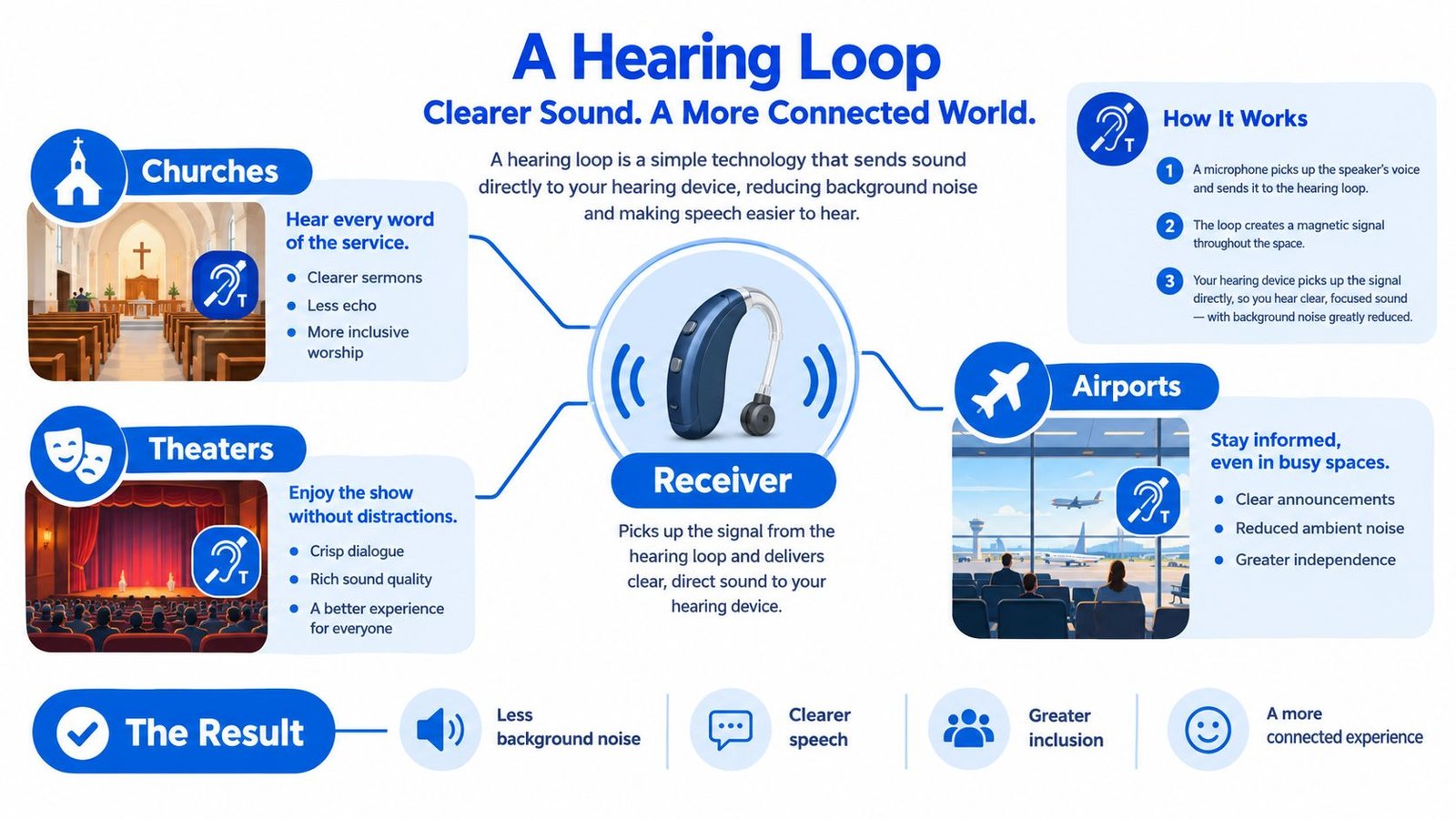
A hearing loop solves that specific problem by sending the venue's audio directly to your hearing device. The system converts the sound from a microphone or public address system into a magnetic signal, and a compatible telecoil receives that signal inside your hearing aid or cochlear implant processor. You hear a closer, clearer version of the speaker instead of relying only on the sound traveling across the room.
The room becomes part of the listening system
A hearing loop isn't a wireless headset, and it isn't a Bluetooth stream that you pair with your phone. It's a room-sized audio conduit, usually built into the floor, walls, ceiling, or carpet. The loop carries the venue's audio around a defined listening area.
That design helps address three common barriers:
- Distance: The speaker's voice reaches your device directly, rather than weakening as it travels across the room.
- Background noise: The telecoil receives the loop signal instead of depending entirely on the hearing aid's microphones.
- Reverberation: Direct transmission reduces the effect of echoes and reflected sound in large spaces.
International guidance connects system performance to IEC 60118-4 requirements for hearing-loop systems. Those requirements cover field strength, frequency response, background noise, and orientation, so compatible hearing instruments receive a usable signal. The same guidance identifies IEC TR 63079:2017 as a code of practice for planning, installation, testing, operation, and maintenance.
That standardization matters. A loop shouldn't be treated as a venue-specific convenience that merely exists or doesn't exist. Its installation and testing determine whether the listening area delivers useful access. You can read more about related communication access options in this guide to assistive technology for Deaf and hard-of-hearing people.
The Four Parts That Make a Hearing Loop Work
A hearing loop depends on both venue equipment and a listener's compatible device. Remove either side and the experience breaks down. The venue may have a professionally installed loop, but you still need a receiver or an activated telecoil to receive its signal.
The system has four core parts:
- Sound source: A microphone, public address system, television feed, or another audio source captures the speaker's voice.
- Amplifier: The amplifier prepares and strengthens the audio signal so it can drive the loop wire.
- Loop wire: A thin wire runs around a room or designated listening area, sometimes beneath carpeting or inside the structure.
- Receiver: A listener uses a telecoil in a hearing aid or cochlear implant processor, or wears a separate receiver and headset supplied by the venue.
The amplifier sends the audio through the wire. That current creates an alternating magnetic field, meaning the field changes in a pattern that carries the sound signal. A telecoil detects the changing field and passes the audio into the hearing device.
The listener must be wearing the receiver and must be within or near the looped area. A seat outside the intended coverage area may produce a weaker or inconsistent signal, even when the system is operating correctly.
Why installation measurements affect the experience
For a standard large-area installation, the target magnetic field strength is about 100 mA/m on average at 1 kHz, with acceptable variation generally limited to ±3 dB across the listening area, according to the U.S. Access Board's background on assistive listening systems. Related guidance also notes that a correctly designed system can produce up to 400 mA/m in at least one location.
These figures aren't just engineering details. They explain why one looped room may sound even and comfortable while another has weak spots, volume changes, or areas where the signal seems to disappear. Installers measure the field with a true-RMS meter using 0.125-second averaging, which helps them assess whether the listening area meets the intended performance.
Practical rule: If a loop sounds weak, don't assume your hearing aid is the problem. Ask venue staff whether the system has been tested across the seating area and whether another seat is recommended.
A hearing loop is one form of assistive listening. Captioning, including Communication Access Realtime Translation, uses text rather than a magnetic audio signal, so it can help people who don't have a telecoil or who prefer reading speech.
Where Hearing Loops Are Installed and Why They Spread
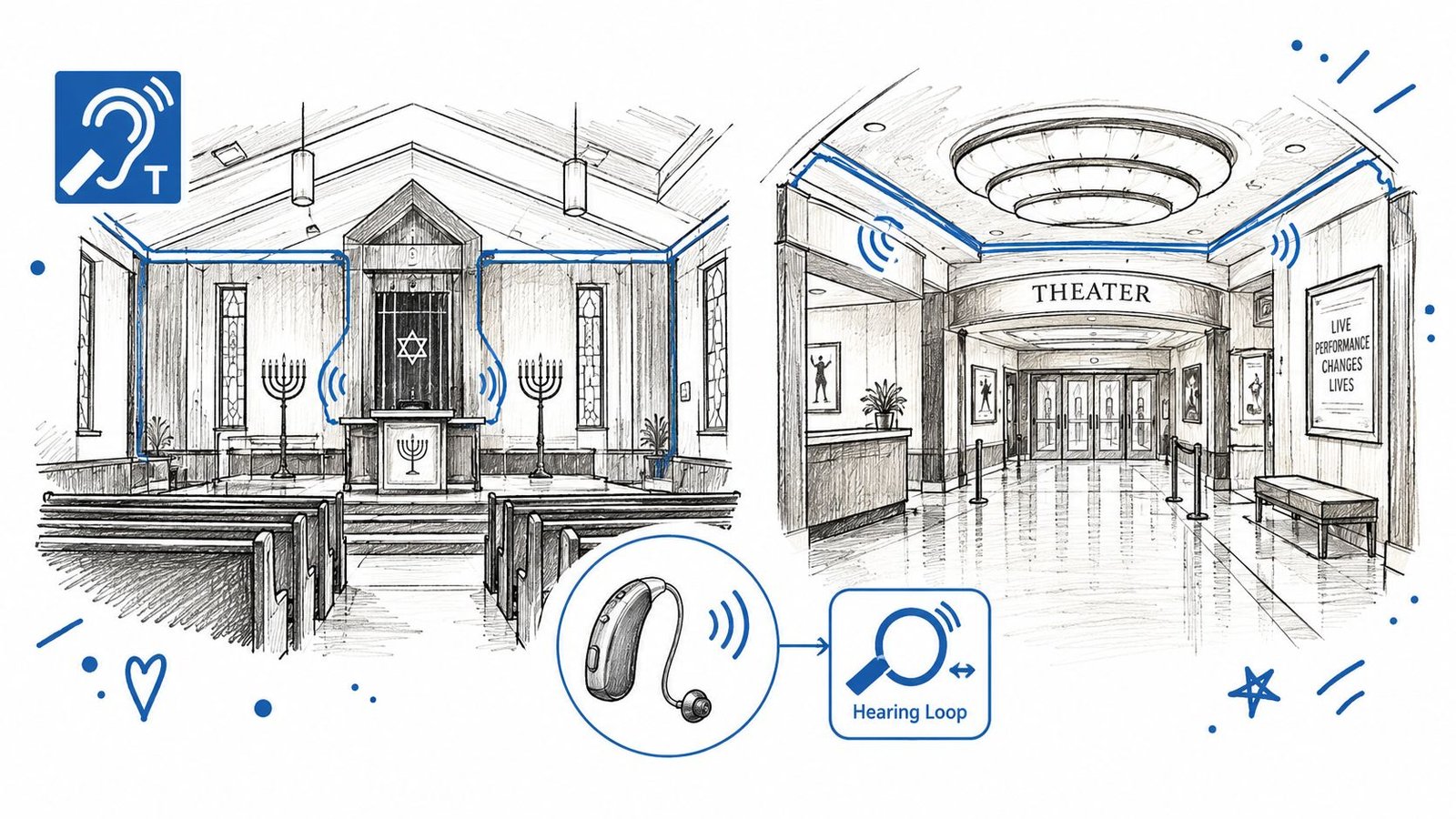
You may find hearing loops at a theater ticket counter, a church lectern, an airport information desk, a synagogue, a courtroom, or a city service counter. In each setting, the need is similar: the speaker may be far away, the room may be noisy, or the venue may rely on a public address system.
The Americans with Disabilities Act sets requirements for assistive listening in locations with a public address system. The Hearing Loss Association of America's overview of assistive listening systems identifies induction loop, FM radio, and infrared as the three widely used large-area assistive listening system types.
A loop often feels especially convenient in a public venue because the listener may not need to borrow and manage a separate headset. The infrastructure stays in the room, while the person uses a compatible hearing device.
Adoption followed visible accessibility milestones
Hearing loops became more visible through public accessibility efforts during the 2000s and 2010s. A hearing-loss advocacy handbook records that Gerald Ford International Airport in Grand Rapids, Michigan, became the first U.S. airport to install hearing-loop technology in 2008. It records the first International Hearing Loop Conference in Zurich in 2009, followed by a U.S. public education campaign in 2010. The same source states that 48 million Americans had hearing loss at the time, a scale that helps explain the growing focus on access in transportation, education, and public venues. These milestones are documented in this hearing-loop market history and accessibility overview.
This history shows that hearing loops aren't just a recent product category promoted by manufacturers. They developed alongside advocacy, public policy, venue planning, and efforts to make spoken communication more accessible.
Compliance with IEC 60118-4 also helped venues and installers work toward a shared technical benchmark. When you attend a service at a church or Bible study with communication access, ask whether the venue has a hearing loop, where its coverage begins, and whether staff can help you activate your telecoil.
The Telecoil Compatibility Gap Most Guides Skip
You arrive at a meeting, see the hearing-loop sign, and switch your hearing aid to the telecoil program. Instead of clearer speech, you hear silence or a burst of noise. The loop may be working. Your device may lack a telecoil, have one that is not activated, or be using the wrong program.
A telecoil is a small receiver inside a hearing aid or cochlear implant processor. It picks up the magnetic signal produced by the loop and sends that signal through the device. In technical terms, a hearing loop is an audio-frequency induction loop system that converts sound into an alternating magnetic field. IEC 60118-4's technical specification defines field-strength requirements and measurement methods used to assess system compliance.
What to confirm before you rely on a loop
The RNID guide to hearing loops explains that you need a telecoil receiver, and an audiologist may need to activate or assign its program. Signal strength can also change with device orientation and position. Turning your head, moving seats, or sitting outside the strongest part of the loop can affect what you hear.
Ask your audiologist:
- Does my hearing aid or processor include a telecoil?
- Is the telecoil activated and assigned to a program?
- Which control switches between the microphone, telecoil, and a mixed setting?
- Can you show me how to test the program before I attend an event?
Ask venue staff:
- Is the hearing loop active for this event?
- Does it cover every seat or only a defined area?
- Where should I sit for the clearest signal?
- Is a separate receiver available if my device can't use the loop?
Many hearing aids include telecoils, but that does not mean every user can use a loop immediately. The setting may be unavailable, disabled, unfamiliar, or poorly matched to the person's hearing needs. Setup is often the practical barrier, not the value of the system.
If your device cannot use a telecoil, ask about a venue receiver, another assistive listening system, or captions. A personal captioning tool can provide a working alternative while you resolve compatibility. This clear-choice phone communication guide can help you identify the features and access method you need before an important conversation.
Using iScribe When a Hearing Loop Is Not Available
You arrive at a meeting and take a seat beneath the hearing loop sign. Your hearing aid cannot use the loop, the signal does not reach your seat, or you are unsure whether the system is active. You still need to follow the speaker. Live transcription gives you another way to access the conversation while the telecoil or venue setup remains unresolved.
A loop depends on the building. Live transcription depends on a personal device, so it can help when a venue has no loop, the loop does not cover your seat, your hearing aid is incompatible, or you want a written record afterward.
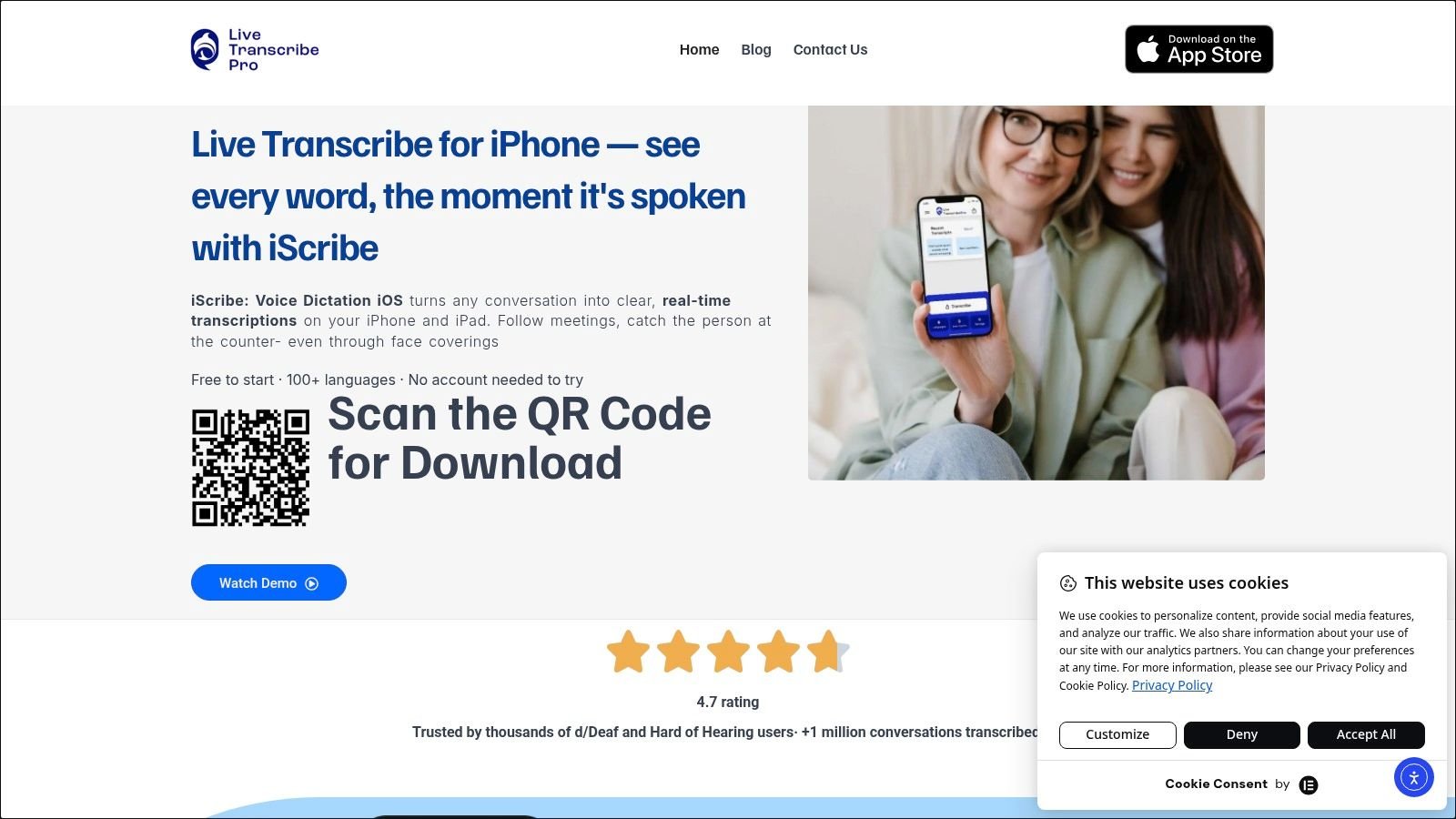
Voice Dictation iScribe for iPhone and iPad, developed by Harshva Technologies Private Limited, displays spoken words as captions in real time. Someone may use it during a meeting, in a classroom, at a church service, while ordering in a cafe, or during a doctor's appointment. On-screen text provides a second route to meaning when listening alone is unreliable.
A different access path
A hearing loop sends audio into a compatible hearing device. iScribe presents speech as text on your screen, so you can read along without depending on a telecoil. The app supports live, word-by-word transcription for conversations in the same room, along with transcription of uploaded audio and video files.
The catalog describes support for more than 100 languages and variants, which may help in multilingual settings. It also includes saved transcripts, AI-generated summaries, key points, and action items. Font selection and text-size adjustments can improve readability. A student may review a lecture, a worker may check meeting action items, and a patient may revisit important details after an appointment.
The free tier allows three transcriptions per day. The premium subscription provides unlimited transcriptions and advanced options with a seven-day trial, as described in the Voice Dictation iScribe App Store listing. The catalog item Live Transcribe iSrcribe carries the short description, “See what's being said.”
Prepare for the environment
Live captions work best when your iPhone or iPad can capture the speaker clearly. Place it near the person speaking, where voices are easiest to hear. Check that the text is readable, and tell the other person you are using captions if you need them to pause or repeat a sentence.
A captioning app does not replace reliable venue access. It gives you an independent option when the building's infrastructure or your device compatibility creates a gap. For an important conversation, you can save the transcript for later review instead of trying to remember every detail while listening.
How Loops and Live Transcription Fit Together
A hearing loop can make a public announcement clear immediately, but only if your hearing aid has an active telecoil and the loop is installed and adjusted correctly. If either condition fails, the benefit may disappear. Live transcription gives you a separate way to follow speech when the venue has no loop, your device lacks telecoil support, or you need a written record afterward.
The two technologies work like different routes to the same destination. A loop sends the venue's audio directly to a compatible hearing device, reducing the distance between the speaker and listener. Live captions use a personal device to turn captured speech into text, which can help when direct audio is unavailable or difficult to use.
An IAHA Global discussion of hearing loops and Auracast describes these systems coexisting during the transition after 2024. Hearing loops can remain part of venue access while newer broadcast options develop, because visitors bring different devices, preferences, and communication needs.
The practical choice is often made at the door: check whether your hearing aid's telecoil is enabled, then keep captions ready as a backup. Event organizers can also review guidance on planning captions for multilingual events when audiences need access across languages.
Assistive listening is no longer one technology. A loop may provide direct sound during a service or meeting, while iScribe Live Transcribe can supply readable text when the loop is absent or incompatible. Visit iScribe Live Transcribe to explore that personal option for conversations, meetings, and appointments.