
If you're trying to follow a phone call, meeting, classroom discussion, church service, or doctor's appointment and keep missing words, a clear choice phone usually means one of three things: a certified captioned phone, an amplified phone with strong hearing-aid compatibility, or an iPhone that displays live transcription. The right option depends on whether you need captions, louder sound, hearing-aid streaming, portability, or several of these together.
For face-to-face conversations, Voice Dictation: iScribe for iPhone and iPad displays spoken words on screen in real time. The App Store identifies the provider as HARSHVA TECHNOLOGIES PRIVATE LIMITED, and one listing shows iPhone support requiring iOS 17.0 or later, with iPad support shown in a regional listing. The App Store listing provides those product details.
Table of Contents
- What Clear Choice Phone Means and Who It Helps
- How Captioned and Amplified Phones Actually Work
- Key Specs That Determine Call Clarity
- Comparing Your Main Options Side by Side
- Using iPhone Live Transcription for Everyday Conversations
- Where Captions Struggle and How to Get Better Results
- Choosing the Right Setup and Next Steps
What Clear Choice Phone Means and Who It Helps
A clear choice phone isn't one universally defined product. It's a buyer-focused phrase people use when they need ordinary conversations to become easier to understand with hearing loss. For one person, that may mean reading captions during a family call. For another, it may mean turning up the caller's voice without distortion. Someone else may need a phone that sends sound directly to compatible hearing aids.
Consider a family call. Your daughter explains a change to a travel plan, but a few unstressed words disappear into background noise. You hear enough to know she's talking about tomorrow, but not enough to know where to meet. Amplification can make the voice louder, while captions can show the missing words. Those solve related problems, but they aren't the same solution.
Three practical meanings
A clear choice phone generally falls into one of these categories:
- Captioned phone service: A phone displays a written version of the caller's speech while also providing audio. This is useful when volume alone doesn't restore enough clarity.
- Amplified, hearing-aid-compatible phone: The receiver increases incoming volume and may provide tone controls, hearing-aid compatibility, and telecoil support.
- Mobile live transcription: An iPhone or iPad listens to nearby speech and displays words on screen. This fits meetings, classrooms, sermons, cafes, Bible studies, and other in-person settings.
Your hearing needs may also affect your choice of hearing devices. If you're comparing devices before choosing a phone, this guide to the best hearing aids for seniors 2026 can help you understand how hearing-aid features may influence phone compatibility.
Practical rule: If you can hear a voice but miss individual words, captions may help more than extra volume. If the voice is consistently too quiet, start with amplification and compatibility.
Why the category matters
Phone conversations are less forgiving than face-to-face conversations. You can't always see the caller's lips, gestures, or facial expression, so one missed phrase may change the meaning of the entire exchange. A suitable setup gives you another route to the message, through louder audio, readable text, or direct streaming.
That's why the best decision starts with the communication problem rather than the product name. Ask whether you mainly need a home phone, a portable mobile setup, support for hearing aids, English captions, or live text during in-person conversations.
How Captioned and Amplified Phones Actually Work
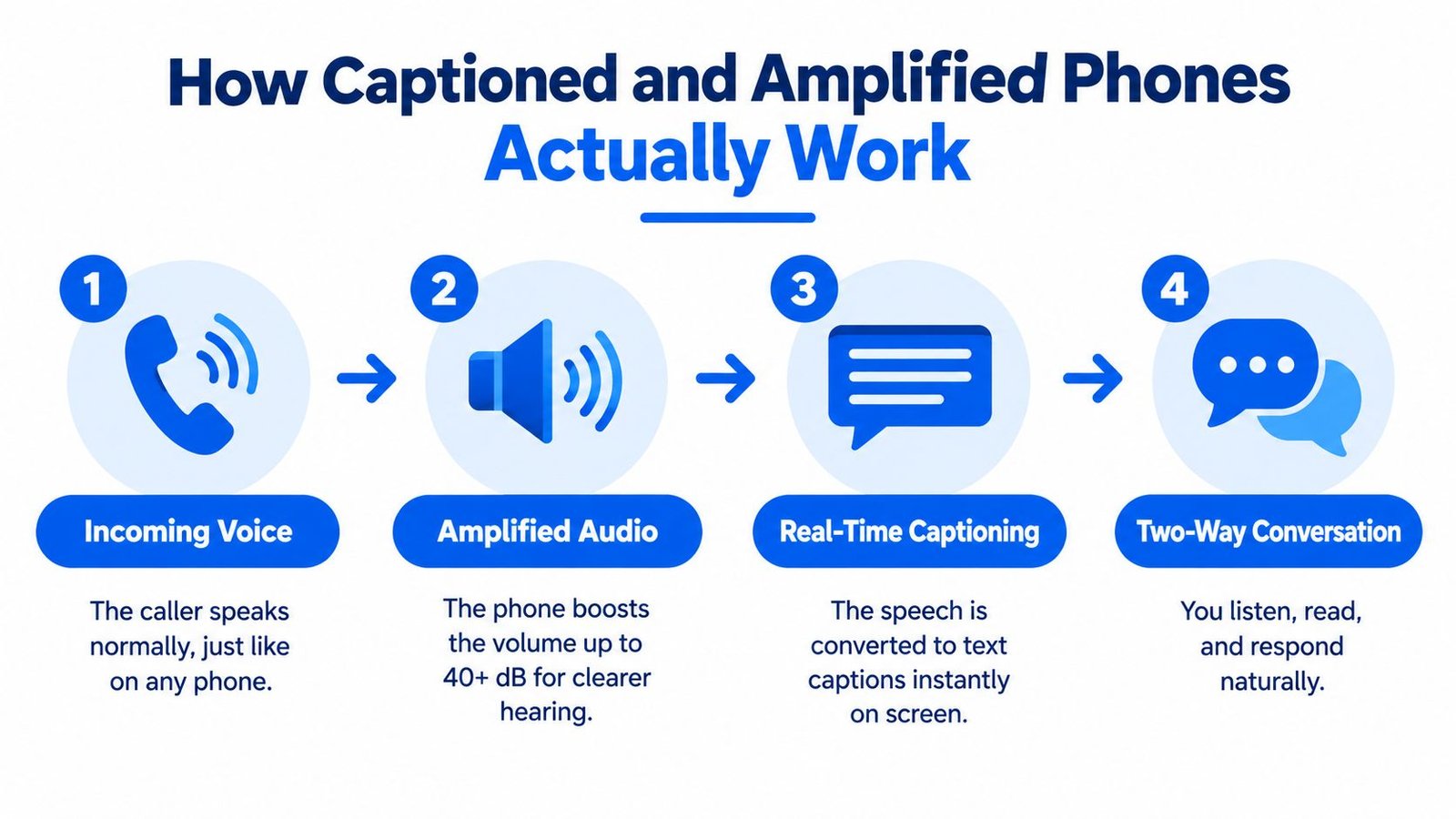
A captioned phone combines two channels. You hear the caller through the receiver, and you read a written version of the speech on the phone's display. A louder voice doesn't always make unclear consonants, fast speech, or missed phrases understandable.
The captioned phone path
A captioned call works like a live interpreter for the spoken channel, although the system produces text rather than a person interpreting meaning. The caller speaks normally. The service processes that voice and sends captions to the receiving phone while the conversation continues.
Many services use IP CTS, which means Internet Protocol Captioned Telephone Service. In plain language, it's a system that delivers captions over the internet during a phone call. ClearCaptions states that eligible users receive both the physical phone and ongoing captioning service at no cost, and applicants may qualify based on functional need rather than already using hearing aids or a cochlear implant. Its service is English-only. A ClearCaptions service review also notes FCC full IP CTS certification effective April 4, 2023, through April 3, 2028.
An amplified phone takes a simpler route. It boosts the incoming voice through the speaker or receiver, sometimes with controls for bass, treble, and overall volume. If you understand speech once it's loud enough, that may be sufficient. If you still miss words because speech sounds blurred, captions provide information that volume can't supply.
Where smartphones fit
A smartphone captioning app is different from a dedicated captioned telephone. It may use the phone's microphone to capture nearby speech, such as a lecturer, pastor, family member, or receptionist. It usually isn't a replacement for a certified captioned phone service during every telephone call.
HAC means hearing aid compatibility, a rating that indicates how well a phone works with hearing aids and reduces interference. A phone can be loud yet still create buzzing or feedback when held near a hearing aid. That's why volume, captions, and HAC should be treated as separate features.
For a broader explanation of live transcription terminology and use cases, this guide to live transcription can provide useful context. The key idea is simple: amplification changes the sound, captions add text, and compatibility helps the phone cooperate with hearing technology.
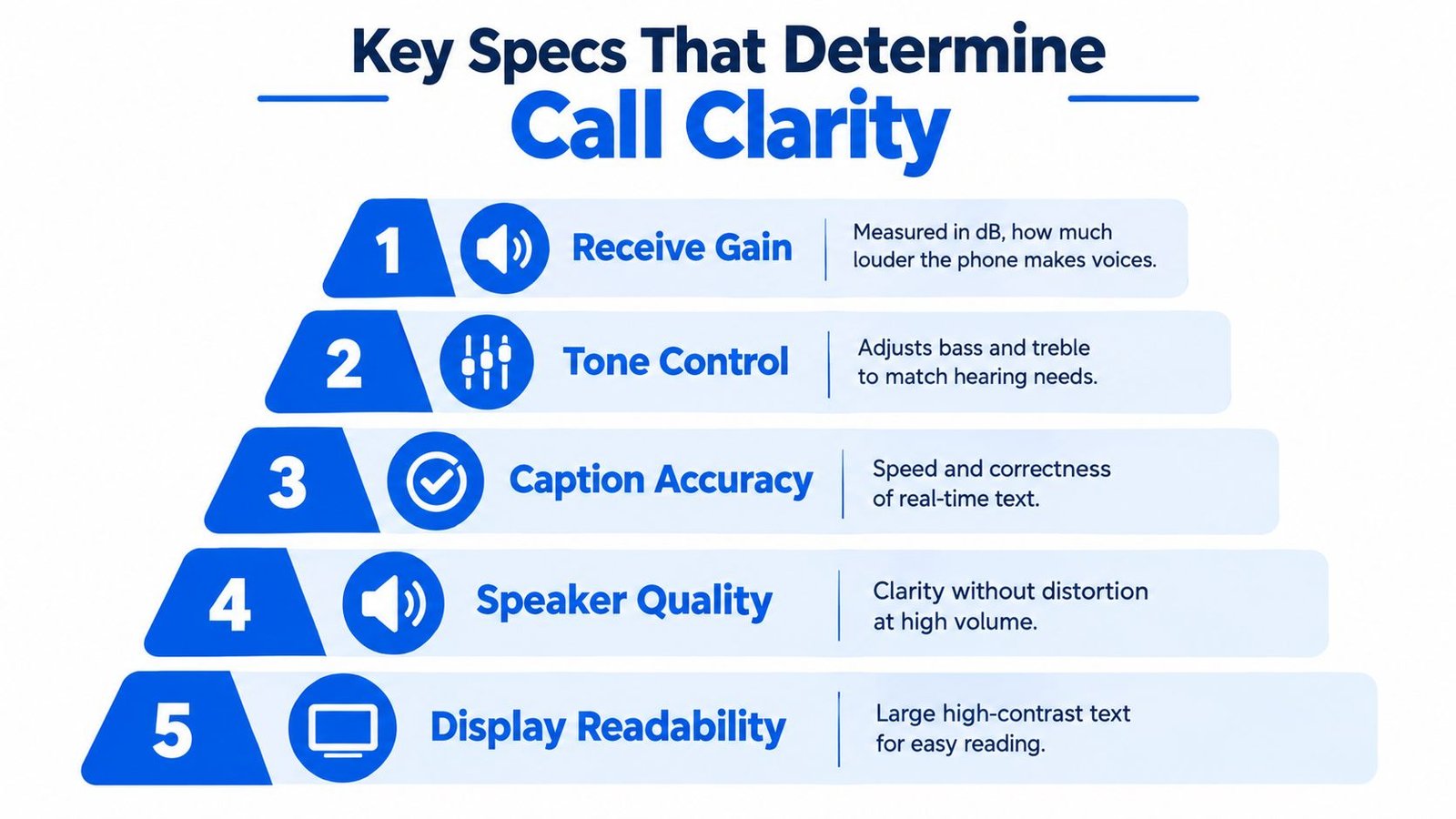
Key Specs That Determine Call Clarity
A product page may list several technical terms that look unrelated. They describe different parts of the listening experience, so reading them in the right order makes comparison easier.
Start with receive gain
Receive gain is the amount by which a phone increases the loudness of the other person's voice. It's measured in decibels, or dB, a unit used to describe sound level. Modern hearing-access phone guidance commonly recommends 40 to 50 dB of amplification for clearer calls, especially for people with moderate to severe hearing loss. SeniorLiving's hearing-access phone guidance explains this range alongside other accessibility criteria.
More volume isn't automatically better. A phone that becomes loud but distorted may make speech harder to separate. Look for tone control too. Tone control adjusts the balance of bass and treble, which can help a listener emphasize the part of speech they hear most clearly.
Understand M and T ratings
HAC ratings commonly include two letters:
- M3 or M4: The microphone rating, which describes reduced interference when the phone is used in the normal acoustic mode with a hearing aid.
- T3 or T4: The telecoil rating, which describes coupling through a telecoil. A telecoil is a small component in some hearing aids that receives compatible audio wirelessly and can reduce surrounding sound.
Higher ratings within these scales generally indicate stronger compatibility. Still, the published rating is only a starting point. Your hearing aids, phone position, environment, and personal hearing profile can affect the result.
Read the spec sheet in context
FCC hearing-aid-compatibility rules address interference reduction and telecoil coupling. Independent guidance describes the older benchmark as at least 85% compliance and discusses a newer transition aiming for 100% HAC coverage. Healthy Hearing's explanation of hearing-aid-compatible phones explains why published HAC ratings and telecoil support deserve attention when low-interference audio is important.
A practical spec check should include:
- Receive gain: Is the amplification within the range recommended for your hearing needs?
- Tone controls: Can you adjust sound quality, not just loudness?
- HAC rating: Does the manufacturer publish M and T ratings?
- Display: If captions are included, is the text large and easy to read?
- Speaker behavior: Does speech remain clear at the volume you need?
Use the list as a screening tool, not a promise. A phone still needs to be tested with your hearing aids and in the rooms where you make calls.
Comparing Your Main Options Side by Side
The three main choices solve different problems. A certified captioned phone centers on telephone conversations. An amplified HAC-rated phone centers on audible clarity and hearing-aid use. iPhone live transcription centers on nearby speech and portable access.
| Option | Best For | Captions | Cost Notes |
|---|---|---|---|
| Certified captioned phone service | People who need written support during ordinary phone calls | Captions are paired with call audio | Eligible ClearCaptions users receive the physical phone and ongoing captioning service at no cost, with English-only service |
| Amplified HAC-rated phone | Home callers who mainly need louder, clearer sound | Usually not the primary feature | Review the device's purchase and support terms before choosing |
| iPhone live transcription | Meetings, classrooms, sermons, cafes, Bible studies, and other in-person conversations | Live text can appear on the mobile screen | App pricing and trial terms vary by listing and plan, so check the current product page |
Match the setup to the situation
Choose a certified captioned phone when the main barrier is understanding people over a home phone call. ClearCaptions says functional need may be enough to qualify, so prior hearing-aid or cochlear-implant ownership isn't necessarily required. That can matter for someone who recognizes a communication problem but hasn't started using hearing technology.
An amplified HAC-rated phone may fit a person who already understands speech when it's louder and who wants a familiar home-phone experience. Prioritize published M3 or M4 and T3 or T4 ratings if hearing-aid interaction is important.
A mobile app makes more sense when you need to see what a nearby speaker is saying. A student can place an iPhone where lecture speech is easiest to capture. A church attendee can use it during a sermon or Bible study. A family member can use it at a cafe, while remembering that background voices may affect the transcript.
For practical sound troubleshooting, this clear audio echo guide may help explain why room acoustics can affect intelligibility even when a phone's specifications look strong. If you're weighing a captioned phone service against an iOS transcription workflow, this comparison of Innocaption and iScribe can help clarify the different use cases.
Using iPhone Live Transcription for Everyday Conversations
You're sitting in a meeting. The speaker is at the front of the room, two people are taking notes, and the discussion moves quickly. An iPhone placed where it can hear the speaker can display spoken words as they arrive, giving you a visual path through the conversation instead of forcing you to rely on partial hearing.

Voice Dictation: iScribe is identified in the App Store as an iPhone and iPad product from HARSHVA TECHNOLOGIES PRIVATE LIMITED. Its listed purpose is live speech transcription, and the product can also save transcripts and create AI-generated summaries, meaning condensed key points and action items derived from the transcript. Readability controls, such as font selection and text-size adjustment, matter when you need to follow text for an extended conversation.
Match the app to the setting
In a classroom, live text can help you keep track of a lecturer's explanation while you write notes. In a doctor's office, it can make instructions easier to review, although important medical information should still be confirmed with the clinician. At a sermon or Bible study, the display can support participation when the speaker's voice changes distance or direction.
The app is also useful after the conversation. If you record a permitted meeting or upload an existing audio or video file, file-based transcription can help you review details later. That differs from live captioning, which is designed for following speech as it happens.
The App Store listing includes named purchase and trial options, including a 3-Day Trial, Live Transcribe Yearly, iScribe Yearly PRO, and Pro Access. Another regional listing shows specific prices for some items, so check the current listing that applies to your account before subscribing.
For a plain catalog reference, Live Transcribe iSrcribe is labeled “See what's being said.” You can also review live caption apps for deaf and hard-of-hearing users when you're deciding whether an iPhone workflow fits your daily routine.
Some live transcription systems use cloud-based speech recognition, which means speech processing requires an active internet connection. Check connectivity before relying on captions in a place with weak service. For call quality over wireless networks, this resource on crystal-clear calls over WiFi may help you think through the connection side of the experience.
Where Captions Struggle and How to Get Better Results
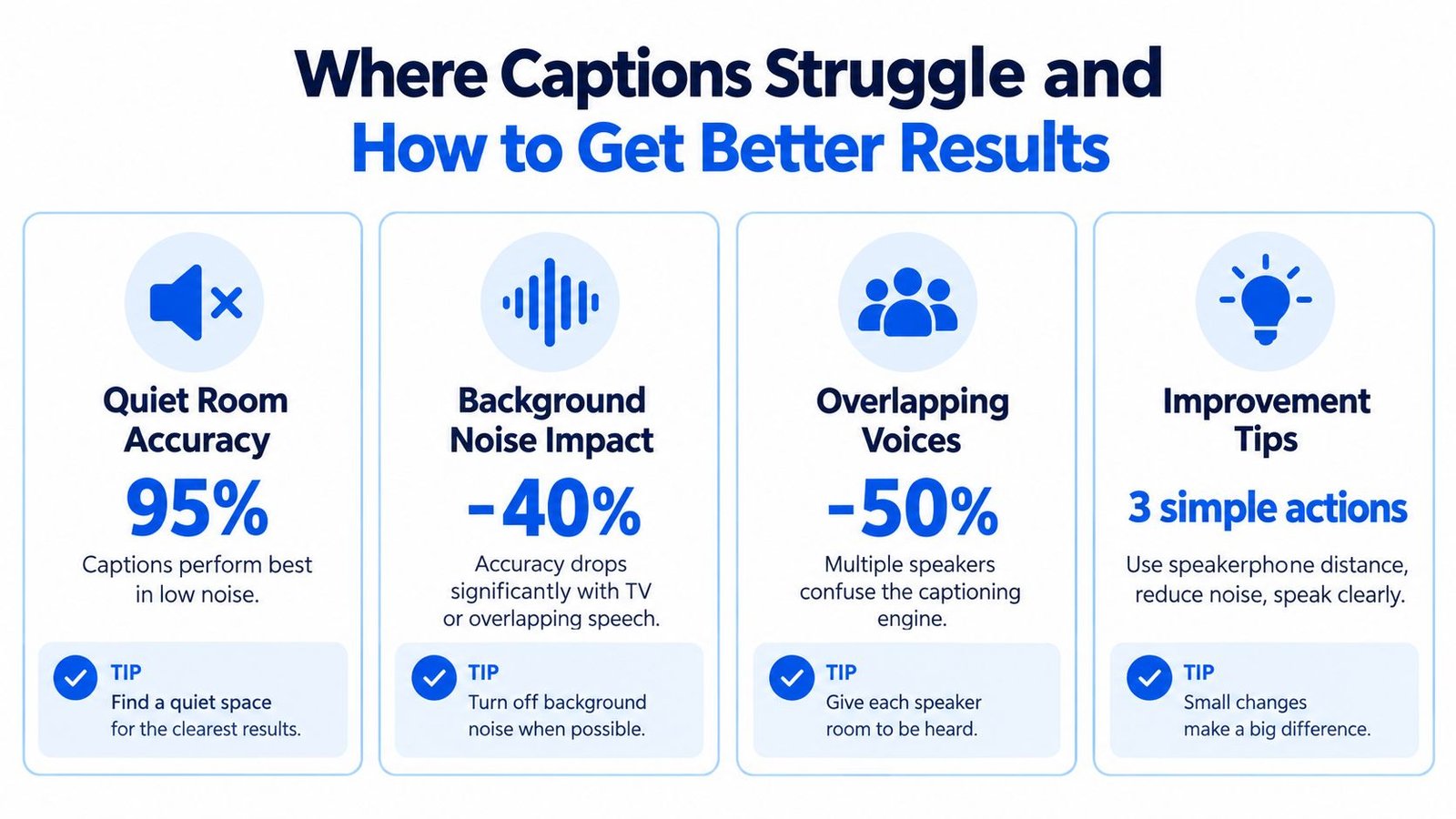
A transcript that looks excellent in a quiet room may behave very differently in a restaurant, classroom, or crowded meeting. The hardest situation is often not simple background noise. It's overlapping speech, when two or more people talk at the same time and the system has to separate competing voices.
Word error rate, or WER, is a measure of how many transcribed words are incorrect. In evidence discussed by ScienceDaily, Whisper's WER rose from 0.026 in clean audio to 0.441 with two-speaker overlap and 0.756 with three-speaker overlap. The report on noisy and overlapping speech recognition shows why a quiet-room demonstration shouldn't be treated as a guarantee for group conversation.
Why noise reduction can be complicated
Noise filtering sounds helpful, but preprocessing doesn't always improve recognition. A 2026 systematic study tested 40 configurations and found that enhancement preprocessing degraded ASR performance in all of them, with semantic WER worsening by up to 46.6 percentage points in some configurations. ASR means automatic speech recognition, the technology that turns speech into text. The finding reinforces a practical point: a cleaner-sounding signal isn't necessarily a more accurate transcript.
Platform updates are also adding richer context, such as labels for non-speech sounds and expressive details. Those capabilities can be useful, but device limits, language support, rollout conditions, privacy expectations, and internet access still matter. A captioning system may provide more information while also creating more questions about what gets processed and stored.
Improve the conditions before blaming the captions
You can often make the conversation easier by changing the setup:
- Reduce crosstalk: Ask people to speak one at a time during meetings or group discussions.
- Position the phone carefully: Place it near the main speaker, not beside a loud television, coffee machine, or open doorway.
- Control the room: Move closer to the speaker or choose a quieter table in a cafe.
- Confirm key details: Repeat names, times, medication instructions, addresses, and decisions aloud.
- Review saved text: If a transcript is stored, check uncertain passages soon after the conversation.
For additional workflow ideas, this guide to removing background noise from audio can help you think about recording conditions and post-conversation review. Captions are a participation aid, not an infallible record, especially when several people speak at once.
Choosing the Right Setup and Next Steps
Start with the setting where communication fails most often. If the problem is a home phone call, investigate captioned and amplified phone categories. If the problem is a meeting, class, church service, cafe, or family gathering, mobile live transcription may be more practical.
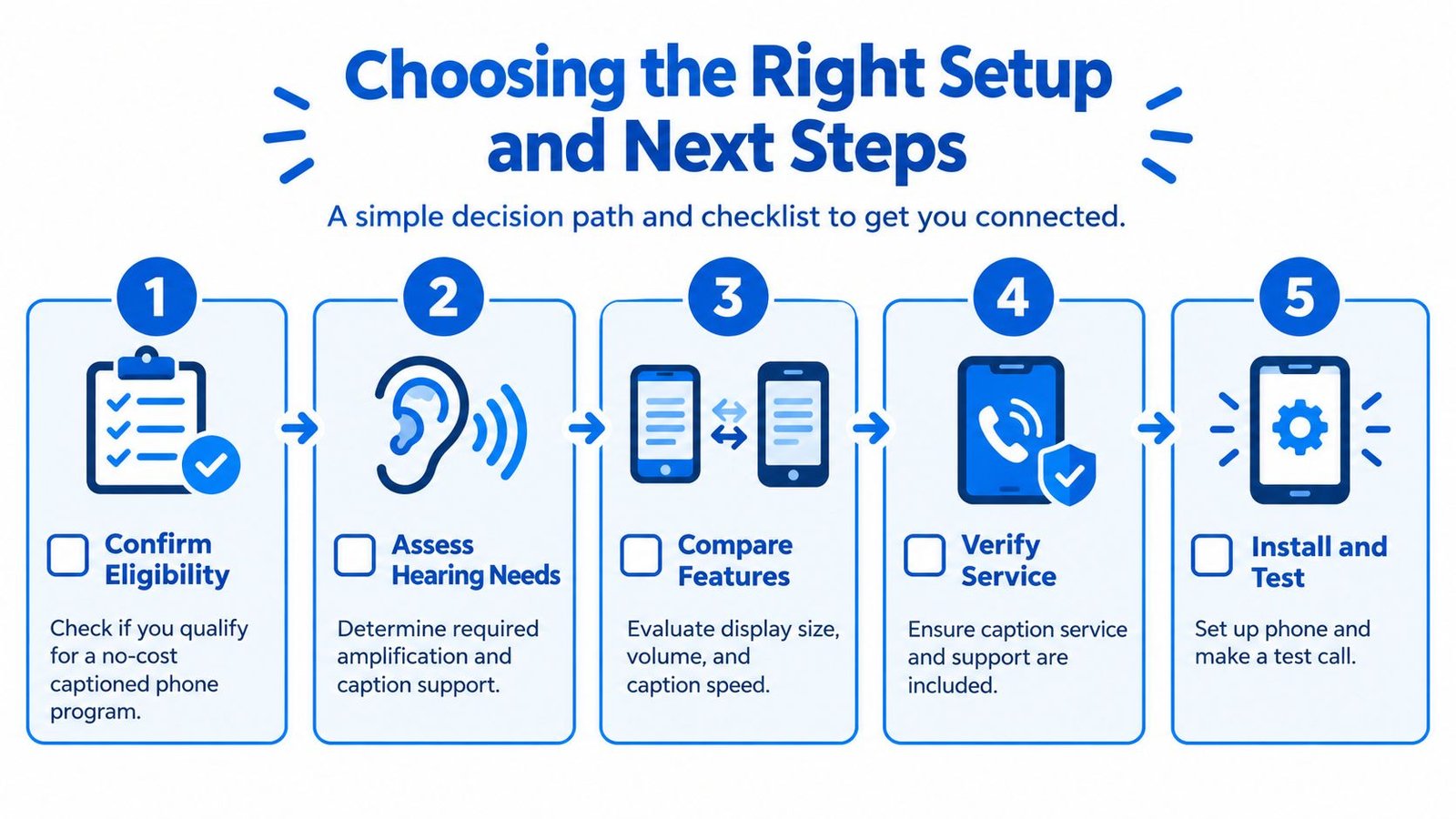
Use this short verification list before committing:
- Confirm eligibility: Check whether you qualify for a no-cost captioned phone program based on functional communication need.
- Assess hearing needs: Decide whether you need louder audio, captions, hearing-aid streaming, or a combination.
- Compare features: Review amplification, tone control, display readability, caption behavior, and support.
- Verify compatibility: Check M3 or M4, T3 or T4, your hearing-aid model, and the required phone operating system.
- Install and test: Make a call or live-caption test in the room where you'll use the setup most.
Test more than one scenario. Try a quiet family call, a speaker who talks quickly, and a setting with moderate background noise. If captions are essential, ask a trusted person to speak naturally while you check whether the text remains readable and complete enough for the decisions you need to make.
iScribe Live Transcribe offers live, word-by-word captions on iPhone and iPad, along with saved transcripts, readability controls, file transcription, and AI-generated summaries. Visit iScribe Live Transcribe to review the app's accessibility-focused features and decide whether mobile live transcription belongs in your clear choice phone setup.