
Which voice recorder fits the way you listen? The answer isn't automatically the app with the most impressive accuracy claim. A student may need searchable lecture audio, while a Deaf or Hard-of-Hearing user may need live captions during a face-to-face conversation. An interviewer may prioritize a durable recording and human transcription, while a podcaster may care more about production-quality audio than instant text.
This comparison evaluates recording quality, live and file-based transcription, accuracy limits, language support, privacy, connectivity, pricing, platform availability, and accessibility. Speech recognition can change substantially with background noise, overlapping speakers, compressed audio, accents, microphone placement, and internet reliability. A polished transcript from a quiet recording doesn't guarantee the same result in a crowded restaurant or group meeting.
For accessibility, iScribe Live Transcribe is the strongest starting point for iPhone and iPad users who need word-by-word captions, saved transcripts, customizable text, support for 100+ languages and variants, and AI summaries. Its trade-offs are equally important: live transcription requires an active internet connection, the app is iOS-only, and the free plan is limited to 3 transcriptions per day, according to the iScribe Live Transcribe website.
Table of Contents
- 1. iScribe Live Transcribe
- 2. Otter.ai
- 3. Notta
- 4. Rev Record and Transcribe
- 5. Trint
- 6. Apple Built-In Notes and Phone
- 7. Google Recorder
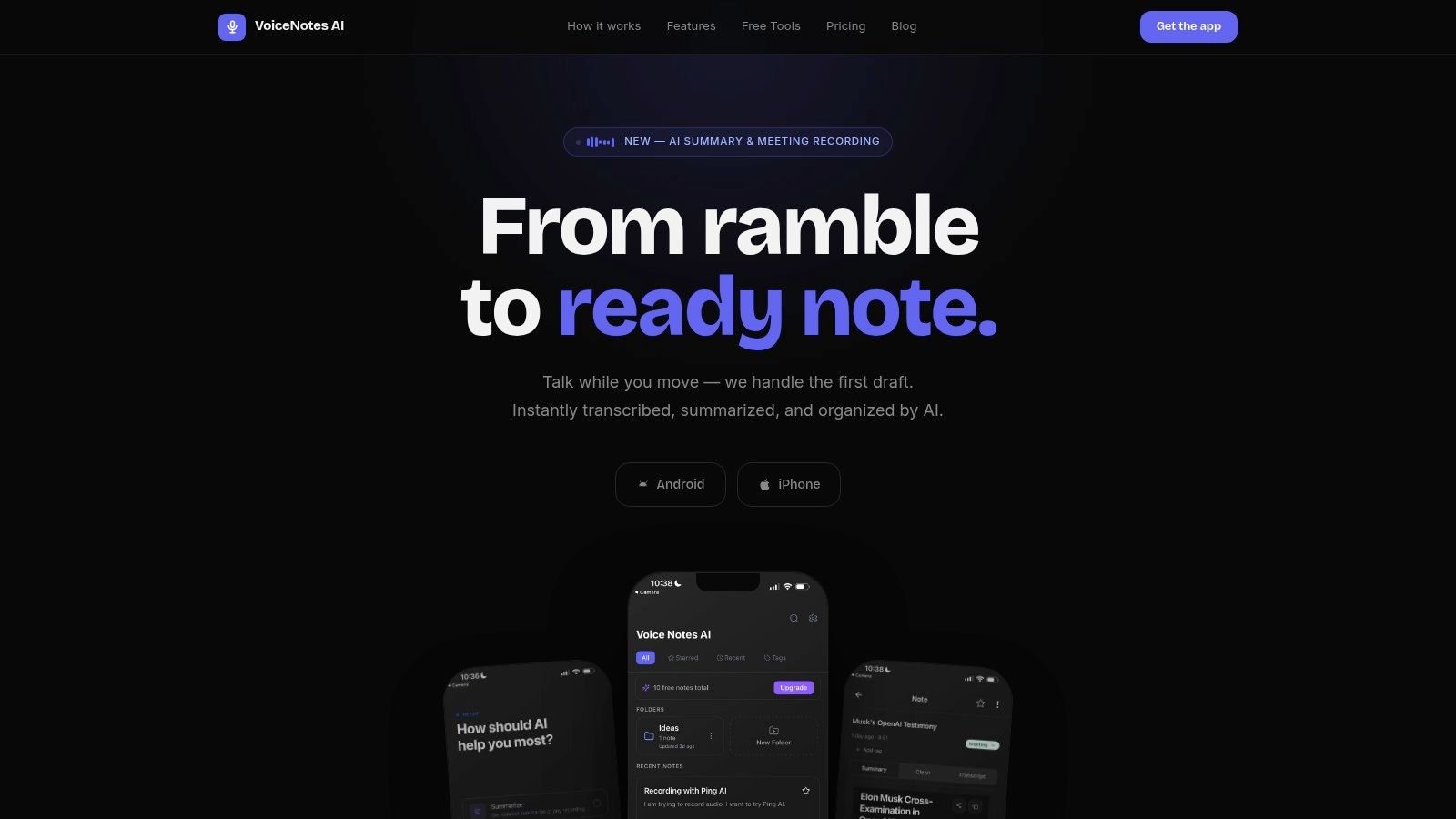
- 8. Voicenotes AI
- 9. AudioPen
- 10. Riverside
- Top 10 Voice Recorder & Transcription Apps Comparison
- Choose the App That Matches Your Next Conversation
1. iScribe Live Transcribe
Could a voice recorder serve as an accessibility tool as well as a transcription app? iScribe Live Transcribe is designed for Deaf and Hard-of-Hearing users who need live, face-to-face captions on an iPhone or iPad. Words appear as people speak, helping users follow conversations, meetings, lectures, appointments, and social exchanges when hearing speech clearly is difficult.
The accessibility case is supported by established captioning guidance. The National Institute on Deafness and Other Communication Disorders explains that real-time captions are produced during an event and appear almost immediately. Pearson's live-caption guidance also recommends identifying speakers and including dialogue alongside significant audio cues. Automated captions cannot replace every formal captioning arrangement, but they can provide immediate text for everyday interactions.
Why accessibility changes the ranking
iScribe brings live transcription and file-based transcription into one interface. Users can capture speech as it happens, upload recorded audio or video, save transcripts, and generate AI summaries, key points, and action items. Font and text-size controls also let users adjust the display for readability instead of relying on a single caption format.
The app supports 100+ languages and variants, making it relevant to multilingual conversations, travel, classrooms, and families that switch languages. Speech-recognition services can process both live streams and prerecorded files. A peer-reviewed benchmark describes Google Cloud Speech API as supporting more than 120 languages and dialects, helping explain why current transcription workflows often combine live capture, uploads, and multilingual processing, as documented in this peer-reviewed speech recognition benchmark.
Practical rule: Treat live captions as access support, not an error-free record. Check names, numbers, URLs, and technical terms before using the transcript as a reliable record.
Connectivity is the main constraint. iScribe uses cloud-based speech recognition, and its official FAQ states that live transcription needs an active internet connection. The free tier provides 3 transcriptions per day, while the premium subscription includes unlimited transcriptions and advanced options with a 7-day trial, according to the official iScribe product information. The app is also limited to iOS, so Android users need another tool.
The practical choice is straightforward. Select iScribe when continuous captions, adjustable text, saved transcripts, and summaries matter more than offline use or Android access. Users comparing it with a Google Live Transcribe alternative for iPhone should test caption timing, readability, and performance in the rooms where they expect to use it.
Pros
- Live accessibility captions: Word-by-word text supports face-to-face conversations, meetings, and lectures.
- One workflow: Live speech, uploaded audio and video, saved transcripts, and AI summaries are available together.
- Multilingual coverage: Support for 100+ languages and variants suits mixed-language settings.
- Readable output: Font and text-size controls let users adapt the display.
- Useful follow-up: Key points and action items reduce manual review.
Cons
- Internet required: Cloud recognition normally cannot provide live transcription without connectivity.
- iOS only: Android users need a different option.
- Limited free use: The free plan allows 3 transcriptions per day.
2. Otter.ai
Which tool fits a conversation that must become a shared, searchable record? Otter.ai suits recurring meetings, lectures, and interviews where recording is only the first step. It combines real-time transcription, speaker identification, searchable text, collaborative editing, and AI-generated summaries with action items.
Its meeting integrations distinguish it from a basic recorder. Otter connects with Zoom, Google Meet, and Microsoft Teams, while its cloud library syncs across devices and team workspaces. A manager can review decisions, a student can search lecture notes, and a team can assign follow-up from the same transcript.
Otter also supports live text, but its accessibility value depends on the setting. Deaf and Hard-of-Hearing users who need captions during face-to-face conversations should test text size, caption timing, speaker separation, and performance in the rooms they use. A meeting bot or imported recording may document a discussion without providing the continuous, readable captions required for direct participation.
Where Otter fits best
Otter works best when several people need access to one transcript. Search, speaker labels, summaries, keywords, and action items reduce the need to replay a full recording. Multi-device access is useful for distributed teams, while cloud storage raises privacy and connectivity questions for sensitive discussions.
Readable output is not proof of complete accuracy. A 2026 benchmark of 17 systems tested exact recovery of structured values in workplace speech. Top batch systems reached 71.0% recording-level exactness and 91.8% value-level recovery, while streaming mode reached 59.0% recording-level exactness, according to OpenBenchmarks' Voice Code Bench. For Otter and similar live tools, users should verify names, numbers, URLs, and commands before relying on the transcript.
The practical choice is clear. Otter fits organized, collaborative meeting capture. Users prioritizing private, offline recording or highly adjustable accessibility displays should compare other options, including this Otter versus iScribe comparison.
3. Notta
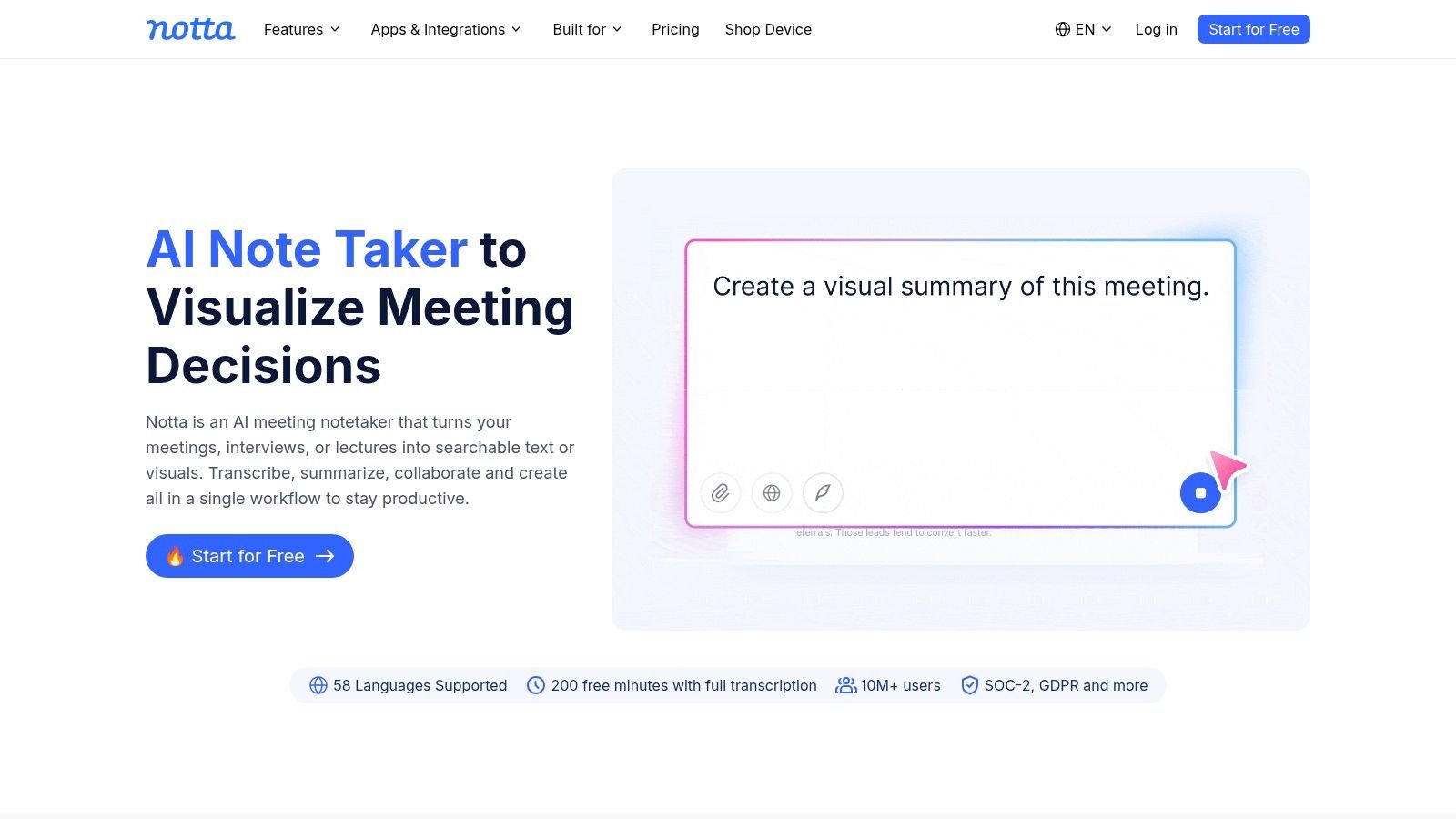
Notta makes sense for users who move between live conversations, uploaded recordings, online meetings, and languages. It offers real-time voice-to-text, file transcription, meeting capture for Zoom, Teams, Google Meet, and Webex, plus translation, speaker labeling, editing, exporting, and a synced library across web and mobile apps.
That range gives Notta a practical advantage for a multilingual professional who records a meeting, uploads a phone memo, and later exports the transcript. It also serves teams that don't want separate tools for online meeting capture and prerecorded media. Translation can help users understand the general meaning of a conversation, but translated text shouldn't be treated as a substitute for checking important names, commitments, or technical language.
Multilingual use needs a realistic test
A large language list doesn't guarantee equal performance in every language, accent, or room. Independent comparisons found that strong systems can move from roughly 3% to 8% word error rate on clean English audio to about 8% to 17% in meeting conditions, while non-English performance can fall sharply for English-first systems, according to this 2026 transcription accuracy comparison. Word error rate, or WER, is the share of words recognized incorrectly.
The same source notes that production WER can degrade by 2.8 to 5.7 times compared with benchmark tests. That gap matters for Notta because multilingual buyers often work in the exact conditions benchmarks simplify: multiple speakers, room echo, code-switching, regional accents, and inconsistent microphones.
Notta's weakness is familiar across cloud transcription services. Full functionality depends on connectivity, and free access has limits such as time caps or transcript previews. For live captions in a private face-to-face setting, compare its display behavior and data handling with an accessibility-first app before committing.
4. Rev Record and Transcribe
Rev fits interviews, journalism, legal dictation, and research where a human transcript may justify the added cost. Its mobile recorder lets users capture audio, order AI or human transcription, then export and share the result. For a polished voice note or an interview record that needs later editing, this workflow is more focused than a live captioning tool.
Automated speech recognition varies by provider and subject area. A peer-reviewed benchmark of medical terminology reported recognition rates of 50.9% for Google Speech-to-Text, 57.9% for Amazon Transcribe, and 75.1% for Naver Clova SR, as shown in the published comparison. These figures do not establish a universal ranking, but they show why specialized vocabulary requires review and why human transcription can matter for high-stakes wording.
When human review is worth paying for
A reporter quoting an interview, a researcher examining exact language, or a professional handling technical material may need a verified transcript rather than a quick summary. Rev's human option addresses that requirement, although per-file fees can add up for frequent recording. Podcasters comparing production workflows can also try Klap for podcasters when they need a separate editing-oriented option.
Rev serves a narrower capture workflow than iScribe. It provides recording and transcription services, while iScribe is designed more directly around live accessibility captions for continuous in-person participation. Deaf and Hard-of-Hearing users should therefore assess caption timing, readability, speaker changes, and room use before choosing Rev for meetings or lectures.
Confirm current device requirements before relying on the mobile app. The build described for this comparison requires iOS 16 or later. Use a clear microphone position and preserve the original audio. Even a reviewed transcript should be checked against the recording when wording, consent, or attribution matters.
Explore Rev Record and Transcribe
5. Trint
Trint is built for editorial teams and professional content workflows, not just people who want a quick transcript on a phone. Its iOS and Android apps can record and livestream transcribe, while the web editor aligns audio with text so users can search, edit, translate, collaborate, and prepare material for publication.
That audio-text alignment is the important feature. If an editor changes a sentence in the transcript, the linked recording makes it easier to check the original wording. Search also helps journalists locate a quote inside a long interview without manually scrubbing through the entire file.
A publishing tool with a learning curve
Trint's team features and publishing pipeline make it more suitable for newsrooms, communications groups, and production teams than for a student who needs a simple lecture transcript. AI summaries can speed initial review, but editorial work still requires human judgment, especially when names, quotations, and context matter.
The platform's multilingual support gives international teams room to work across languages, though buyers should test their actual languages and recording environments. Cloud collaboration also means organizations need a clear policy for sensitive interviews, retention, permissions, and exports. Those controls may matter more than a small difference in transcript fluency.
Trint costs more than many consumer-oriented apps and has a steeper learning curve. That's a reasonable trade when several people need to edit and publish from the same source material. It's less compelling when the need is just readable live text during a conversation.
6. Apple Built-In Notes and Phone
Apple's built-in Notes and Phone tools suit users who want native iPhone integration before adding another subscription. On supported devices and software versions, iPhone tools can record calls and in-person audio with automatic transcription, save recordings and transcripts in Notes, and provide summaries on Apple Intelligence-capable models.
The main benefit is a short setup path. Someone already using Apple's ecosystem can keep audio and notes together instead of moving files between apps. A personal memo, classroom recording, or supported call may fit this workflow well. For polished voice notes, however, specialist apps can offer more control over editing and export.
Native doesn't mean universally available
Feature availability depends on the iPhone model, iOS version, and region. That makes Apple's tools harder to recommend for mixed groups, since one person's phone may support a feature that another person's does not. Export and organization can also be less flexible than in specialist transcription platforms.
Privacy depends on the processing method and synchronization settings, so users should check both before recording sensitive conversations. A built-in feature does not automatically mean offline processing or private storage.
Apple's tools are also not designed primarily for continuous, adjustable captions in every face-to-face setting. Deaf and Hard-of-Hearing users may need to assess text size, font choices, saved conversation access, and live caption behavior before relying on the workflow. Compare those needs with Vibe Typer for iPhone dictation, and review Apple's recording and transcription guidance before choosing it for accessibility-focused use.
7. Google Recorder
Google Recorder is the best fit for Pixel owners who want a local recording paired with searchable transcription. It transcribes as you record, lets you search within the text, and supports sharing or web playback. For an interview or lecture, fast keyword search can be more useful than a polished summary because it helps you find the exact section connected to a name or topic.
Its strongest differentiator is device integration. Google Recorder is available on Google Pixel phones, so it isn't a general Android recommendation for every user. Buyers should confirm that their particular Pixel model and language support match the intended use before treating it as a reliable accessibility solution.
Search is valuable, but verify the source
A searchable transcript helps you find a phrase quickly, but the original audio remains important. Speech recognition can confuse names, numbers, and short technical terms, particularly when speakers overlap or the room is noisy. Keep the recording available so you can verify any passage that affects a decision, quote, appointment detail, or assignment.
Google Recorder's on-device approach may appeal to users who care about connectivity and privacy, but that benefit is tied to supported Pixel hardware and the specific workflow. It also has simpler web export tools than platforms built for collaborative editorial work.
Choose it for personal recording and retrieval on Pixel. Choose an accessibility-focused app when the priority is a flexible live-caption display across everyday face-to-face interactions, particularly when saved transcripts and readability controls matter.
8. Voicenotes AI
Voicenotes AI is aimed at people who want to speak an idea once and turn it into an organized note. It records, transcribes in 100+ languages, generates summaries and follow-ups, keeps a searchable history, and connects with services such as Notion, Todoist, and Zapier.
That makes it useful for recurring meeting notes, personal journaling, task capture, and quick reflections. Someone leaving a meeting could record a spoken recap, then use the generated structure to identify follow-up work without typing everything manually.
Organization over raw conversation access
Voicenotes AI prioritizes the finished note more than the live-caption experience. If a Deaf or Hard-of-Hearing user needs to follow another person speaking in real time, a tool designed around continuous on-screen captions is a better starting point. If the user mainly wants their own spoken thoughts converted into organized text, Voicenotes AI is more closely aligned with that job.
The cross-device ecosystem, including iOS, macOS, Android, and web access, is convenient for users who move between platforms. Cloud processing is the trade-off, especially for private journals, confidential work discussions, or information that an organization doesn't permit users to upload.
Subscription requirements also matter for heavier use. Before choosing it, test whether the summaries preserve the details you need. AI-generated action items can be useful, but they may omit uncertainty, misread ownership, or turn a tentative idea into a firm task.
9. AudioPen
AudioPen is for users who don't need a strict transcript. It records rough speech and uses AI to turn it into cleaner prose, emails, outlines, or notes. The app's value comes from removing the editing work that usually follows a voice memo.
That makes it a good choice for a writer walking through an idea, a professional drafting an email, or a student turning spoken thoughts into an outline. One-tap capture and style controls keep the process simple, and uploaded audio files extend the workflow beyond live dictation.
Clean writing is not a verbatim record
AudioPen's main limitation is also its purpose. Polished text can remove filler and repetition, but it may not preserve every word, pause, qualification, or speaker change from a conversation. Don't use it as the only record for an interview, formal meeting, accessibility captioning, or any situation where exact wording matters.
Connectivity is required for AI processing. That means a user in a low-signal location may need to record first and process later, assuming the app supports that workflow for the selected file. Privacy-sensitive users should review the service's current data practices before uploading confidential material.
Choose AudioPen when the desired output is readable writing. Choose a conventional transcription app when you need to search what was said, check exact language, or share a durable conversation record.
10. Riverside
Riverside is the choice for users who care about high-quality remote or local recording and want transcription inside the same production workflow. It supports local, device-side multitrack recording, automatic transcription, text-based editing, clip creation, and web and mobile access.
This combination suits podcasters, interview producers, and teams creating video from recorded conversations. Local recording can help preserve stronger source audio than a basic compressed call capture, while text-based editing lets a producer find and shape clips through the transcript.
Production power adds complexity
Riverside isn't the simplest answer for a person who wants captions at a restaurant or a searchable lecture memo. The platform has more moving parts, a learning curve, and pricing tiers where some capabilities sit behind higher plans. That complexity is justified only when audio or video production is part of the job.
Transcription quality still depends on the recording conditions. Separate tracks may help when speakers record locally, but they won't correct poor microphone placement, heavy background noise, unclear speech, or language mismatch. Producers should review every selected clip against the source audio before publishing.
Use Riverside when the final product is a podcast, interview package, or edited video. For everyday accessibility, live captions and saved conversation text usually matter more than multitrack production controls.
Top 10 Voice Recorder & Transcription Apps Comparison
| Product | Key features (✨) | UX & Accuracy (★) | Price & Value (💰) | Target (👥) | USP (🏆) |
|---|---|---|---|---|---|
| 🏆 iScribe Live Transcribe | Live word-by-word captions; 100+ languages; file upload; AI summaries; customizable typography ✨ | ★★★★☆, real-time readability; strong user praise | Free (3/day) → Premium unlimited; 7‑day trial 💰 | 👥 Deaf/Hard‑of‑Hearing, students, meeting attendees | 🏆 Accessibility-first iOS app optimized for face‑to‑face captions |
| Otter.ai | Real-time transcription, speaker ID, Zoom/Meet integrations ✨ | ★★★★☆, mature, reliable for meetings | Free limited; paid tiers for advanced features 💰 | 👥 Teams, educators, professionals | Collaborative meeting workflows & integrations |
| Notta | Live + file transcription; meeting bots; translation ✨ | ★★★☆☆, good multilingual accuracy | Free with time caps; subscription for full use 💰 | 👥 Multilingual users, remote teams | Flexible multilingual transcribe + translate |
| Rev: Record & Transcribe | On-device recorder; AI or human transcription; exports ✨ | ★★★★☆, highest accuracy with human option | Per-file AI/human fees, can be costly 💰 | 👥 Journalists, legal, researchers | Human transcription option for max accuracy |
| Trint | Mobile recording, Trint Live, advanced editor & collaboration ✨ | ★★★★☆, editorial-grade; strong editor | Higher-priced plans for teams 💰 | 👥 Newsrooms, content teams | Robust editor & publishing workflow |
| Apple built‑in: Notes + Phone (iOS) | Call/in‑person recording; on‑device transcription; Apple summaries ✨ | ★★★☆☆, integrated & private; device/region limits | Free (built into iOS), privacy value 💰 | 👥 iPhone users seeking privacy & convenience | Tight iOS integration & on‑device privacy |
| Google Recorder | On‑device live transcription; keyword search; web export ✨ | ★★★★☆, very accurate offline on Pixel | Free on Pixel devices 💰 | 👥 Pixel owners, students, reporters | Accurate offline transcription + fast search |
| Voicenotes AI | Capture → notes; 100+ languages; summaries & integrations ✨ | ★★★☆☆, good automation for structured notes | Subscription for heavier usage 💰 | 👥 Meeting note-takers, productivity users | Idea-to-organized note automation & integrations |
| AudioPen | One‑tap capture; AI "polish" into clean prose; exports ✨ | ★★★☆☆, fast polish, less verbatim | Subscription for full features 💰 | 👥 Writers, professionals needing polished text | Transforms rough voice into readable prose quickly |
| Riverside | Local multi‑track recording; automatic transcription; clip creation ✨ | ★★★★☆, studio-quality capture; steeper learning curve | Tiered pricing; pro features paid 💰 | 👥 Podcasters, production teams | High-fidelity local recording + production tools |
Choose the App That Matches Your Next Conversation
There isn't one best voice recorder and transcription app for every listener. The right choice depends on the output you need: live captions, a searchable audio archive, a meeting summary, a human-reviewed transcript, polished prose, or production-ready media.
For Deaf and Hard-of-Hearing readers who need live, word-by-word captions during face-to-face conversations, meetings, lectures, or everyday interactions, iScribe Live Transcribe is the strongest fit in this group. It supports iPhone and iPad, offers 100+ languages and variants, saves transcripts, provides font and text-size controls, and generates summaries, key points, and action items. Its limitations are clear: it requires an active internet connection for live transcription, works only on iOS, and limits free use to 3 transcriptions per day.
Choose Apple Notes and Phone when native iPhone integration matters most and your device, region, and software support the needed recording and transcription features. Google Recorder is the better device-specific choice for Pixel owners who want on-device recording, live transcription, keyword search, and web sharing.
For recurring meetings, Otter.ai offers a mature workflow with speaker identification, integrations, searchable transcripts, shared workspaces, and summaries. Notta is a stronger candidate when the workflow moves across live capture, uploaded files, online meetings, translation, and multiple languages. Both depend heavily on cloud services, so review privacy requirements before recording confidential conversations.
Rev is the practical choice for interviews and research when human transcription is worth paying for. Trint suits editorial teams that need collaborative transcript editing and publishing workflows. AudioPen and Voicenotes AI serve a different goal, turning spoken ideas into organized writing rather than preserving every word. Riverside belongs with podcasters and producers who need high-fidelity audio, multitrack workflows, clips, and transcripts together.
Test the app in the actual place where you'll use it. Try the same short passage with names, numbers, technical terms, and a speaker change. Check microphone position, background noise, speaker overlap, text readability, language support, export options, and what happens when connectivity drops. For calls, confirm recording consent requirements before you begin. A practical audio-to-text converter guide can help when your source is already a media file, but it doesn't remove the need to review the result.
Never treat an automated transcript as error-free. Preserve the original audio when the conversation matters, correct important details, and use human review when a wrong word could change meaning. The best app is the one that produces the right kind of record for your next conversation while respecting the user's access, privacy, device, and language needs.
iScribe Live Transcribe offers word-by-word live captions, support for 100+ languages and variants, saved transcripts, readability controls, file transcription, and AI summaries on iPhone and iPad. If those capabilities match the way you need to follow and review conversations, visit iScribe Live Transcribe and test it in the setting where you'll use it.