 Skip to content


Top 5 Features of iScribe That Make Audio Transcription Simple and Fast
Audio transcription used to be slow, expensive, and hard to use. You needed special equipment or paid a professional to convert speech into text. Today, iScribe changes all of that.
iScribe is an AI-powered audio transcription app that turns spoken words into clear, readable text in real time. Whether you are in a meeting, attending a class, visiting the doctor, or just capturing an idea, iScribe makes sure you never miss a word.
Here are the top five features that make iScribe stand out from every other audio transcription tool available today.
- Written by: karishma Rautela
- Review by: Mahipal Dosad
1. One-Tap Real-Time Audio Transcription
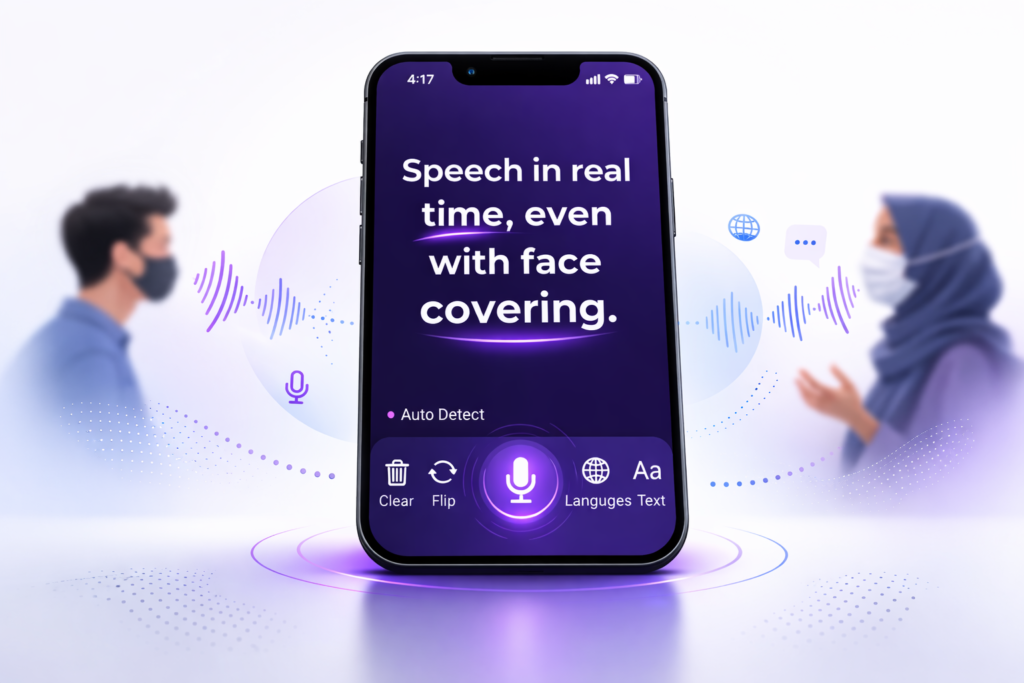
The biggest thing people want from an audio transcription app is speed. iScribe delivers exactly that with one-tap transcription that starts working instantly.
As soon as someone speaks, iScribe converts speech to text in real time. There is no waiting, no uploading after the fact, and no complicated setup. You open the app, tap once, and the words appear on your screen as they are spoken.
This makes iScribe perfect for everyday conversations, doctor visits, job interviews, and any situation where you need to understand what is being said right now.
Users notice the difference right away. One happy iScribe user, Mamac111, shared this review:
“Awesome app for transcribing. I deleted a few other apps because this is so much more useful and to the point.”
That kind of reaction says a lot. When audio transcription is this fast and accurate, you simply stop looking for other apps.
2. AI Summarizer That Captures Meaning, Not Just Words
Recording every word is useful. But understanding what actually matters is even more valuable. iScribe goes beyond basic audio transcription by including a built-in AI summarizer.
After a long meeting, lecture, or conversation, iScribe automatically pulls out the key points and puts them together in a short, easy-to-read summary. You do not have to scroll through a wall of text to find the important parts. iScribe does that work for you.
This feature is especially useful for:
- Students who want a quick recap after a long lecture
- Professionals who sit through long meetings and need action points fast
- Anyone who wants to review what their doctor said without reading every word of the transcript
The AI summarizer is what separates iScribe from basic audio transcription apps. It does not just hear words. It understands context and gives you the information you actually need.
3. Audio Transcription Optimized for Noisy Places
Most audio transcription apps struggle when there is background noise. A busy coffee shop, a loud office, a family dinner, or a crowded waiting room can completely break the accuracy of a basic transcription tool.
iScribe is built differently. Its voice transcription engine is specifically optimized to handle real-world noise so you get clear, accurate text even when the environment is not perfect.
This matters because life does not happen in quiet rooms. You need audio transcription that works where you actually are, not just where conditions are ideal. iScribe delivers that reliability every single time.
4. Support for 100-Plus Languages Including Offline Mode for 9 Languages
Language should never be a barrier to understanding a conversation. iScribe supports audio transcription in more than 100 languages, making it one of the most versatile transcription tools available for global users.
Switching between languages is simple. Whether you are helping a family member who speaks a different language, attending an international meeting, or traveling abroad, iScribe keeps up with you.
What makes this feature even more impressive is the offline capability. iScribe offers offline voice to text in 9 major languages. This means audio transcription keeps working even when you do not have an internet connection. No Wi-Fi on the train? In a rural area with poor signal? iScribe still works.
This combination of wide language support and offline access makes iScribe a truly practical tool for everyday life around the world.
5. Made for Easy Reading With Full Visual Customization
Audio transcription is only useful if you can actually read the output comfortably. iScribe takes visual accessibility seriously with a full set of reading customization options.
Here is what you can adjust inside iScribe:
Adjustable text sizes: iScribe lets you increase the text to whatever size feels comfortable. This is especially helpful for users with low vision who need larger text to read without strain.
High-contrast themes: iScribe includes high-contrast color themes that make text stand out clearly in any lighting condition. Whether you are indoors, outdoors, or in a dimly lit room, you can always read the transcription clearly.
Clean and simple layout: The interface is designed so the transcription text is always front and center. There is no clutter, no distractions, just the words you need to see.
These visual features show that iScribe is built with real users in mind. Audio transcription is only as good as how easy it is to read, and iScribe gets that right.
Bonus: Record, Upload, Save, and Share
Beyond the top five features, iScribe gives you a complete audio transcription workflow from start to finish.
You can record a live conversation or upload an existing audio or video file. iScribe transcribes it, summarizes it, and then lets you save the transcript or share it instantly to your favorite apps. This makes iScribe useful not just in the moment but long after the conversation ends.
It is perfect for doctor visits where you want to review what was said, classes where you want a written record of the lecture, personal notes you want to save and search later, and interviews or meetings you want to document accurately.
Why iScribe Is the Right Audio Transcription App for You
iScribe brings together real-time audio transcription, AI summaries, noise-optimized accuracy, multilingual support, and full reading customization in one simple app. There is no complicated setup and no steep learning curve.
If you want audio transcription that actually works in your daily life, iScribe is built for exactly that.
Try iScribe free today and see how much easier every conversation can be.
Stop Missing Words. Start Understanding Every Conversation.
iScribe makes audio transcription simple, fast, and accurate. Try it free for 7 days and see the difference for yourself.
Frequently Asked Questions
What is iScribe and how does audio transcription work in the app?
iScribe is an AI-powered audio transcription app that converts spoken words into written text in real time. You simply open the app, tap once, and iScribe starts transcribing everything that is said. You can also upload an existing audio or video file and iScribe will transcribe it for you. No complicated setup is needed.
Can iScribe do audio transcription in noisy places like coffee shops or busy offices?
Yes. iScribe is specifically built to handle background noise. Unlike basic transcription apps that lose accuracy in loud environments, iScribe uses an optimized voice transcription engine that stays accurate even when there is noise around you. This makes it reliable for real-world situations like meetings, waiting rooms, and public spaces.
How many languages does iScribe support for audio transcription?
iScribe supports audio transcription in more than 100 languages. It also offers offline voice to text in 9 major languages, which means you can keep transcribing even without an internet connection. This makes it a great option for multilingual families, international students, and frequent travelers.
Is iScribe good for people with low vision or reading difficulties?
Yes. iScribe includes full visual customization to make audio transcription easy to read for everyone. You can increase the text size, switch to high-contrast color themes, and adjust the display to suit different lighting conditions. These features make iScribe a strong accessibility tool for users with low vision or anyone who prefers larger, clearer text.
Can I save and share my audio transcription after a meeting or doctor visit?
Yes. iScribe automatically saves every transcription so you can go back and review it any time. You can also share the transcript instantly to your favorite apps. This is especially useful after doctor visits where you want to remember what was discussed, or after long meetings where you need a written record of what was said.

Share this post