 Skip to content


iScribe : The Best Live Transcribe App for iPhone
Over 430 million people worldwide live with disabling hearing loss – yet most iPhones ship with speech-to-text tools that were never actually designed for them.
Apple Dictation types into text fields. Live Listen amplifies sound. Neither one shows you a real-time caption of the conversation happening right in front of you.
- Written by: karishma Rautela
- Review by: Mahipal Dosad
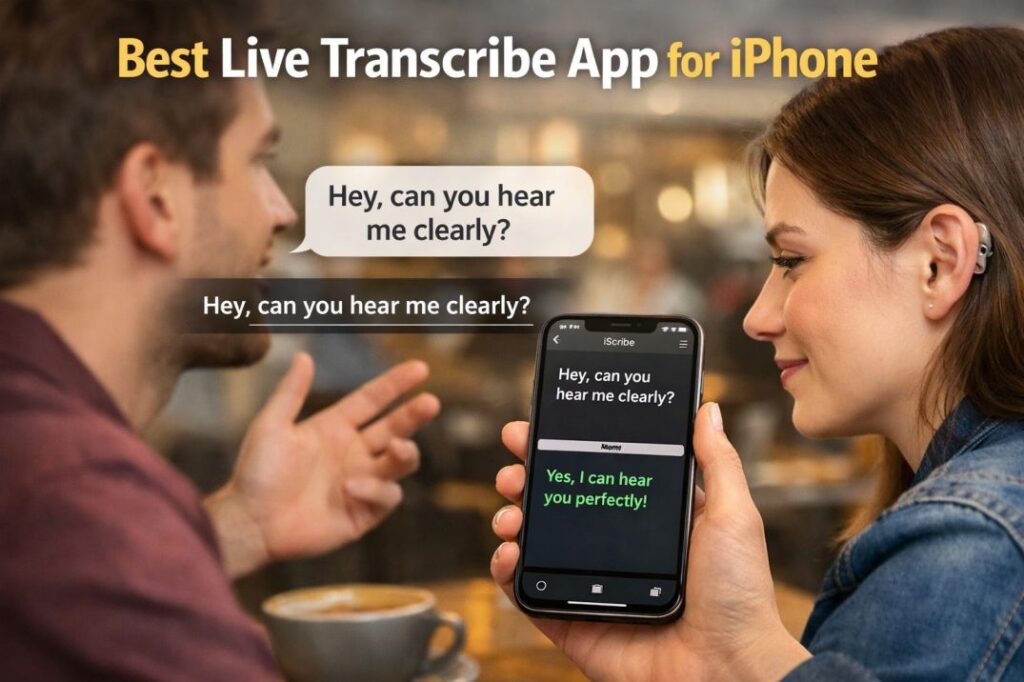
That gap is exactly where iScribe steps in – and why it’s become the go-to live transcribe app for iPhone for deaf and hard-of-hearing users who are done settling for workarounds.
What Is Live Transcribe for iOS?
Live transcribe for iOS refers to apps and tools that convert spoken audio into on-screen text in real time – directly on your iPhone or iPad. Unlike pre-recorded transcription, live transcription happens as speech occurs, making it indispensable for conversations, meetings, lectures, and everyday interactions.
For the deaf and hard-of-hearing community, a reliable iPhone app for hard of hearing isn’t just a convenience – it’s a lifeline for equal participation in social and professional settings.
Apple Live Transcribe Features: What Does iOS Offer Natively?
Before exploring third-party apps, it’s worth understanding what Apple Live Transcribe tools are built into iOS.
Apple Dictation
Apple Dictation is Apple’s native speech-to-text feature, available in any text field across iOS. While not designed specifically as a live transcribe app for deaf iPhone users, it works well for composing messages, emails, and notes hands-free.
How to enable Apple Dictation:
- Go to Settings → General → Keyboard → Enable Dictation
- Tap the microphone icon on your keyboard to begin
Limitations of Apple Dictation: It transcribes into text fields only – it won’t display a running caption of a conversation happening around you, which limits its usefulness as a true live transcribe iOS solution.
Live Listen (Apple Accessibility Feature)
Live Listen is an Apple accessibility feature that uses your iPhone microphone and streams audio directly to compatible hearing aids or AirPods. It amplifies nearby sound but does not produce text captions.
While Live Listen improves hearing clarity, it does not function as a full l– users who need visual text output.
iScribe: The Best Live Transcribe App for iPhone
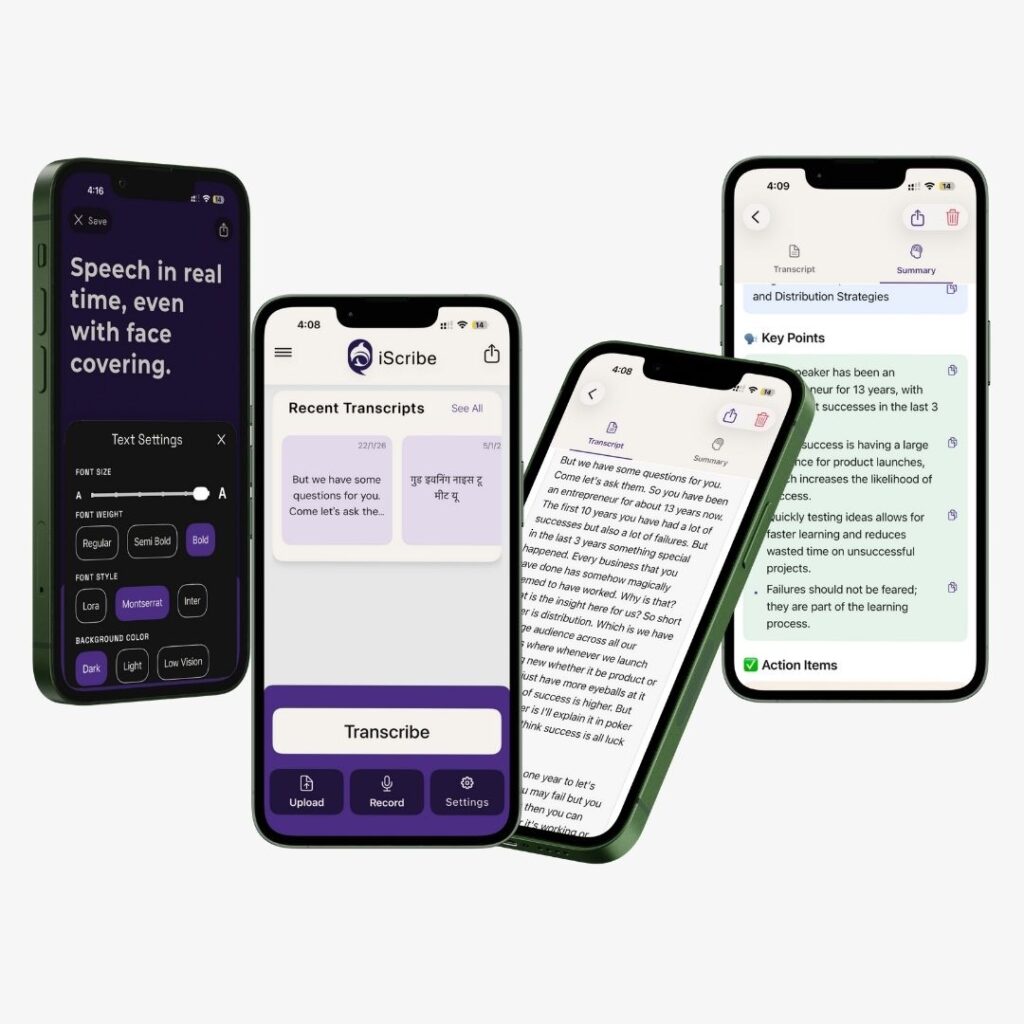
iScribe is a purpose-built live transcribe app for iPhone that turns spoken words into accurate, real-time on-screen captions – powered by AI, optimized for iOS, and designed with deaf and hard-of-hearing users at the center of every feature decision.
Here’s what makes it stand out from every other live transcribe iOS app on the App Store.
iScribe Key Features – What You Actually Get
1. Flip-Screen Mode
No other live transcribe app for iPhone has this. Both you and the person you’re talking to can read live captions on the same screen simultaneously – one from each end. Face-to-face conversation, finally solved.
- Both speakers read from the same iPhone screen
- Text flips automatically so each person sees it right-side up
- No passing the phone – conversations flow naturally
2. Real-Time AI Transcription
iScribe’s AI engine converts speech to text almost instantaneously, so you’re reading captions as words are spoken – not seconds later. It’s the core of what makes it the best speech-to-text app for deaf iPhone users.
- AI-powered engine with near-zero processing delay
- Accurate captions in fast-paced conversations
- Works in meetings, classrooms, and everyday situations
3. AI-Powered Summaries – Catch What Matters Most
After every session, iScribe automatically generates a smart summary of the key points. Perfect for students who can’t take notes and read captions at the same time.
- Auto-generated summary after every transcription session
- Quickly review key points without scrolling through full text
- Ideal for lectures, meetings, and long conversations
4. Unlimited File Uploads – Transcribe Audio & Video Anytime
iScribe goes beyond live conversation. Upload any audio or video file – no limits on length or quantity – and get a full transcription on demand.
- Upload lecture recordings, training videos, and meeting audio
- No file size caps or upload restrictions
- Transcribe and summarize after the fact, at your own pace
5. 100+ Language Support – Built for the Whole World
With support for over 100 languages and dialects, iScribe works for multilingual families, international students, and deaf communities worldwide – not just English speakers.
- 100+ languages and regional dialects supported
- Ideal for non-native speakers and multilingual households
- Significantly wider coverage than competing live transcribe apps
6. Full Text Customization – Readable in Any Lighting
iScribe lets you fully control how captions look so they’re always easy to read – whether you’re in bright sunlight or a dim restaurant.
- Adjustable text size for comfortable reading at a glance
- Customizable font and background colors
- High-contrast mode for outdoor and low-light environments
iScribe at a glance
| Feature | iScribe |
|---|---|
| Real-time AI transcription | ✅ |
| Flip-screen mode | ✅ |
| AI-powered summaries | ✅ |
| Unlimited file uploads | ✅ |
| Multi Language support | ✅ |
| Text customization | ✅ |
| iOS-native performance | ✅ |
Who Is iScribe Built For?
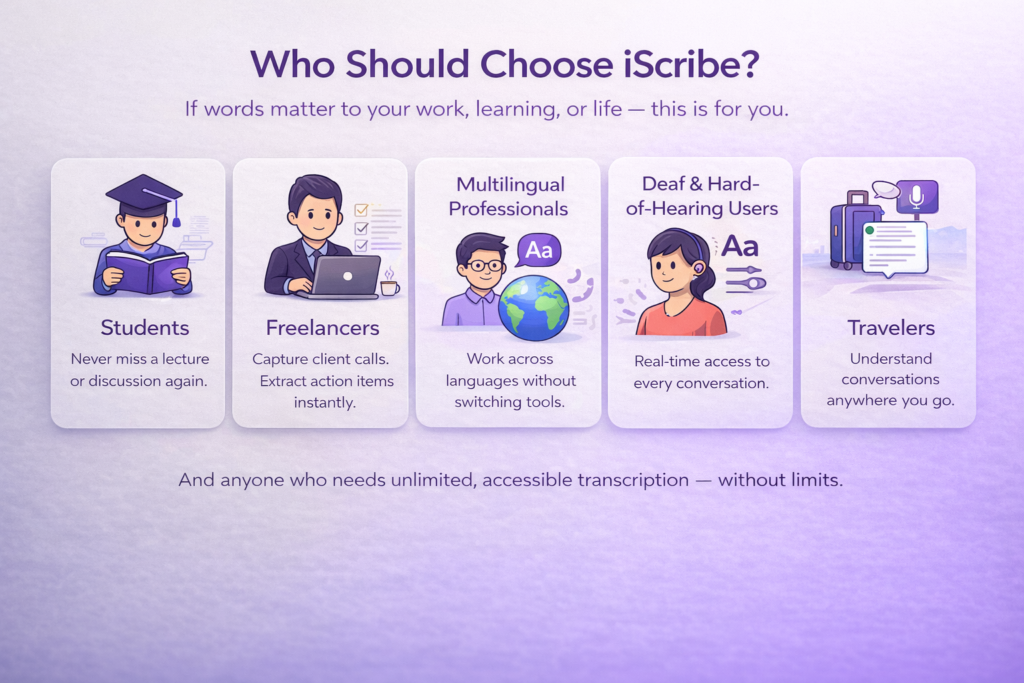
Deaf & Hard-of-Hearing Users
iScribe was designed from the ground up as a live transcribe app for deaf and hard-of-hearing individuals. Every feature – from Flip-Screen Mode to text contrast customization – exists to make conversations more accessible and less exhausting. It’s not an afterthought built into a general transcription tool. Accessibility is the entire product.
Students
For deaf and hard-of-hearing students, iScribe solves one of the biggest classroom challenges: keeping up with a fast-talking professor while simultaneously trying to take notes. With real-time captions running during class and AI summaries generated afterward, students can focus entirely on learning – not on scrambling to capture every word.
Uploading recorded lectures for after-the-fact transcription adds another layer of support that most live transcribe iOS apps completely ignore.
Multilingual Users & International Students
With support for 100+ languages, iScribe is equally powerful for non-native speakers who need to follow conversations or content in a language they’re still learning – or for multilingual families where not everyone shares the same primary language.
How to Get Started with iScribe on iPhone
Getting up and running with the best live transcribe app for iPhone takes under two minutes:
- Download iScribe from the App Store
- Grant microphone access when prompted – required for real-time transcription
- Select your language from 100+ options in settings
- Customize your display – set your preferred text size, font color, and background contrast
- Start a live session – point your iPhone toward the speaker and watch captions appear in real time
- Enable Flip-Screen Mode for face-to-face conversations – both speakers can read from the same screen
- Upload recordings anytime to transcribe audio or video files on demand
- Review your AI summary after longer sessions to quickly capture what mattered most
iScribe is available as a subscription, giving you full access to all features including unlimited uploads, AI summaries, and real-time transcription across all 100+ supported languages.
Final Verdict: The Best Live Transcribe App for iPhone in 2026
If you’re comparing live transcribe apps for iPhone, here’s where everything lands:
- Apple Dictation – hands-free typing tool, not a captioning solution
- iScribe – the best live transcribe app for iPhone, built specifically for deaf and hard-of-hearing users with real-time AI captions, Flip-Screen Mode, AI summaries, unlimited file uploads, and 100+ language support
For anyone who needs a reliable, feature-rich speech-to-text app for deaf iPhone experience – iScribe isn’t just the best option on the App Store. It’s in a category of its own.
Download iScribe today and experience what a live transcribe iOS app looks like when it’s built with your needs at the center – not as an afterthought.
Frequently Asked Questions
What is the best live transcribe app for iPhone?
iScribe is the best live transcribe app for iPhone. It offers real-time AI-powered captions, Flip-Screen Mode, AI summaries, unlimited file uploads, and support for 100+ languages – all designed specifically for deaf and hard-of-hearing users.
What is Flip-Screen Mode in iScribe?
Flip-Screen Mode lets two people read live captions on the same iPhone screen at the same time. One person reads from the top, the other from the bottom – making face-to-face conversations feel completely natural without passing the phone back and forth.
How many languages does iScribe support?
iScribe supports more than 100 languages and dialects, making it one of the most inclusive live transcribe apps on iOS – ideal for multilingual families, international students, and deaf communities worldwide.
Is iScribe free or paid?
iScribe is available on a subscription basis. A subscription gives you full access to all features including real-time transcription, AI-powered summaries, unlimited file uploads, and 100+ language support