7 Best iPhone Apps for People with Hearing Loss
Hearing loss is hard. Not just because you cannot hear well. But because of everything that comes with it.
You are sitting with your friends, and everyone is laughing at something someone said. But you missed it. You smile anyway because you do not want to ask again. You already asked twice, and you could see it was getting annoying on their faces.
Or you are at the doctor, and they are telling you something really important about your health. You catch some words, but not all. You behave as you understand. Then you walk out, and you are not totally sure what they said.
This happens every day. At school. At work. At family dinners. In every place where people talk, you are trying your hardest just to keep up.
For younger users navigating educational settings, explore our guide to apps for deaf students
It is exhausting. And most people around you have no idea how much energy it takes.
But your phone can actually help with this. Some apps listen to what people are saying and show the words on your screen right away. So instead of guessing what someone said, you can just read it. It is that simple.
- Written by: Karishma Rautela
- Review by: Mahipal Dosad
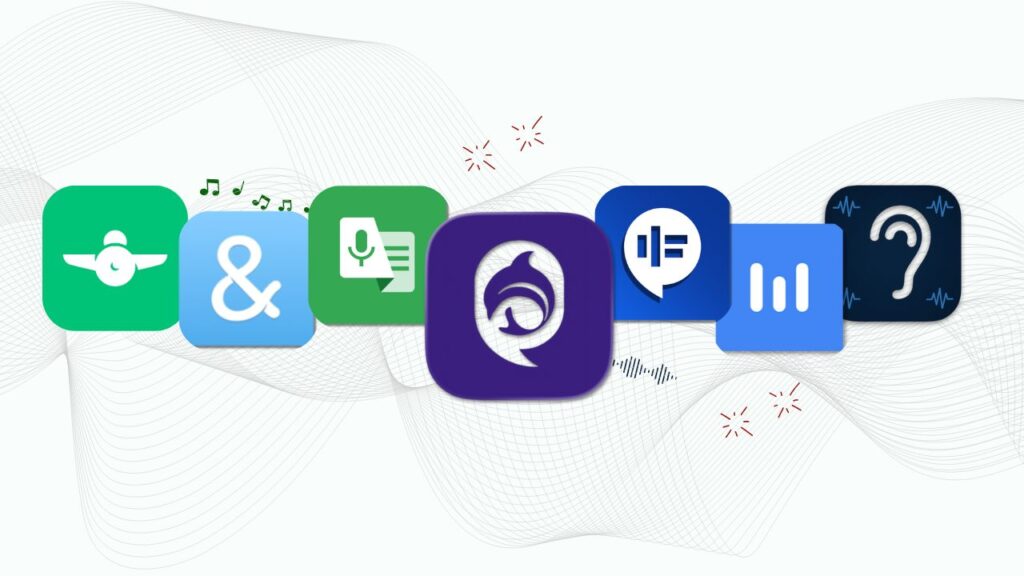
We tried a lot of these apps to find the ones that actually work. This guide shows you the best apps for people with hearing loss in 2026 – written simply and honestly so you can find the right one for you. Also read our guide on sensorineural hearing loss – the most common form of permanent hearing loss and what it means for daily communication. Now, let’s look at the apps.
1. iScribe - Live Transcribe iOS (My Top Pick)
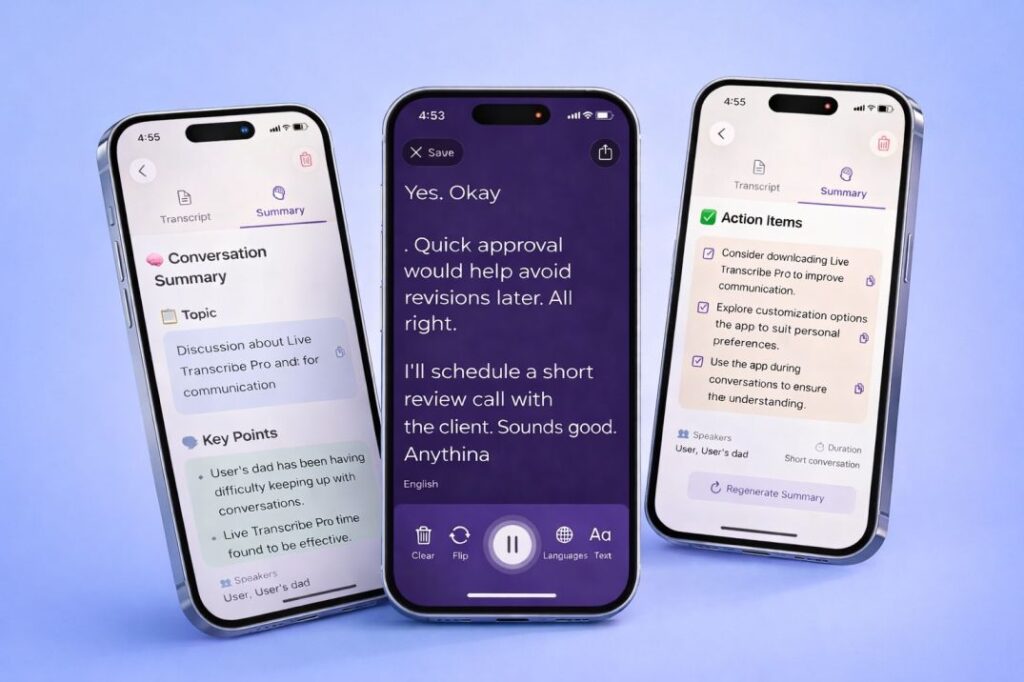
If you need accurate real-time transcription, iScribe is where I’d start.
This app captures conversations as they happen and turns them into text almost instantly. It’s designed specifically for people with hearing loss, and honestly, it shows. The transcription accuracy is impressive – even with different accents and speaking speeds.
What makes it great:
- Real-time transcription in 100+ languages – Captures speech instantly with solid accuracy
- Saves everything – All your conversations are stored and searchable, so you can reference them later
- AI-powered summaries – Get quick summaries of long meetings or conversations
- Ask questions – Use the AI assistant to clarify points you might have missed
- Customizable display – Adjust font size and colour as per your needs
- Export options – Share transcripts easily with colleagues or save them for your records
iScribe is particularly great for professionals who need reliable documentation of meetings and conversations. The AI features set it apart from basic transcription apps – being able to ask follow-up questions about your transcripts is genuinely useful. For a full feature breakdown, see our guide to iScribe as the best live transcribe app for iPhone.
Best iPhone app for hearing impaired users: iScribe is consistently the top-rated iPhone app for hearing impaired people. It works natively on iPhone and iPad, requires no setup from other participants, and gives you real-time captions instantly.
The iPhone live caption experience it delivers is unmatched by any other iOS app in this category. Start with the 7-day free trial to test it in your own real-world situations before committing.
Customer Real Review (4.5 Rating)
Turn speech to Text Instantly
99% Accurate - Super Fast - Easy to Use
This app amplifies sound in real-time and reduces background noise, making conversations easier to hear without converting everything to text.
What it offers:
- Real-time amplification – Boosts volume instantly
- Voice-focused – Amplifies speech frequencies specifically
- Works with any headphones – Compatible with AirPods, hearing aids, regular earbuds
- No account needed – Complete privacy, works offline
- Noise reduction – Filters out background sounds
- Weekly and Yearly plans available
For users looking specifically for dedicated hearing aid apps and listening devices, also check out this listening device and hearing aid app – it is a separate app designed specifically as a personal sound amplifier and listening tool for people with mild to moderate hearing loss.
Best for: Mild hearing loss, situations where reading isn’t practical (like driving), watching TV, and an affordable alternative to hearing aids.
Listening Device: Clarive
3. Ava
Group conversations are tough when you have hearing loss. Ava makes them manageable.
This app is specifically designed for situations with multiple speakers – think team meetings, family dinners, or social gatherings where several people are talking.
What makes it special:
- Identifies different speakers – Uses colors or names so you know who’s talking
- 15+ languages – Handles multilingual conversations
- Collaborative feature – Other people can connect their phones to improve accuracy
- Professional captioners available – Hire a human captioner for critical meetings
The speaker identification is what sets Ava apart. If you are looking for alternatives, read our full Ava alternative comparison to see how iScribe stacks up feature by feature.
4. Petralex Hearing Aid
Sometimes you don’t need captions — you just need to hear the conversation properly. Petralex turns your iPhone into a personal hearing aid.
It runs a quick hearing test on each ear, then amplifies only the frequencies you actually struggle with — instead of cranking everything louder. Pop in your AirPods or wired earbuds and you’ve got a customised hearing aid in your pocket.
What it does:
- Personal hearing test – Measures each ear separately so amplification is tuned to you, not a generic boost
- Real-time amplification – Hear conversations, lectures, and TV at a comfortable level instantly
- Background noise reduction – Cuts down ambient noise so voices stand out
- Works with any earbuds – AirPods, wired headphones, made-for-iPhone hearing aids — whatever you already own
- No prescription needed – Skip the audiologist trip for everyday support
- Free to try – Core features free, paid upgrade unlocks finer tuning
If you’re not ready to invest in dedicated hearing aids but want something better than turning the volume up, Petralex is the closest thing to a hearing aid you can carry in your pocket. It’s not a replacement for medical-grade devices, but for everyday conversations, meetings, and TV, it genuinely helps.
5. InnoCaption
Phone calls are incredibly challenging with hearing loss. InnoCaption solves that problem.
This app captions phone calls in real-time, so you can read what the other person is saying instead of straining to hear them.
What makes it special:
- Live call captions – See everything in real-time as text
- Multiple languages – Works for international calls
- Saves transcripts – Review past conversations whenever you need
- Type-to-speak – Type your responses if speaking is difficult
- Voicemail transcription – Converts voice messages to text automatically
If phone calls make you anxious because you can’t understand what people are saying, InnoCaption is a game-changer. Being able to read conversations removes so much stress.
6. CaptionMate
CaptionMate is similar to InnoCaption but with more customisation options.
If you work in a specialised field with lots of technical jargon, or if you just like tweaking settings until they’re perfect, this is your app.
What it does:
- Live call captions – Real-time transcription during calls
- Custom dictionary – Add technical terms, names, and phrases for better accuracy
- 100+ languages – Impressive multilingual support
- Adjustable display – Customise text size, colours, and speed
- Speaker identification – Tracks who’s talking on conference calls
- Multiple export formats – Save transcripts as PDFs or text files
The custom dictionary feature is brilliant if you have specific vocabulary that standard transcription often gets wrong. Teach the app your industry terms once, and it’ll recognize them moving forward.
7. RogerVoice
Phone calls are incredibly challenging with hearing loss. RogerVoice solves that problem. This app captions phone calls in real-time, so you read what the other person is saying instead of straining to hear them or relying on relay services.
Key Features:
- Live call captions: See everything in real-time as text while you’re on the phone
- 70+ languages: Works for international calls with auto-translation support
- Saves transcripts: Review past conversations whenever you need them for reference
- Type-to-speak: Type your responses, and AI reads them aloud to the caller
- Video call subtitles: Add captions to FaceTime.
- Works with any phone: Both cellular and Wi-Fi calling supported
If phone calls make you anxious because you can’t understand what people are saying, RogerVoice is a game-changer. Being able to read conversations and respond by typing removes so much stress and gives you control over your own communication.
How can you choose the best apps?
Before we get to the apps themselves, here’s how I picked them.
Accessibility Features: Does it actually help people with hearing loss? I looked for apps with strong speech-to-text capabilities, customizable settings, and features designed specifically for accessibility – not just general-purpose tools repurposed for hearing assistance.
Easy to Use: An app can have all the features in the world, but if it’s confusing to navigate, it’s not helpful. I prioritised apps with clean, intuitive interfaces that don’t require a tech degree to figure out.
Real User Reviews: I read hundreds of reviews from actual users in the deaf and hard-of-hearing community. If people consistently complained about crashes, poor accuracy, or terrible customer service, the app didn’t cut.
Device Compatibility: Does it work with your phone? Your hearing aids? Your wireless earbuds? The best apps play nicely with the devices you already use.
Reliability: Apps that crash constantly or drain your battery in an hour aren’t useful, no matter how cool their features sound. I focused on apps that perform consistently in real-world situations.
Finding a genuinely free app is one of the most common questions from people with hearing loss. Here is an honest breakdown of every free app for hearing impaired users:
App | Platform | Free? | What You Get Free |
Google Live Transcribe | Android only |
| Full live transcription, no limits |
Microsoft Translator | iOS + Android |
| Full multilingual live transcription |
Apple Live Captions | iPhone 15+ |
| Basic live captions, limited accuracy |
iScribe | iOS only |
| Full features during trial |
Ava | iOS + Android |
| Few hours/month only |
InnoCaption | iOS + Android |
| FCC-funded for qualifying users |
Listening Device: Clarive | iOS | 5 time free/ per day | 7 day trial |
 Always free
 Limited free
The honest answer for free options: If you are on Android, Google Live Transcribe and Microsoft Translator are both completely free with no limitations. If you are on iPhone, iScribe’s 7-day free trial gives you the most powerful free experience available on iOS. Apple’s built-in Live Captions (iPhone 15+) is free but limited.
For users who need transcription help but cannot afford paid apps, InnoCaption is funded by the FCC for qualifying users in the US – check their website for eligibility.
Best Lip Reading Apps (2026)
Lip reading – also called speechreading – is a skill many deaf and hard-of-hearing people use alongside technology. A few apps are specifically designed to support lip reading practice and visual speech recognition.
What lip reading apps do: These apps use the phone camera to analyze lip and face movements and attempt to convert them into text. They are distinct from microphone-based transcription apps – they work visually rather than through audio.
Current state of lip reading apps in 2026: AI-powered lip reading is still an emerging technology. Accuracy varies significantly depending on lighting, camera angle, and the speaker’s clarity. Most available apps are training tools rather than real-time communication tools.
Our recommendation: For reliable real-time communication, a microphone-based transcription app like iScribe consistently outperforms lip reading apps in accuracy and speed. However, lip reading skills remain valuable as a complement to technology – especially in noisy environments where microphones struggle. Read our complete lip reading guide to understand the techniques, limitations, and how to combine speechreading with assistive technology for best results.
For Android users: Several lip reading apps are available on Android including experimental AI tools. Search your app store for “lip reading” to see current options – the landscape changes frequently as AI improves.
Software for Hearing Impaired - Beyond Mobile Apps
While mobile apps cover most everyday situations, some hearing-impaired users also need software for the hearing-impaired on desktop computers, laptops, or specialist devices. Here is a quick overview of what exists beyond smartphone apps:
Web-based transcription tools – Services like Otter.ai and Microsoft Azure Speech work in browsers, making them accessible on any computer without installation.
Built-in OS accessibility features – Windows 11 includes Live Captions built into the operating system. macOS has Live Captions on Apple Silicon Macs. These are free and work system-wide for any audio playing on your computer.
CART services – Communication Access Realtime Translation is a professional human captioning service used in classrooms, courtrooms, and large meetings. It is the most accurate option for high-stakes situations. Read our full guide on what CART is to understand when and how to use it.
Smartphone as the best portable solution: For most people with hearing loss, a smartphone running iScribe covers the majority of real-world situations more flexibly than any desktop software – because conversations happen everywhere, not just at your desk.
Frequently Asked Questions
What are the best apps for hearing impaired users in 2026?
iScribe is the best app for iPhone users – it does real-time transcription, AI summaries, and supports 100+ languages with a 7-day free trial. For Android, Google Live Transcribe is the best free option. For group meetings, use Ava. For phone calls, try InnoCaption or RogerVoice.
What are the best free apps for hearing impaired users?
Google Live Transcribe (Android) and Microsoft Translator (iOS and Android) are completely free. iScribe has a 7-day free trial on iPhone. Apple Live Captions is free on iPhone 15 and later.
What is the best hearing app for Android?
Google Live Transcribe. It is free, works offline, supports 70+ languages, and sends visual alerts for sounds like doorbells and alarms.
What is the best app for hard of hearing users on iPhone?
iScribe. It handles one-on-one conversations, group meetings, and recorded audio – all with high accuracy and useful AI features.
What is the best lip reading app?
AI lip reading apps are still improving. For now, microphone-based apps like iScribe are more accurate. Read our full lip reading guide for tips.
What software is available for hearing impaired users on desktop?
Windows 11 and macOS both have free built-in Live Captions. Otter.ai works in any browser. For professional settings, CART services are the most accurate – read our CART guide to learn more.

Share this post