 Skip to content


7 Best Apps for People with Hearing Loss
Every conversation carries risk when you’re hard of hearing.
Not emotional risk — informational risk.
You miss names. Action items. Deadlines. Punchlines.
Not because you aren’t paying attention. Not because you don’t care.
But because spoken language is stacked against you.
Human speech typically moves at a rate of 150–160 words per minute.
Our brains reliably process closer to 120–125.
That gap fills quickly with accents, masks, background noise, poor audio, fatigue — and suddenly you’re guessing instead of knowing.
That’s why apps for hearing loss are control systems — letting you see what’s being said, in real time, without asking people to repeat themselves or slowing the room down
- Written by: karishma Rautela
- Review by: Mahipal Dosad
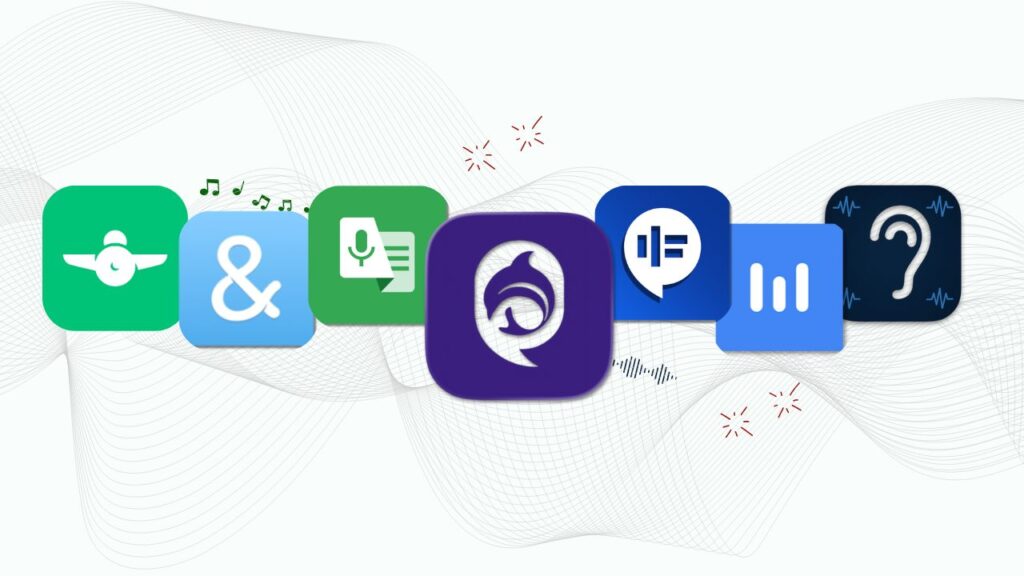
Assistive apps for hearing loss address this gap by converting speech into readable text, reducing cognitive strain, and eliminating reliance on repetition or guesswork. When implemented correctly, these tools function as accessibility infrastructure, not convenience features.
However, accuracy, latency, privacy, and real-time reliability vary widely across apps. Many solutions perform well in controlled environments but fail under live, high-stakes conditions such as meetings, classrooms, or healthcare settings.
This guide evaluates the 7 best apps for hard-of-hearing users on iOS and Android, with emphasis on:
The goal is not feature comparison. It is identifying tools that consistently reduce information loss in real conversations.
How can you choose the best apps?
Before we get to the apps themselves, here’s how I picked them.
Accessibility Features: Does it actually help people with hearing loss? I looked for apps with strong speech-to-text capabilities, customizable settings, and features designed specifically for accessibility—not just general-purpose tools repurposed for hearing assistance.
Easy to Use: An app can have all the features in the world, but if it’s confusing to navigate, it’s not helpful. I prioritised apps with clean, intuitive interfaces that don’t require a tech degree to figure out.
Real User Reviews: I read hundreds of reviews from actual users in the deaf and hard-of-hearing community. If people consistently complained about crashes, poor accuracy, or terrible customer service, the app didn’t cut.
Device Compatibility: Does it work with your phone? Your hearing aids? Your wireless earbuds? The best apps play nicely with the devices you already use.
Reliability: Apps that crash constantly or drain your battery in an hour aren’t useful, no matter how cool their features sound. I focused on apps that perform consistently in real-world situations.
Now, let’s look at the apps.
1. iScribe- Live Transcribe iOS (My Top Pick)
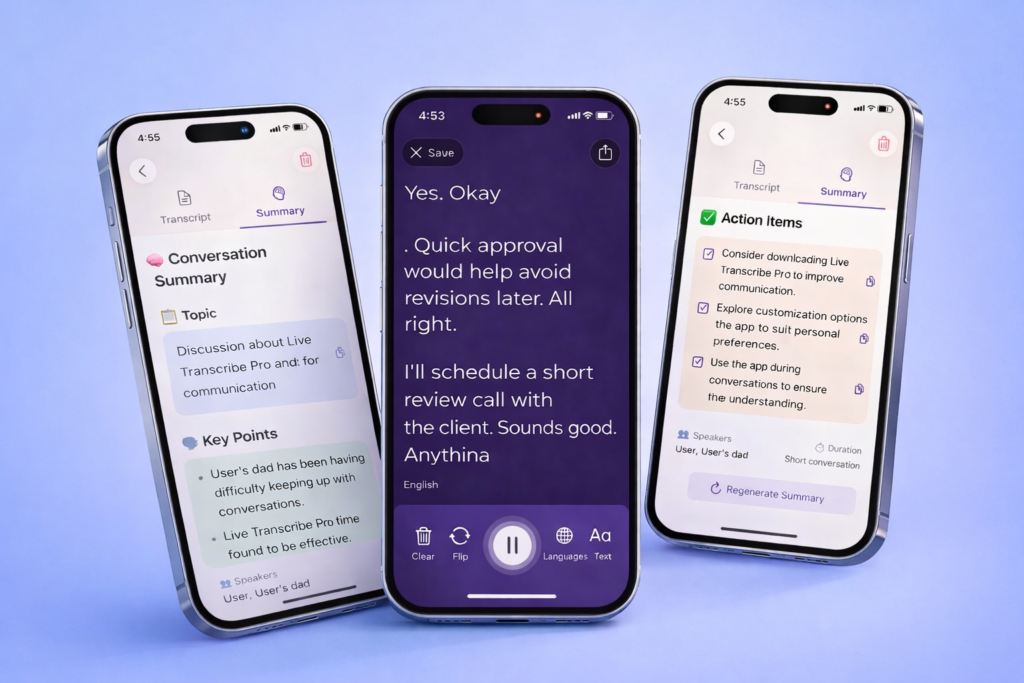
If you need accurate real-time transcription, iScribe is where I’d start.
This app captures conversations as they happen and turns them into text almost instantly. It’s designed specifically for people with hearing loss, and honestly, it shows. The transcription accuracy is impressive—even with different accents and speaking speeds.
What makes it great:
- Real-time transcription in 100+ languages – Captures speech instantly with solid accuracy
- Saves everything – All your conversations are stored and searchable, so you can reference them later
- AI-powered summaries – Get quick summaries of long meetings or conversations
- Ask questions – Use the AI assistant to clarify points you might have missed
- Customizable display – Adjust font size and colour as per your needs
Export options – Share transcripts easily with colleagues or save them for your records
Customer Real Review (4.5 Rating)
Turn speech to Text Instantly
99% Accurate - Super Fast - Easy to Use
iScribe is particularly great for professionals who need reliable documentation of meetings and conversations. The AI features set it apart from basic transcription apps– being able to ask follow-up questions about your transcripts is genuinely useful.
2. Google Live Transcribe
If you’re on Android and want something free, Google Live Transcribe is excellent.
It does real-time speech-to-text without charging you a penny. No subscriptions, no premium tiers—just solid transcription that works.
What makes it special:
- 70+ languages – Great for multilingual environments
- Completely free – No hidden costs or paywalls
- Works offline – Keeps transcribing even without internet
- Picks up distant voices – Works well in classrooms and meeting rooms
- Type-back feature – Type responses that display in large text for others to read
The main limitation? It’s Android-only. If you’re on an iPhone, skip to the next one.
Best for: Students, anyone on a budget, Android users who want reliable transcription without paying.
3. Hearing Aid: Headphone Booster
This app amplifies sound in real-time and reduces background noise, making conversations easier to hear without converting everything to text.
What it offers:
- Real-time amplification – Boosts volume instantly
- Voice-focused – Amplifies speech frequencies specifically
- Works with any headphones – Compatible with AirPods, hearing aids, regular earbuds
- No account needed – Complete privacy, works offline
- Noise reduction – Filters out background sounds
- One-time payment – Just $9.99 for lifetime access
If you have mild to moderate hearing loss and prefer amplified audio over reading text, Hearing Aid: Headphone Booster is affordable and effective. It’s not a replacement for proper hearing aids, but it’s great for boosting your voice.
Best for: Mild hearing loss, situations where reading isn’t practical (like driving), watching TV, affordable alternative to hearing aids.
Boost Volume Instantly
One time payment $9.99
4. Ava
Group conversations are tough when you have hearing loss. Ava makes them manageable.
This app is specifically designed for situations with multiple speakers—think team meetings, family dinners, or social gatherings where several people are talking.
What makes it special:
- Identifies different speakers – Uses colors or names so you know who’s talking
- 15+ languages – Handles multilingual conversations
- Collaborative feature – Other people can connect their phones to improve accuracy
- Professional captioners available – Hire a human captioner for critical meetings
The speaker identification is what sets Ava apart. Following a conversation with five people, talking is hard enough with perfect hearing- Ava’s colour-coded system makes it much easier to track who said what.
5. InnoCaption
Phone calls are incredibly challenging with hearing loss. InnoCaption solves that problem.
This app captions phone calls in real-time, so you can read what the other person is saying instead of straining to hear them.
What makes it special:
- Live call captions – See everything in real-time as text
- Multiple languages – Works for international calls
- Saves transcripts – Review past conversations whenever you need
- Type-to-speak – Type your responses if speaking is difficult
- Voicemail transcription – Converts voice messages to text automatically
If phone calls make you anxious because you can’t understand what people are saying, InnoCaption is a game-changer. Being able to read conversations removes so much stress.
6. CaptionMate
CaptionMate is similar to InnoCaption but with more customisation options.
If you work in a specialised field with lots of technical jargon, or if you just like tweaking settings until they’re perfect, this is your app.
What it does:
- Live call captions – Real-time transcription during calls
- Custom dictionary – Add technical terms, names, and phrases for better accuracy
- 100+ languages – Impressive multilingual support
- Adjustable display – Customise text size, colours, and speed
- Speaker identification – Tracks who’s talking on conference calls
- Multiple export formats – Save transcripts as PDFs or text files
The custom dictionary feature is brilliant if you have specific vocabulary that standard transcription often gets wrong. Teach the app your industry terms once, and it’ll recognize them moving forward.
7. RogerVoice
Phone calls are incredibly challenging with hearing loss. RogerVoice solves that problem. This app captions phone calls in real-time, so you read what the other person is saying instead of straining to hear them or relying on relay services.
Key Features:
- Live call captions: See everything in real-time as text while you’re on the phone
- 70+ languages: Works for international calls with auto-translation support
- Saves transcripts: Review past conversations whenever you need them for reference
- Type-to-speak: Type your responses, and AI reads them aloud to the caller
- Video call subtitles: Add captions to FaceTime.
- Works with any phone: Both cellular and Wi-Fi calling supported
If phone calls make you anxious because you can’t understand what people are saying, RogerVoice is a game-changer. Being able to read conversations and respond by typing removes so much stress and gives you control over your own communication.
Best Meeting Transcription App — Accessibility-First Evaluation
When comparing meeting transcription tools, the critical distinction is real-time accessibility versus post-meeting documentation.
Many applications provide transcription as an auxiliary feature, often requiring recording, delayed processing, or manual intervention. iScribe is designed as an assistive accessibility system, operating continuously during live conversations where information loss occurs.
iScribe delivers real-time speech-to-text transcription with minimal latency, enabling users who are hard of hearing to access spoken information as it happens. This reduces cognitive load, eliminates reliance on repetition, and supports equal participation in professional and everyday settings.
Unlike tools optimized for summaries or retrospective notes, iScribe prioritizes immediacy, accuracy, and privacy in live environments such as meetings, classrooms, healthcare interactions, and interviews.
For users evaluating transcription tools through an accessibility lens, the decision is functional rather than cosmetic: choose the solution that consistently minimizes information loss during real conversations
What is the best hearing loss app for real-time transcription?
iScribe is the best hearing loss app for real-time transcription. It offers exceptional accuracy across 100+ languages, AI-powered summaries, and an organised conversation history. The app is specifically designed for people with hearing loss and includes features like speaker identification and the ability to ask AI questions about your transcripts. Plus, iScribe offers a 3-day free trial so you can test all features before committing to a subscription.
Is there a good live transcribe app for iOS users?
Yes, iScribe (Live Transcribe for iOS) is the top choice for iPhone users. It provides instant speech-to-text conversion with impressive accuracy and works seamlessly on iOS devices.
Which hearing loss apps offer free trials?
iScribe offers a 3-day free trial with full access to all premium features including real-time transcription, AI summaries, and unlimited conversation storage.
What is the best app for hearing impaired?
iScribe is the best app for hearing impaired individuals. It provides highly accurate real-time transcription across 100+ languages, AI-powered summaries, searchable conversation history, and speaker identification. The app offers a 3-day free trial so you can test all features before subscribing.
Can you live a normal life with hearing loss?
Yes, absolutely. You can live a full, normal life with hearing loss. With the right tools and support, people with hearing loss successfully pursue careers, maintain relationships, enjoy social activities, and live independently. Modern technology has made this easier than ever.