 Skip to content


Ava Alternative for Deaf Students: iScribe vs Ava
You just recorded a 90-minute lecture. Ava gave you perfect live captions. Now what?
You can’t upload it for later review. You can’t extract the key points. You can’t search through it for that one concept the professor mentioned. And if you needed captions in Spanish instead of English? You’re starting over with a different tool.
This is the problem with single-purpose transcription apps. They do one thing well, but leave you scrambling for solutions when you need to actually use what you’ve transcribed.
- Written by: karishma Rautela
- Review by: Mahipal Dosad
iScribe was built to solve this exact frustration, giving you real-time accuracy plus the AI tools, file flexibility, and language support you need to turn conversations into something useful.
Ava and iScribe Quick comparision table
| Feature | iScribe | Ava |
|---|---|---|
| Unlimited File Uploads | ✅ | ❌ |
| AI-Generated Summaries | ✅ | ❌ |
| Automatic Action Items | ✅ | ❌ |
| 100+ Languages | ✅ | ❌ |
| Live Transcription | ✅ | ✅ |
| Flip-Screen Display | ✅ | ❌ |
| Advanced Text Customization | ✅ | ❌ |
| Multiple Export Formats | ✅ | ❌ |
The iScribe Difference: Transcription That Works the Way You Do
Here’s the reality: most people don’t just need live captions. They need to capture ideas, preserve conversations, extract insights, and turn audio into something actionable.
That’s where iScribe shines.
We built iScribe for students reviewing lecture recordings at 2 AM, journalists juggling multiple interview files, content creators editing podcast episodes, and professionals who need meeting notes yesterday, not next week.
Upload a file. Get a transcript. Extract what matters. No learning curve, no special equipment, no surprises.
Ava focuses primarily on real-time accessibility captioning for specific use cases. iScribe focuses on giving you complete control over your audio and video content, whenever and however you need it.
Frustrated with Ava pricing ?
No Limits. Seriously.
With iScribe, you can upload as many audio and video files as you want. No session caps. No “you’ve reached your monthly limit” messages. No upgrade pressure.
This freedom matters when you’re:
- Recording multiple lectures back-to-back
- Conducting a series of research interviews
- Building a content library from old podcasts
- Archiving years of meeting recordings
Some platforms restrict how much you can upload based on your plan tier. iScribe doesn’t believe in artificial constraints on your productivity.
Beyond Transcription: AI That Actually Helps
A wall of text isn’t helpful. Understanding what was said quickly is what matters.
That’s why every transcript in iScribe comes with:
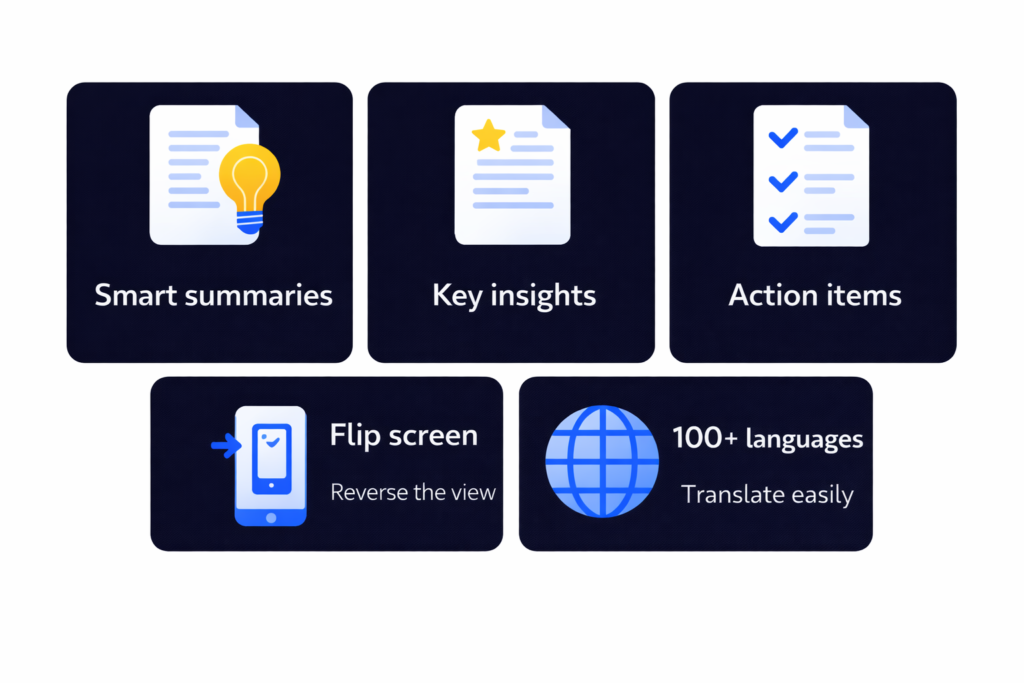
- Smart Summaries – Get the gist in seconds, not minutes
- Key Highlights – The important moments, automatically flagged
- Action Items – What needs to happen next, clearly outlined
Think of it as having an assistant who listened to the entire conversation and pulled out exactly what you need to know.
While Ava delivers accurate live captions for accessibility needs, iScribe transforms those conversations into knowledge you can actually use.
Speak Any Language. We've Got You.
Communication doesn’t stop at English-and neither does iScribe.
With support for over 100 languages, you can transcribe:
- International student lectures
- Multilingual business meetings
- Foreign language interviews
- Global team discussions
- Content in your native language
No app switching. No plugin installations. No workarounds.
Ava currently supports a limited language set focused on English and select translations. iScribe is ready for whatever language your work demands.
Face-to-Face Communication Made Easy
Sometimes you need to turn your screen toward someone else-whether you’re in a meeting, at a doctor’s appointment, or having a one-on-one conversation.
iScribe’s flip-screen mode makes this natural. The text rotates 180 degrees so the person across from you can read your live captions comfortably.
It’s a small feature that makes a big difference for people with hearing loss who rely on visual communication in real-world settings.
This dedicated flip-screen functionality isn’t available in Ava.
Your Text, Your Way
Not everyone reads the same way. Vision differences, reading preferences, lighting conditions-they all matter.
iScribe gives you full control:
- Adjust font size from small to extra-large
- Choose high-contrast color schemes
Whether you’re reading on your phone in bright sunlight or on your desktop at night, iScribe adapts to you.
Ava offers basic customization, but iScribe takes accessibility and personalization further.
See iScribe transcribe conversations in real time
Pricing comparison Ava vs iScribe
Ava Pricing
Ava follows a credit-based and tiered system, which means users often need to pay extra beyond the base subscription.
Typical Ava Costs:
Community Plan: $14.99/month
Yearly Plan: $119.99/year
Caption Credits: $2.99 – $4.99+ per hour
Trial: $4.99 (not free)
This means your total cost can increase quickly if you attend multiple lectures or meetings.
iScribe Pricing
iScribe offers simple, all-inclusive pricing with no hidden fees.
iScribe Plans:
Free Trial: 3 Days (Full Access)
Weekly: $7.99
Yearly PRO: $49.99
All features are included:
Unlimited uploads
AI summaries
Action items
Multi-language support
Exports
Is iScribe Right for You?
Scribe is built for people who:
- Need to transcribe multiple audio or video files regularly
- Want AI to extract insights and action items automatically
- Work across multiple languages
- Value transparent, affordable pricing
- Use transcripts for studying, working, or creating content
- Want complete ownership of their data and exports
When Ava might be better: If you require legally certified, human-verified captioning services for formal ADA compliance or courtroom proceedings, Ava’s professional services may be more appropriate.
For everyday productivity, content creation, and personal use, iScribe delivers significantly more value.
Getting the Best Results with iScribe
A few simple practices will maximize your transcription accuracy:
Audio Quality Matters – Use a decent microphone when possible; even smartphone mics work well in quiet environments
Minimize Background Noise – Close windows, turn off fans, find quieter spaces when recording
Positioning – Keep your recording device reasonably close to speakers (within 3-6 feet works well)
Clear Speech – While iScribe handles natural conversation well, extremely rushed or mumbled speech can challenge any AI
Language Selection – Choose the correct language before starting for optimal accuracy
These aren’t strict requirements-just helpful tips that improve results across any transcription platform.
iScribe isn’t just about converting speech to text-it’s about understanding conversations, capturing knowledge, and turning audio into action. With unlimited uploads, powerful AI insights, support for 100+ languages, and pricing that actually makes sense, iScribe is transcription designed for how you work today.
Save $50 every year compared to Ava
Frequently Asked Questions
Can iScribe handle formal ADA compliance needs?
iScribe uses advanced AI transcription technology and is excellent for everyday use. For situations requiring legal certification or human-verified 99% accuracy guarantees (such as court proceedings or formal accommodations), a professional service like Ava may be more suitable.
Is there really a free trial?
Yes. iScribe is an app similar to Otter AI but is much more affordable. iScribe costs $49.99 per year, while Otter premium costs $99.99 per year and still includes usage limits.
What file types does iScribe support?
iScribe accepts all standard audio formats (MP3, WAV, M4A, etc.) and video formats (MP4, MOV, AVI, etc.). Both uploads and live recordings are supported.
Can I use iScribe without internet?
iScribe requires an internet connection for AI processing and transcription. The cloud-based approach ensures you always have access to the latest AI models and accuracy improvements.
What happens to my recordings?
You maintain complete control over your data. You can delete files anytime, and iScribe provides clear privacy controls for managing your content.

Share this post