 Skip to content


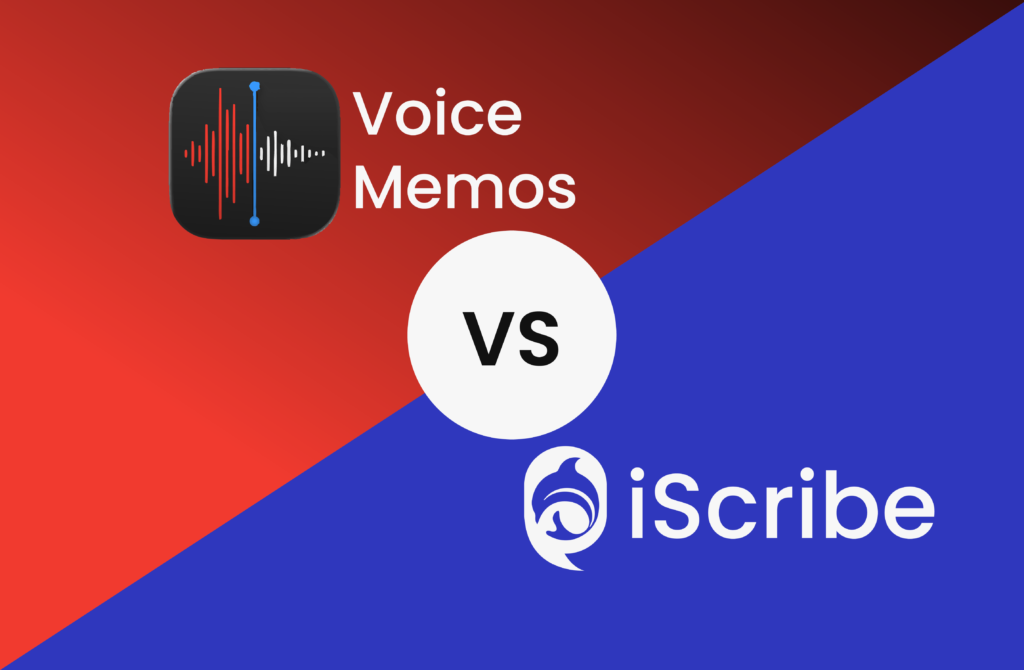
Apple Voice Memos vs iScribe: Which iPhone Transcription App Is Better in 2026
You already have Apple Voice Memos on your iPhone. It’s free, it’s built in, and iOS 18 even added transcription. So why would anyone download another app?
That’s the real question this comparison answers. Apple Voice Memos is good – for some things. But if you’re deaf or hard of hearing, need live captions, or want AI summaries, it falls short fast.
Here’s the honest breakdown of what each app actually does, where each wins, and who should use which.
- Written by: karishma Rautela
- Review by: Mahipal Dosad
What Is Apple Voice Memos?
Apple Voice Memos is the native audio recorder built into every iPhone and iPad. It’s been around for years, but iOS 18 added its biggest upgrade yet: automatic transcription.
Here’s what it does now:
- Records audio with one tap
- Transcribes recordings after the fact (tap “View Transcript”)
- Syncs recordings across all Apple devices via iCloud
- Lets you trim, replace, and edit audio
- Searches text inside transcripts
- Exports transcripts via share sheet
It works on iPhone 12 or later, running iOS 18+. And it’s completely free.
That sounds impressive. But there are real limits – especially for anyone who relies on speech-to-text for daily communication.
What Is iScribe?
iScribe is a dedicated speech-to-text app built specifically for iPhone and iPad. It’s designed from the ground up for deaf and hard of hearing users – and for anyone who needs real-time transcription they can actually rely on.
It does what Apple Voice Memos doesn’t:
- Transcribes speech live, as words are spoken
- Supports 100+ languages
- Generates AI summaries after conversations
- Lets you flip the screen for face-to-face conversations
- Saves and exports full transcripts instantly
iScribe is available with a 3-day free trial. You can read more about its top features here.
Apple Voice Memos vs iScribe - Quick Comparision
| Feature | Apple Voice Memos | iScribe |
|---|---|---|
| Live real-time captions |  |  |
| Post-recording transcription | (iOS 18+) | |
| Languages supported | 9 | 100+ |
| AI summaries | | |
| Flip screen mode | | |
| Audio file upload | | |
| Export transcripts | | |
| Accessibility features | | |
| Price | Free | 7-day free trial |
The Core Difference: Record First vs. Read Now
This is the single most important distinction between these two apps.
Apple Voice Memos is a record-then-read tool. You record. You finish. You tap “View Transcript.” The text appears after the fact.
iScribe is a read-as-it-happens tool. You open the app. You tap the record. Text appears on your screen in real time – word by word, as someone speaks.
For a deaf or hard of hearing person sitting across from a doctor, a colleague, or a family member, that difference is everything. Waiting until the conversation ends to read what was said doesn’t work in the real world.
Where Apple Voice Memos Falls Short
1. No Live Captions
Voice Memos transcribes recordings. It doesn’t show you captions in real time. If you’re deaf and need to follow a conversation as it happens – a meeting, a class, a medical appointment – Voice Memos gives you nothing at the moment.
This is the dealbreaker for most accessibility use cases.
2. Only 9 Languages
Voice Memos transcription works in English, Spanish, Portuguese, Italian, French, German, Japanese, Korean, and Chinese. That’s it.
If you speak Hindi, Arabic, Turkish, Tagalog, or any of dozens of other languages – you’re out. iScribe supports 100+ languages for real-time transcription, making it genuinely global.
3. No AI Summaries
After a 45-minute meeting, Voice Memos gives you a transcript – a wall of text. You still have to read through all of it to find the key points.
iScribe’s AI summarizer extracts the decisions, action items, and key moments automatically. For professionals, students, and caregivers, that’s hours saved every week.
4. No Flip Screen
When you want someone across from you to read the text, Voice Memos can’t help. iScribe’s flip screen rotates the text 180° so the other person can read directly from your phone. It’s a small feature with a big real-world impact – at the pharmacy, at the bank, at a restaurant.
5. Patchy Availability
Voice Memos transcription requires iPhone 12 or later and iOS 18. It’s also not available in all countries and regions. Users in Apple’s own community forums have reported the transcription button simply not appearing – even on supported devices.
iScribe works consistently. No firmware roulette.
Where Apple Voice Memos Wins
Let’s be fair. Voice Memos does some things well.
It’s completely free. No trial limits, no subscription. If budget is the only factor, Voice Memos wins by default.
It’s deeply integrated with Apple’s ecosystem. iCloud sync, AirDrop sharing, Notes integration – everything just works if you’re all-in on Apple.
On-device privacy. Voice Memos processes audio entirely on your device. Nothing goes to the cloud. For sensitive recordings, that matters.
Audio editing tools. Trim, replace, skip silence, speed up playback – Voice Memos has real audio editing that iScribe doesn’t offer.
Layered recordings. If you’re a musician or podcaster, Voice Memos on iPhone 16 Pro lets you record a vocal layer over an instrumental. That’s a niche feature, but a genuinely useful one.
Who Should Use Each App
Use Apple Voice Memos if:
- You need basic audio recording and post-recording transcription
- You’re a student recording lectures in a supported language
- You want a 100% free solution with no commitment
- Privacy and on-device processing are your top priorities
- You’re comfortable reading a transcript after the fact
Use iScribe if:
- You’re deaf or hard of hearing and need real-time captions
- You communicate in languages not covered by Voice Memos
- You need AI summaries to save time on long recordings
- You have face-to-face conversations that need live text
- You’re a caregiver or professional who shares transcripts regularly
- You want accessibility features built for your actual needs
The best apps for hearing loss all share one thing: they meet you in the moment. Voice Memos doesn’t.
Real-World Scenarios
Scenario 1: Doctor’s appointment The doctor is explaining your diagnosis and treatment plan. You need to understand every word – right now.
Voice Memos: Records the appointment. You read the transcript afterward – but you couldn’t follow the conversation or ask clarifying questions in real time.
iScribe: Live captions appear as the doctor speaks. You read along, follow every detail, and respond confidently. You save the transcript and share it with a family member after.
Scenario 2: University lecture A 90-minute class on a technical subject.
Voice Memos: Records the lecture. Transcription in 9 supported languages. You have a wall of text afterward with no structure or highlights.
iScribe: Live transcript as the professor speaks. AI summary at the end with key concepts and action items. Shareable with classmates. This is exactly how speech-to-text apps support deaf students in academic settings.
Scenario 3: Quick personal note You just had an idea and want to capture it in 15 seconds.
Voice Memos: Perfect. One tap, record, done. Transcription available. Free forever.
iScribe: Also works – but this is Voice Memos’ home turf. No shame in using the built-in tool for simple personal notes.
Can You Use Both?
Yes – and for many users, that’s the smart approach.
Use Apple Voice Memos for quick personal notes, simple recordings, and situations where you’ll read the transcript later.
Use iScribe for conversations that matter in real time – meetings, appointments, classes, and any face-to-face interaction where missing words has real consequences.
They solve different problems. They’re not in direct competition. But if you need one app that handles everything – especially live captioning – iScribe is the clear answer.
You can also explore iScribe compared to other alternatives to see how it stacks up across more options.
The Bottom Line
Apple Voice Memos is a solid, free tool for audio recording and basic transcription. It’s gotten meaningfully better with iOS 18. For casual personal use, it’s hard to argue against it.
But for anyone who needs to understand what’s being said right now – not after the recording ends – Voice Memos isn’t enough.
iScribe fills that gap. Real-time captions, AI summaries, 100+ languages, offline mode, and a flip screen designed for face-to-face communication. It’s built for the moments that count.
Try iScribe free for 3 days – download it from the App Store and experience the difference yourself. No commitment. Full access. Follow every conversation from the very first word.
Frequently Asked Questions
Does Apple Voice Memos have live transcription?
No. Voice Memos transcribes recordings after they’re made. It does not show live captions during a conversation. For live captions on iPhone, use iScribe or Apple’s built-in Live Captions in Settings → Accessibility.
Is Apple Voice Memos good for deaf users?
Voice Memos is limited for deaf and hard of hearing users because it doesn’t offer real-time captions. iScribe was built specifically for this use case – it shows live text as words are spoken.
How many languages does Apple Voice Memos support for transcription?
Voice Memos supports 9 languages: English, Spanish, Portuguese, Italian, French, German, Japanese, Korean, and Chinese. iScribe supports 100+ languages.
Which is better for medical appointments?
iScribe is significantly better for medical appointments. It provides live captions so you can follow the conversation as it happens, and it saves and exports the full transcript afterward.
Is iScribe free?
iScribe offers a 7-day free trial with full access to all features. Apple Voice Memos is completely free with no subscription required.