 Skip to content


5 Best Audio Transcription iPhone Apps in 2026 (Free & Paid)
Do you ever have great ideas while walking but forget them later? Or maybe you’re in a meeting and wish you could just record everything instead of writing notes? That’s exactly why I started looking for the best AI audio transcription apps.
- Written by: karishma Rautela
- Review by: Mahipal Dosad
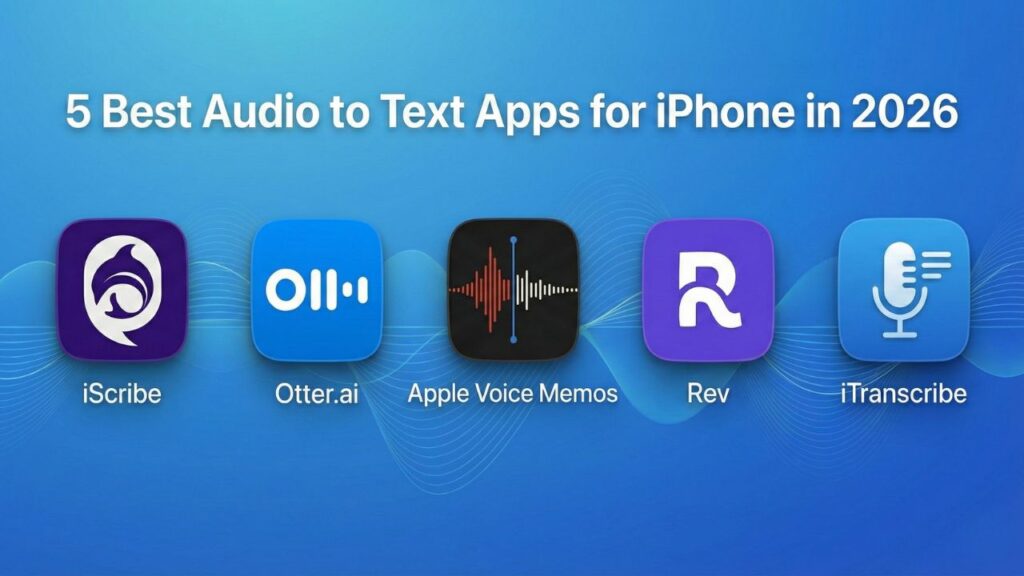
I tried several apps to see which ones really work. Otter.ai was super accurate, but the free version didn’t give me much. iTranscribe worked well for different languages, but I didn’t love how it looked. I even used Apple Voice Memos and typed everything myself. It was free but took forever.
Then I found iScribe. It’s a new app that’s really easy to use. The best part? It gives you both the full transcript and a quick summary in seconds. I use it to save my random ideas, remember what happened in meetings, and turn my voice notes into simple summaries.
In this guide, I’ll show you the top AI audio transcription apps so you can find the perfect one for you. Let’s dive in!
1. Audio Transcription: iScribe
Best for: Comprehensive transcription with AI-powered insights and multi-language support
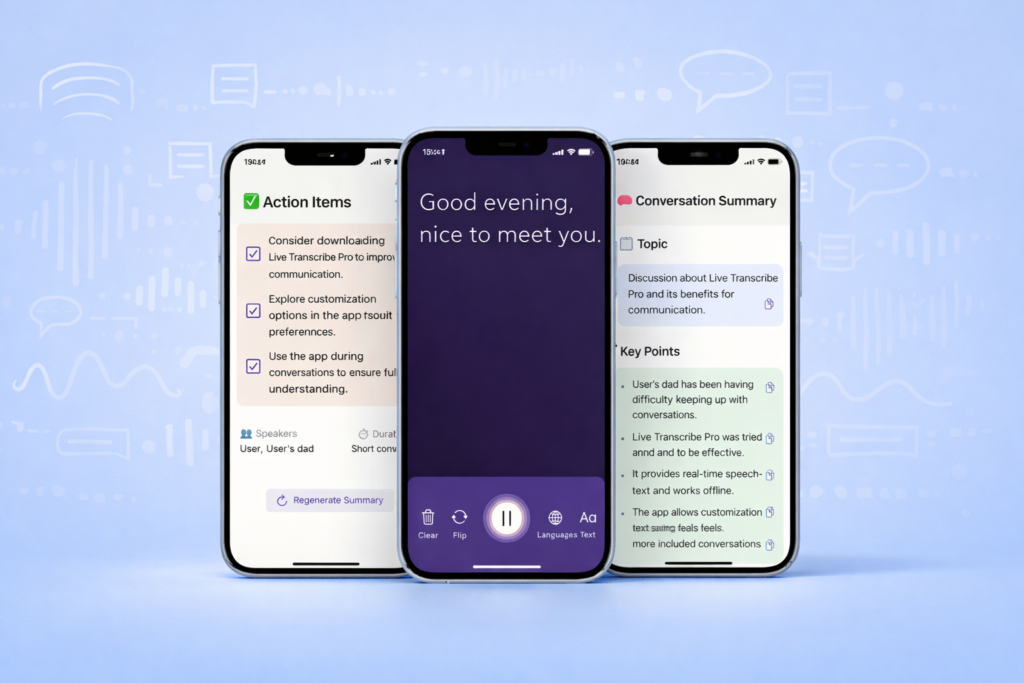
iScribe stands out as the most comprehensive audio to text app for iPhone available today. This powerful application combines real-time transcription with advanced AI features that go beyond simple speech-to-text conversion.
Key Features:
- Real-time transcription as you record or during live conversations
- Support for 100+ languages, making it perfect for international users
- AI-powered summary automatically highlights key points
- Cross-question with AI allows you to ask questions about your transcriptions
- Audio and video upload for transcribing existing media files
- Complete content generation from your recordings
- Advanced editing with speaker identification
Free plan: 3-day trial
Paid subscription: $7.99/week (or $49.99/yearly)
Turn Voice to Text Instantly
99% Accurate - Super Fast - Easy to Use
Customer Real Review (4.5 Rating)
iScribe is ideal if you’re looking for a free app to convert audio to text with professional-grade features. The AI summary feature alone can save hours of manual note-taking, and the cross-question functionality lets you extract specific information from your recordings instantly.
2. Otter.ai – Best for Collaboration
Best for: Team meetings and collaborative note-taking
Otter.ai remains a strong contender for professionals who need to collaborate on transcriptions. Its real-time transcription capabilities and cross-platform synchronization make it excellent for business environments.
Features:
- Real-time transcription during calls
- Meeting notes with collaboration features
- 5 hours of free monthly transcription on the free plan
- Cloud storage and synchronisation
- Limited language support
Free plan: 5 hours/month (limited to 30 minutes per conversation)
Paid subscription: $16.99/month for individuals; $99.99/yearly
Otter is best suited for users primarily focused on meeting transcription rather than general speech-to-text app needs.
3. Apple Voice Memo – Best Built-in Option
Best for: Basic voice recording and quick notes
Apple Voice Memo is already built into every iPhone, making it the most accessible speech to text app for iPhone.
Features:
- Free transcription (up to a certain length)
- Free Memo recorder
- Integrates seamlessly with the iOS ecosystem
- Very limited language options
Subscription: Free
If you’re looking for a basic, free memo recorder for iPhone without additional features, Apple Voice Memo is sufficient. However, it lacks the advanced features of dedicated apps.
4. Rev
Best for: Professional transcription and legal/medical recordings
Rev emphasizes accuracy and security, making it ideal for legal professionals and medical practitioners who need precise, secure transcription.
Features:
- Human-reviewed transcription option available
- Strong security and compliance features
- Multiple language support
- Professional-grade accuracy
- No free option
Free plan: No genuine free plan; offers paid services
Paid subscription:
- 1 Credit – $1.99
- 10 Credits -$16.99
- 30 Credits- $47.99
- 100 Credits- $149.99
Rev is not the best choice if you’re seeking the best free app to transcribe audio to text, but it’s good if accuracy and security are your top priorities.
Unlock Seamless transcription with iScribe
5. iTranscribe – Best for Voice Recording
Best for: Dedicated audio transcription and playback control
iTranscribe offers a focused approach to a free app to convert audio to text with emphasis on audio quality and playback features.
Features:
- Real-time transcription
- Multiple language
- Audio playback with speed control
- Video transcription capability
- Integrated search function
Free plan: 3-day free trial (requires credit card)
Paid subscription: $5.99/week = $311.48 yearly
iTranscribe is a solid option for users who want a transcription app with audio features, although it lacks the AI-powered insights that iScribe provides.
How to Convert Audio to Text on iPhone?
Converting audio to text on your iPhone is straightforward:
- Open your chosen app (we recommend iScribe)
- Grant microphone permissions when prompted
- Tap the record button to start transcription
- Speak clearly into your device
- Stop recording when finished
- Review and edit the transcribed text
- Export or save your transcript
Tip: For the best speech to text app for iPhone, always speak clearly and minimise background noise for optimal accuracy.
What is an Audio to Text App?
Audio to text apps (also called transcription apps, speech-to-text apps, or live caption apps) are smartphone applications that convert spoken words into readable, reviewable text—either in real-time as conversations happen, or after recording audio for later transcription.
These apps use artificial intelligence (AI) to recognise speech patterns, or in some cases, human transcriptionists to manually type what they hear. The result is a written record you can read on your screen, save, search, and share.
Why iScribe Stands Out
Among all the best free apps to transcribe audio to text options, iScribe offers the most comprehensive feature set:
- Real-time transcription for live events
- 100+ language support for global users
- AI-powered summary to save time reading transcripts
- Cross-question with AI for intelligent information extraction
- Audio and video uploads for flexible transcription
- Complete content generation from your media
- Affordable pricing, 3-day trial, then starting at $7.99/week
Whether you’re looking for a speech to text app free option or premium features, iScribe delivers exceptional value.
Experience the future of transcription with iScribe’s powerful audio-to-text app for iPhone. Get started with a 3-day free trial.
What is the best speech to text app for iPhone?
iScribe is the best speech to text app for iPhone. It offers highly accurate real-time transcription across 100+ languages, AI-powered summaries, and searchable conversation history. Start your 3-day free trial to experience the most advanced speech to text features on iOS.
Can an iPhone do audio to text?
Yes, iPhones can convert audio to text using apps like iScribe. Simply download iScribe, open the app, and it will transcribe spoken words into text in real-time. The 3-day free trial gives you full access to all audio to text features on your iPhone.
Which app is best to transcribe audio to text?
iScribe is the best app to transcribe audio to text. It provides exceptional accuracy, works across 100+ languages, offers AI summaries, and saves all transcriptions for easy reference. Download iScribe and get a 3-day free trial with full premium features.
How do I convert audio to text on my iPhone?
Download iScribe from the App Store, open the app, and tap the record button. iScribe will instantly convert spoken audio to text in real-time. You can save, search, and share your transcriptions. Try it free for 3 days with full access to all features.
Is there an app that turns audio into text?
Yes, iScribe turns audio into text with exceptional accuracy. It transcribes conversations, meetings, lectures, and any spoken audio into readable text instantly. The app works on iPhone and supports 100+ languages. Start your 3-day free trial today.

Share this post