 Skip to content


Otter vs iScribe: Best Otter AI Alternative for Audio Transcription
I need to tell you about a mistake that cost me $200 for two years. I paid $100 every year for Otter. Don’t get me wrong otter works, transcription is accuracte and the feature is solid, but the price? It hurt every single time I renewed. Then last month, I finally asked myself: “Is there an alternate option that does the same thing?”
- Written by: karishma Rautela
- Review by: Mahipal Dosad
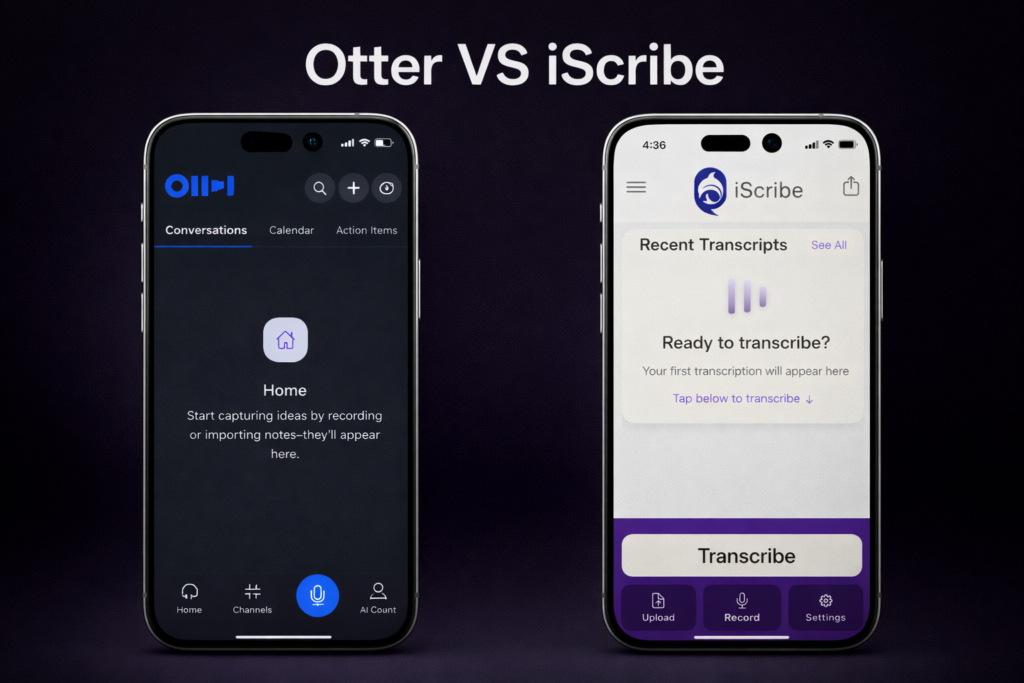
Three hours of research later, I found iScribe. Same accuracy. Same AI summaries. Same unlimited audio and video transcription. But here’s the kicker: $49.99 per year instead of $100. I felt like an idiot. I’d been overpaying by $100 every single year for features I could get elsewhere. And iScribe actually does some things better, so I’m writing this comparison to save you from making my mistake.
In this article, I’ll show you exactly how iScribe stacks up against Otter in terms of accuracy, features, price, and real-world usability. By the end, you’ll know which app deserves your money (spoiler: it’s probably not the expensive one).
Let’s stop overpaying and start getting better value.
Quick Comparison table Otter vs iScribe
| Comparison | iScribe | Otter |
|---|---|---|
| Price (Annual) | $49.99 | $99.99 |
| Accuracy | High | High |
| Minute limit | Unlimited | 1200 min / mo |
| Per session limit | No limit | Up to 90 minutes |
| Language | 100+ | 4 |
| Audio / video upload | Unlimited | 10 (limited) |
| Text / font customization | Yes | No |
| Free trial | 7-day | 5 hour |
iScribe: Audio Transcription
Launched in 2023 by HARSHVA TECHNOLOGIES PRIVATE LIMITED, iScribe is a thoughtfully designed speech-to-text app created specifically for deaf and hard-of-hearing people. “We saw that while transcription apps existed, none were truly personalised for the unique needs of people with hearing loss,” the development team explains.
The app built iScribe with a clear mission: to make everyday communication easier and more accessible for the deaf and hard-of-hearing community.
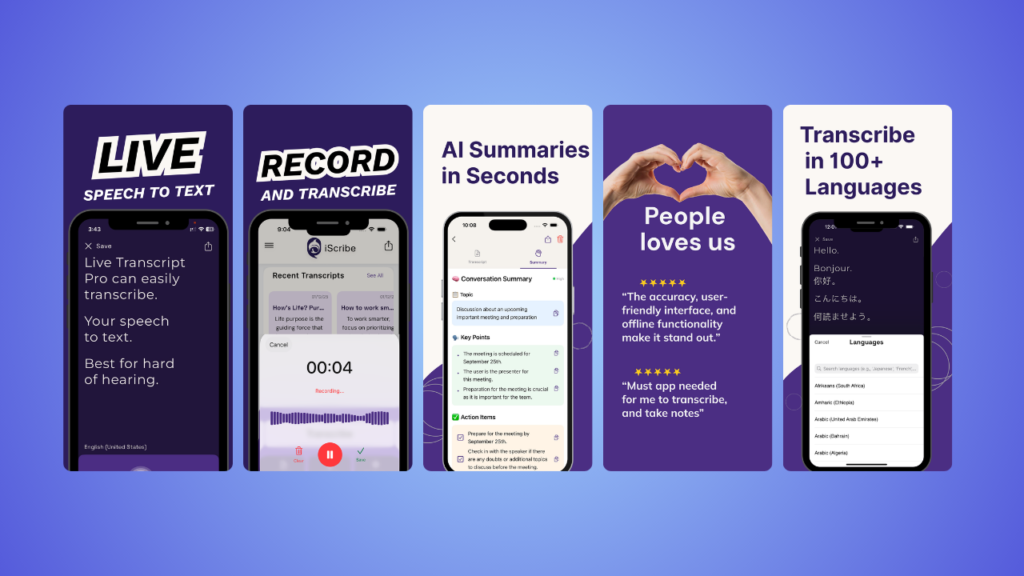
That dedication shows in every feature – from the intuitive flip screen function to the large, customizable text that makes conversations genuinely easier to follow. iScribe isn’t just another transcription tool adapted for accessibility.
It’s purpose-built from the ground up to transform how deaf and hard-of-hearing individuals experience daily conversations, making it the best iPhone app for speech to text designed specifically for the hearing loss community.
Rating & Review
iScribe Pros
Large, customizable text: Finally, a transcribe iPhone app where I can actually read the text comfortably. Quickly adjust font size, colours, and backgrounds to suit your needs.
Flip function for face-to-face conversations: This is brilliant. Flip your iPhone screen so the person across from you can read the transcription, too. Perfect for one-on-one conversations.
Clean, intuitive interface: iScribe is the best transcribe app for simplicity. Open it, tap record, and it works. No complicated menus or settings to figure out.
100+ languages: More language support than most competitors, making it ideal for multilingual users.
AI-powered features: Get conversation summaries, get key points, action item and benefit from improving accuracy over time.
Saves conversation history: All your transcriptions are automatically saved and searchable, so you can reference past conversations anytime.
Affordable: 7-day free trial or $49.99/year, iScribe costs significantly less than Otter’s premium tier.
3-day free trial: Test all premium features before committing, unlike Otter’s limited free tier.
Turn speech to Text Instantly
High accuracy - Super Fast - Easy to Use
iScribe Cons
iPhone/iPad only: If you need cross-platform access on Windows or Android, iScribe won’t work for you.
Newer to market: iScribe doesn’t have Otter’s years of data and refinement, though the transcription quality is excellent.
Otter Transcription App
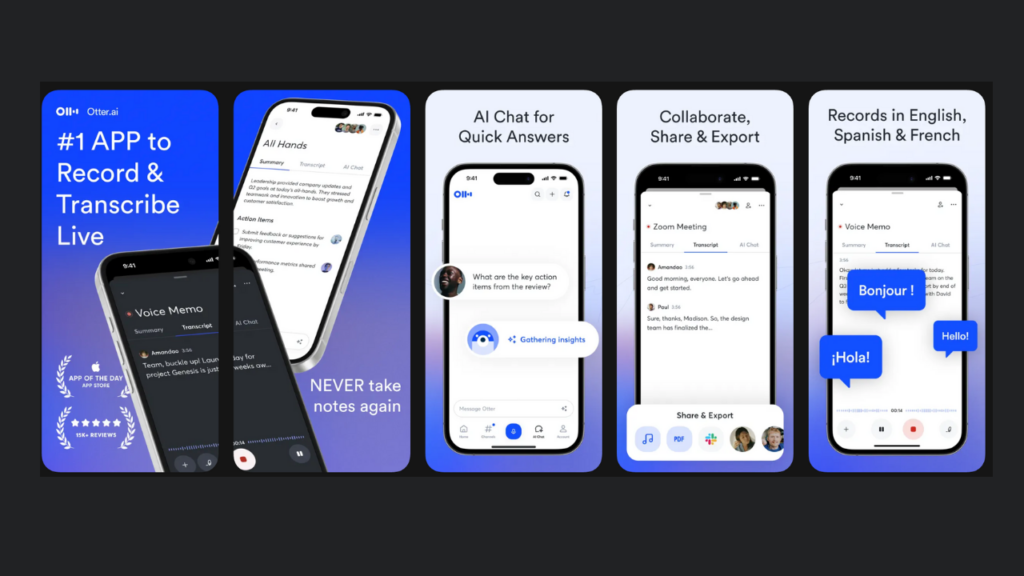
Otter is an artificial intelligence voice-recognition app that’s been around for years. The Otter app has transcribed billions of minutes of conversation, proving its reliability to millions of users. It’s the transcription app many professionals reach for first.
Otter Pros
Free tier available: Otter offers 5 hours free, which is decent for casual users. The Otter cost for premium is $16.99/month or $99.99/year for unlimited transcription.
Excellent audio pickup: The Otter transcription app “hears” remarkably well across different environments, from quiet offices to moderately noisy cafés.
Easy sharing: Collaboration is where Otter shines. You can easily share transcripts with colleagues, making it great for team meetings.
Searchable history: Accessing past call transcripts is simple. Everything is saved, organised, and searchable.
Business features: The Otter app review from business users is consistently positive. Features like automated meeting summaries and action item extraction appeal to professionals.
Otter Cons
Requires internet connection: No Wi-Fi or cellular? The Otter app won’t work. This is a deal-breaker in certain situations.
Small, fixed font on mobile: The text size on iPhone isn’t easily adjustable, making it harder to read during conversations.
Not ideal for in-person, face-to-face conversations: When talking with another hard-of-hearing person in real life, it’s awkward to both crowd around one small phone screen.
Price creep: The Otter cost has increased over time, and the free tier continues to shrink. You’re also paying for business features you might not need.
Learning curve: While not difficult, Otter has more settings and features to navigate than simpler transcribe apps.
Who Should Choose iScribe?
iScribe (Live Transcribe for iPhone) is the best choice if:
- You primarily have in-person, face-to-face conversations
- You want large, readable text that’s easy to customize
- You value simplicity and intuitive design over feature complexity
- You want the best iPhone transcription app for daily personal use
- You’re looking for an affordable transcribe app free trial with full features
- You communicate with others who have hearing loss and need shared screen viewing
- You want AI-powered conversation summaries and searchable history
- You prefer a cleaner, less cluttered interface
The best compliment I can give iScribe is that it genuinely feels like it was designed by someone who understands hearing loss and wanted better communication tools.
Who Should Choose Otter?
Otter is the best transcription app for you if:
- You attend frequent Zoom or Teams meetings and need integration
- You require cross-platform access (iPhone, Android, computer)
- You need to share and collaborate on transcripts with teams
- You want searchable archives of all past conversations
- You’re willing to pay for premium features and don’t mind the higher Otter cost
- Your work involves primarily remote meetings and conference calls
The Otter app review from business professionals is consistently strong because it’s genuinely built for corporate environments.
Get real time captioning
High accuracy - Super Fast - Easy to Use
My personal decision
After weeks of testing both apps, here’s my honest take: iScribe has become my daily driver.
I still keep Otter installed for specific business situations where I need transcript sharing or computer access. But for 80% of my conversations (family dinners, chats with neighbours, quick meetings, running errands), iScribe is simply better. It’s faster to open, easier to read, more intuitive, and costs half as much.
The flip function alone is worth it. Being able to have a natural face-to-face conversation where both people can read the transcription on one phone? That’s the kind of thoughtful design that changes daily life for people with hearing loss.
If you’re primarily using transcription for corporate meetings with lots of collaboration, Otter might still be your best bet. But if you’re looking for the best live transcribe iPhone app for real life (for actual conversations with real people), iScribe wins hands down.
Which is the best transcribe app?
iScribe is the best transcribe app for iPhone users who want easy, everyday communication. It offers real-time transcription in 100+ languages, AI-powered summaries, large customizable text, and costs half the price of competitors at $49.99/year.
Is Otter the best transcription app?
Otter is excellent for business use with features like meeting integrations and team collaboration, but it’s not the best for everyone. iScribe is better for personal conversations and daily use with its flip screen function, larger text, and lower cost ($49.99/year vs Otter’s $120/year).
What is the best AI for transcribing?
iScribe offers the best AI for transcribing conversations on iPhone with high accuracy, AI-powered summaries, and intelligent speaker identification. The AI learns and improves over time, adapting to your common vocabulary and speech patterns.
How to use iScribe on iPhone?
Using iScribe on iPhone is even simpler:
- Download iScribe from the App Store and start your 3-day free trial
- Open the app and allow microphone permissions
- Tap the record button to begin real-time transcription
- Adjust text size and colors using the settings icon if needed
- Use the flip function to turn your screen so others can read along
- Stop recording when your conversation ends
- Access saved transcripts from your conversation history to review or export

Share this post