 Skip to content


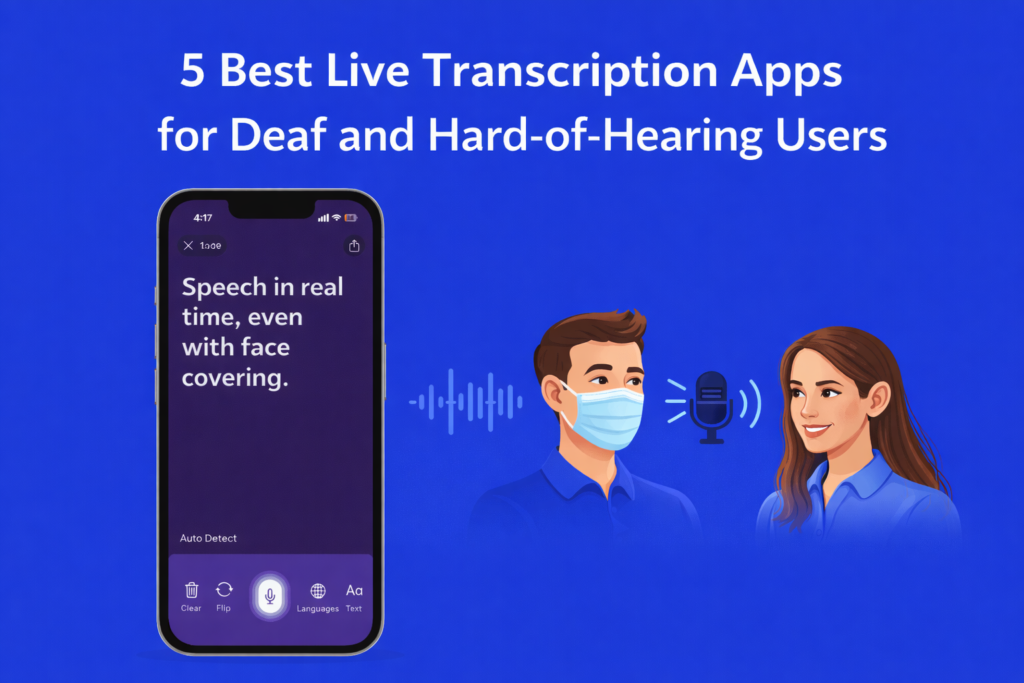
5 Best Live Transcription Apps for Deaf and Hard-of-Hearing Users
Finding the right live transcription app can make a big difference in everyday life for deaf and hard-of-hearing users. Whether it is attending a class, visiting a doctor, joining a meeting, or having a casual conversation, clear captions help you stay connected and confident.
With so many apps available today, choosing the best one can feel confusing. Some have high prices, others limit usage, and many do not offer the accessibility features people truly need. That is why we created this guide.
- Written by: Mahipal Dosad
- Review by: Karishma Rautela
Learn more about why iScribe has all the tools you need to achieve communication independence.
In this article, we review the five best live transcription apps for deaf and hard-of-hearing users. We compare their features, pricing, accuracy, and ease of use to help you find the option that fits your needs and supports your independence.
What is a Live Transcription App for Deaf and Hard of Hearing Users?
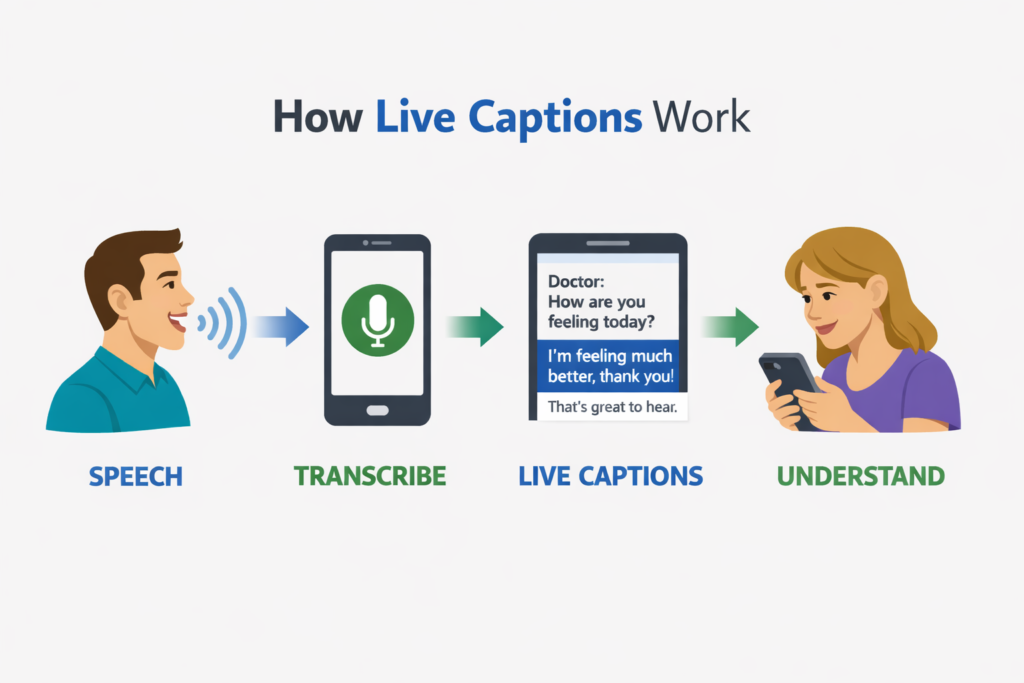
A live transcription app for deaf and hard-of-hearing users is specialised software that converts spoken words into written text in real time, providing visual access to conversations, lectures, meetings, and daily interactions across the entire communication ecosystemfrom one-on-one conversations with doctors to group meetings, from educational lectures to workplace calls. iScribe helps deaf and hard of hearing individuals access conversations independently, save important information automatically, and review content efficiently with AI-powered summaries.
Frustrated with Live Transcribe limit?
Best Live Transcription Apps at a Glance
| App | Best For | Key Features | Pricing | Free Trial Available |
|---|---|---|---|---|
| iScribe | Individual users seeking unlimited personal communication access with productivity features | Unlimited file uploads, AI summaries, 100+ languages, flip-screen mode, text customization | $49.99/year or $7.99/week | Yes, 7-day free trial (annual) or 3-day trial (weekly) |
| Ava | Group meetings and institutional settings requiring speaker identification | Speaker ID, multi-device sync, cross-platform availability | $119/year or $4.99 per 5 hours | Yes, limited free tier |
| Google Live Transcribe | Android users seeking basic free live captions | Real-time transcription, sound notifications, vibration alerts | Free | N/A – Always free |
| Otter.ai | Business meetings and team collaboration with note-taking needs | Meeting notes, speaker ID, integration with Zoom/Teams | Free tier available, Premium $16.99/month | Yes, free tier available |
| Microsoft Translator | Multilingual conversations and cross-language communication | 100+ languages, conversation mode, cross-platform | Free | N/A – Always free |
See iScribe transcribe conversations in real time
Best Live Transcription Apps for Deaf and Hard of Hearing Users
1. iScribe
Best for: Individual users seeking unlimited personal communication access with AI productivity features
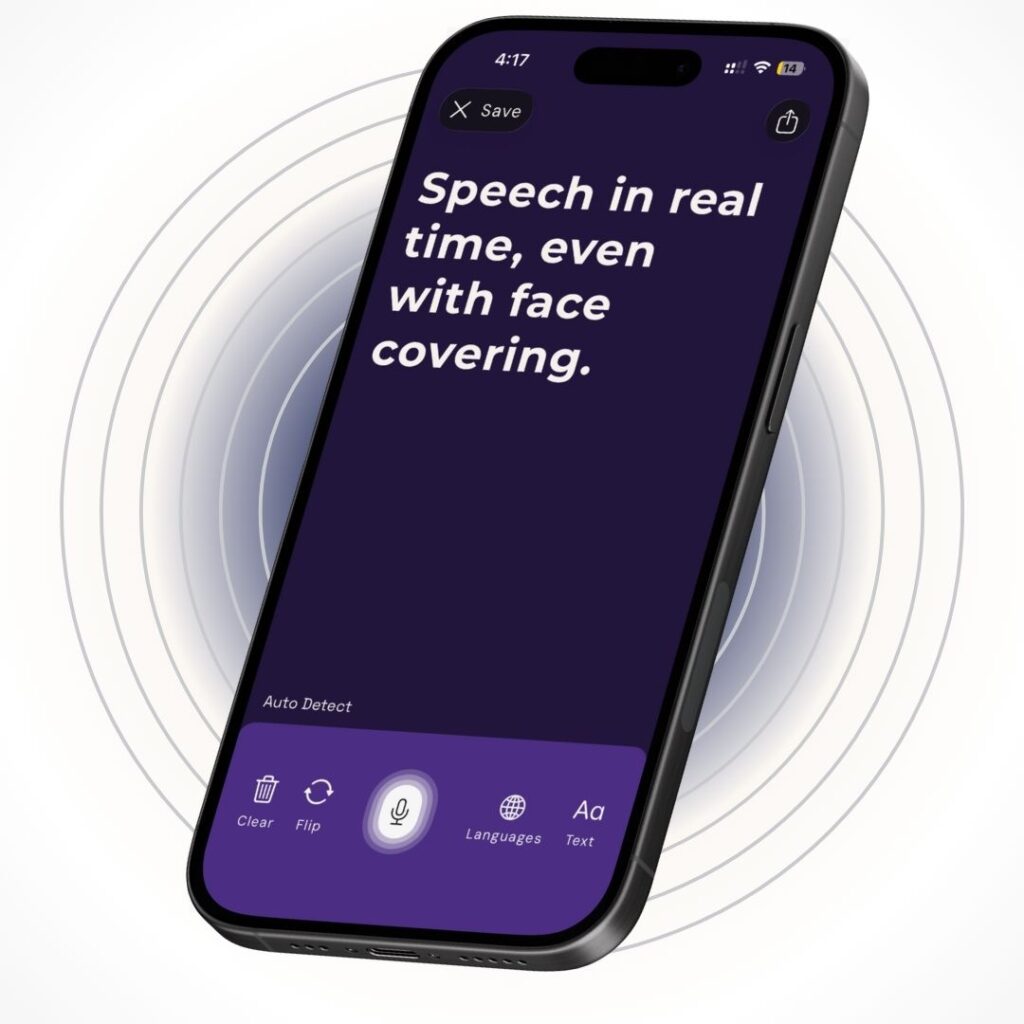
iScribe Key Features
Unlimited file uploads: Deaf and hard of hearing users often need to transcribe both live conversations and pre-recorded content like lecture videos, meeting recordings, and training materials. iScribe allows unlimited audio and video file uploads with no restrictions on length or quantity.
AI-powered summaries: Users can leverage iScribe’s intelligent summarization to automatically extract key points from long conversations, saving hours of review time and making information more accessible.
100+ language support: iScribe supports over 100 languages with easy switching, making it ideal for multilingual families, international students, and global professionals who need accessibility across language barriers.
Flip-screen mode: iScribe’s unique flip-screen feature allows both participants in a face-to-face conversation to read live captions simultaneously—one person reads from the top of the screen while the other reads from the bottom. This creates more balanced, natural communication during doctor visits, interviews, and personal interactions.
Advanced text customization: iScribe provides comprehensive visual accessibility with adjustable text size (from standard to very large), customizable colors for text and background, and high-contrast presets for different lighting conditions.
Save $50 every year compared to Otter
iScribe Pricing
- Annual plan: $49.99/year with 7-day free trial
- Weekly plan: $7.99/week with 3-day free trial
- No usage limits, no per-minute charges, no credit purchases required
- All features included in both plans
iScribe pricing depends on your usage patterns. Use the free trial to evaluate if unlimited transcription fits your communication needs.
2. Ava
Best for: Group meetings and institutional settings requiring speaker identification and cross-platform deployment

Ava Key Features
Speaker identification: This group-focused feature identifies who’s speaking in multi-person conversations, making it essential for meetings, classrooms, and conferences where tracking individual contributions matters.
Multi-device synchronization: Multiple participants can connect their devices to share one live caption session, enabling collaborative accessibility in educational and workplace settings.
Cross-platform availability: Ava works on iOS, Android, and web browsers, providing flexibility for teams with mixed device ecosystems and institutional deployments.
Ava Pricing
Ava offers a limited free tier. Ava pricing is as follows:
- Annual subscription: $119/year
- Pay-as-you-go credits: $4.99 per 5 hours
- Free tier: Available with significant usage limitations
3. Google Live Transcribe
Best for: Android users seeking basic free live captions without advanced features
Google Live Transcribe Key Features
Real-time transcription: Provides live captions for conversations with minimal delay, offering basic accessibility for Android device users.
Sound notifications: Visual alerts for important environmental sounds like doorbells, alarms, and baby cries complement the transcription features.
Vibration alerts: Haptic feedback reinforces sound notifications for users who benefit from multiple sensory inputs.
Google Live Transcribe Pricing
Google Live Transcribe is completely free with no premium tiers or subscription options.
4. Otter.ai
Best for: Business meetings and team collaboration requiring integration with video conferencing platforms
Otter.ai Key Features
Meeting integration: Automatically joins and transcribes Zoom, Google Meet, and Microsoft Teams meetings, creating searchable records without manual recording.
Speaker identification: Distinguishes between different speakers in recorded meetings and creates organized transcripts by participant.
Collaborative notes: Team members can highlight, comment, and collaborate on shared transcripts, supporting workplace accessibility and productivity.
For everyone else—individuals, freelancers, students, small teams, and people with hearing loss—iScribe delivers better value.
Otter.ai Pricing
Otter.ai pricing is as follows (monthly billing):
- Free tier: 300 monthly minutes with basic features
- Pro: $16.99/month for 1,200 monthly minutes
- Business: $30/user/month for 6,000 monthly minutes
- Enterprise: Custom pricing for large organizations
5. Microsoft Translator
Best for: Multilingual conversations requiring real-time cross-language communication
Microsoft Translator Key Features
Multi-language support: Translates and transcribes conversations across 100+ languages simultaneously, enabling communication between people speaking different languages.
Conversation mode: Multiple people can join a conversation on their own devices and see captions in their preferred language.
Cross-platform compatibility: Available on iOS, Android, and web, plus integrations with Microsoft products like PowerPoint for live presentation captions.
Microsoft Translator Pricing
Microsoft Translator is free for personal use. Enterprise features require Microsoft 365 subscriptions.
Benefits of Transcription Apps for Deaf and Hard of Hearing Users
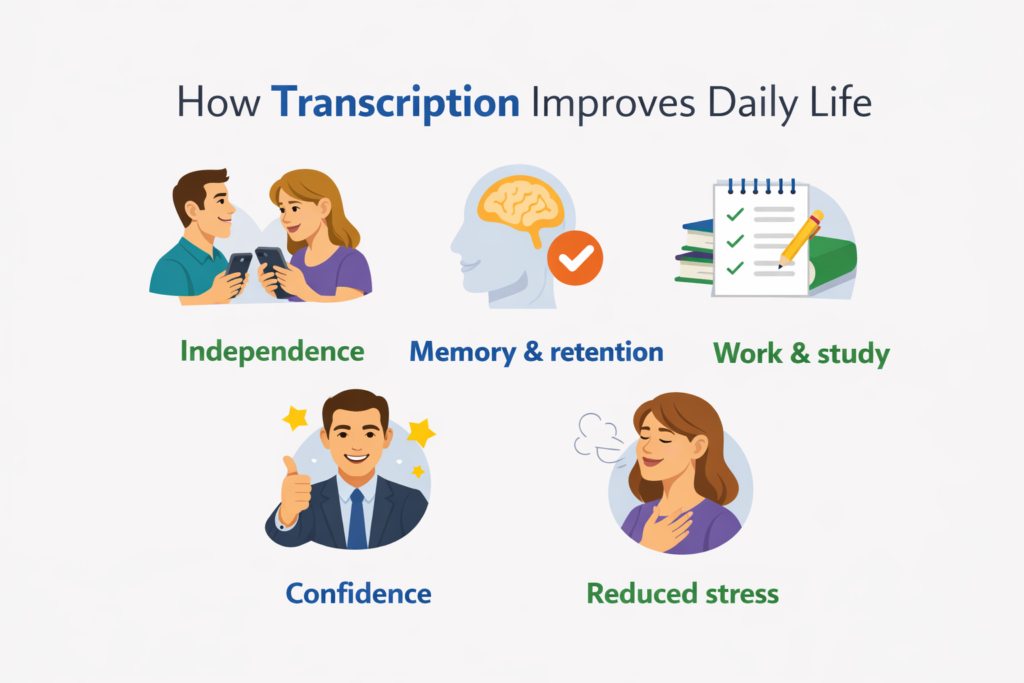
Complete Communication Independence
No more waiting for interpreters or asking others for help. iScribe gives you instant captions for any conversation: doctor visits, work meetings, casual chats. Pull out your phone and participate fully, on your own terms.
Improved Information Retention
Important details shouldn’t disappear after a conversation ends. iScribe automatically saves everything and creates smart summaries. Need to remember what your doctor said last month? Just search and find it instantly.
Streamlined Daily Communication
Communication should be simple, not stressful. iScribe delivers fast captions, lets you customize how text looks, and includes flip-screen mode so both people in a conversation can read along. Less frustration, more natural conversations.
Personal and Professional Growth
Whether you’re studying for exams or climbing the career ladder, you need full access to information. iScribe lets you transcribe lectures, upload training videos, and review content with AI summaries, giving you the same advantages as everyone else.
Enhanced Quality of Life
Life is better when you can communicate freely. With automatic saving, easy searching, 100+ languages, and visual customization, iScribe reduces daily stress and increases your independence in every conversation.
How to Choose a Transcription App for Deaf and Hard of Hearing Users (Step-by-Step)
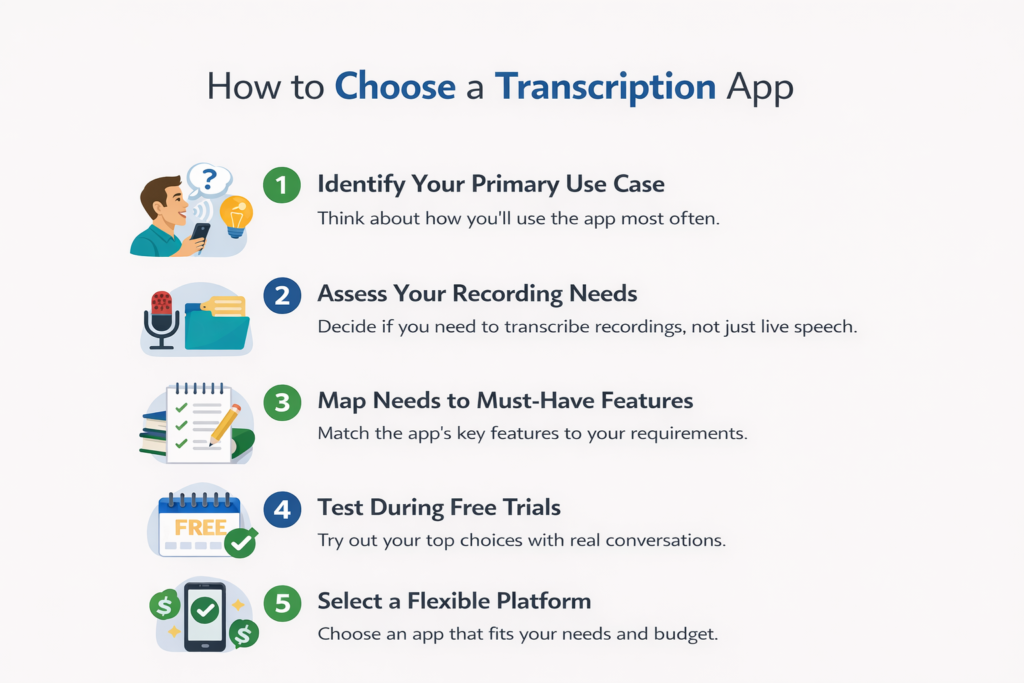
Step 1: Identify Your Primary Use Case
Ask yourself: What will I use this for most?
- One-on-one conversations (doctor, friends, shopping) → iScribe
- Group meetings where you need speaker labels → Ava
- Educational lectures and recordings → iScribe
- Just basic live captions → Any app works
Step 2: Assess Your Recording Needs
Ask yourself: Do I need to transcribe recordings?
- Upload lecture videos, meeting audio, training files → iScribe (unlimited)
- Only need live captions → Either app works
- Rarely use recordings → Not a deciding factor
Step 3: Map Needs to Must-Have Features
Match your needs to features:
- Need unlimited usage → iScribe
- Need speaker identification → Ava
- Need AI summaries → iScribe
- Need multilingual support → iScribe (100+ languages)
- Need cross-platform (Android/web) → Ava
Step 4: Test During Free Trials
Try before you buy:
- Sign up for free trials of your top choices
- Test with real conversations
- Try in noisy and quiet places
- Upload a recording if you need that
- Check if it’s comfortable to read
Step 5: Choose a Flexible Platform That Meets Your Needs
Make your decision based on what matters most:
- Most people choose iScribe (more features, half the cost)
- Choose Ava if you absolutely need speaker ID for group meetings
- iScribe is easier to use and proven in the deaf community
Real example: Student Maria reviewed 3 months of lectures in one weekend using iScribe’s AI summaries.
Frequently Asked Questions
What is the best transcription app for deaf and hard of hearing users?
iScribe is the best choice for most people. It combines live captions, unlimited file uploads, AI summaries, and 100+ languages for just $49.99/year. No usage limits. No surprise charges. Everything you need in one app.
What features should I look for in a transcription app for accessibility?
Look for these 5 essentials:
- Fast real-time captions (under 2 seconds)
- Adjustable text size and colors
- Automatic transcript saving and search
- Can upload recordings (not just live)
- AI summaries to save review time
iScribe has all five. Most other apps are missing several.
Is iScribe good for deaf and hard of hearing users?
Yes. iScribe was designed with accessibility as the top priority. You get large text options, high contrast modes, flip-screen for face-to-face conversations, and unlimited usage. No worrying about running out of minutes mid-conversation.
Can I use transcription apps for medical appointments?
Price comparison:
- iScribe: $49.99/year (unlimited everything)
- Ava: $119/year (may need extra credits)
- Google Live Transcribe: Free (basic only
iScribe offers the most features at the best price.
Is iScribe safe to use?
Absolutely. iScribe is perfect for doctor visits:
- Flip-screen mode: Both you and your doctor see captions
- Auto-save: Review medication instructions later
- Search: Find what the doctor said last month
Just let your doctor know you’re using it for accessibility.
Meet iScribe, the Top Transcription Choice for Communication Independence
iScribe is the #1 choice for deaf and hard of hearing users who want communication independence. Here’s why:
Comprehensive Accessibility in One Platform
iScribe does everything in one app:
- Live real-time captions
- Unlimited file uploads
- AI summaries
- Advanced visual customization
- 100+ languages
No juggling multiple apps. Everything you need, one place.
Affordable Unlimited Usage for Users of All Backgrounds
Just $49.99/year for unlimited:
- No monthly minute caps
- No file upload restrictions
- No credit purchases
- No surprise charges
Use it as much as you want. The price never changes.
Visual Accessibility That Adapts to Your Needs
Full customization:
- Text size: Standard to very large
- Colors: Whatever’s comfortable for your eyes
- Contrast: Adjust for any lighting
- Presets: Save favourites for different situations
- Flip-screen: For face-to-face conversations
By the numbers:
- Students: 3x faster content processing
- Professionals: 10+ hours saved monthly
- Patients: 100% appointment independence
- Everyone: $69 annual savings vs. Ava
Ready to transform your communication? Get started with iScribe’s free trial today.